


If you’re moving your email list over from MailerLite, GemCRM makes the switch simple. Instead of exporting and re-uploading CSV files by hand, you can connect your MailerLite account directly and pull in your contacts, lists, and tags in just a few clicks. This guide walks you through generating the right credentials and completing the import from start to finish.
Step 1: Get Your MailerLite API Token
Before you start the import, gather your credentials:
- Log in to app.mailerlite.com.
- Click your account name (top-right) → Integrations.
- Under Developer API, click Use (or Generate new token if none exists).
- Copy the API token and save it temporarily.
Note: Your API token is a long string starting with eyJ…. Treat it like a password — keep it secure.
Step 2: Start the Import
- In GemCRM, go to Contacts → Import.
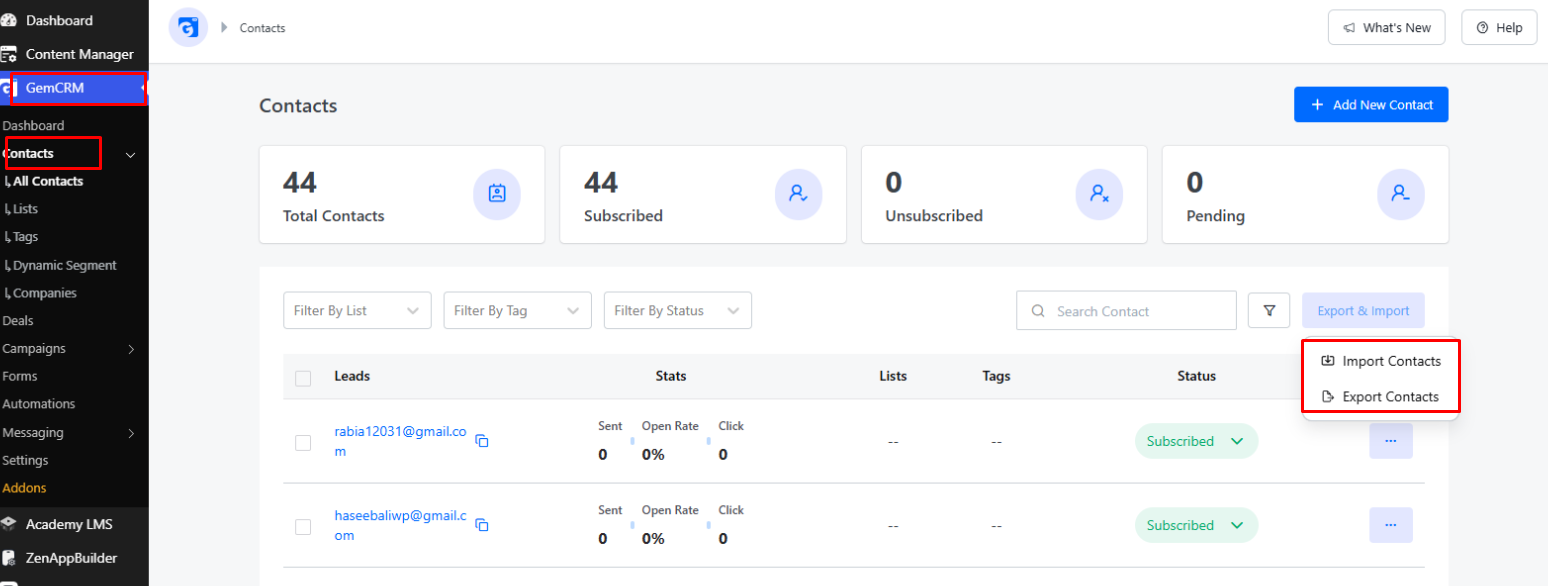
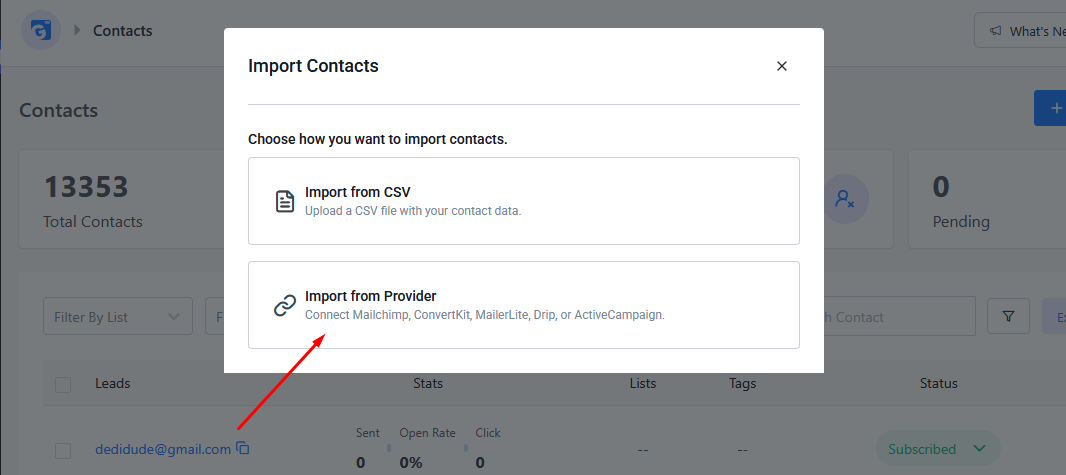
- Select Import from Provider.
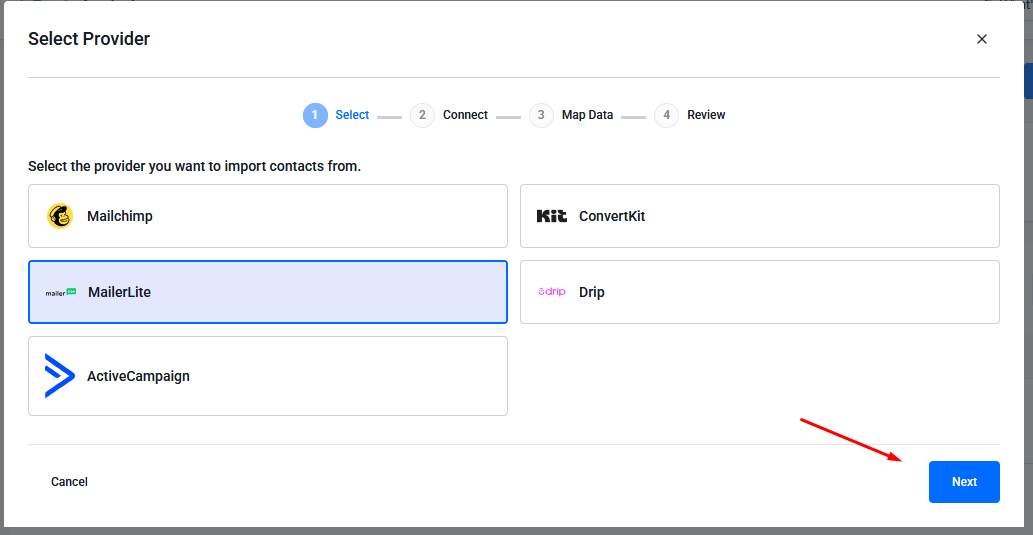
- Choose MailerLite from the provider list.
- Paste your API token and click Connect.
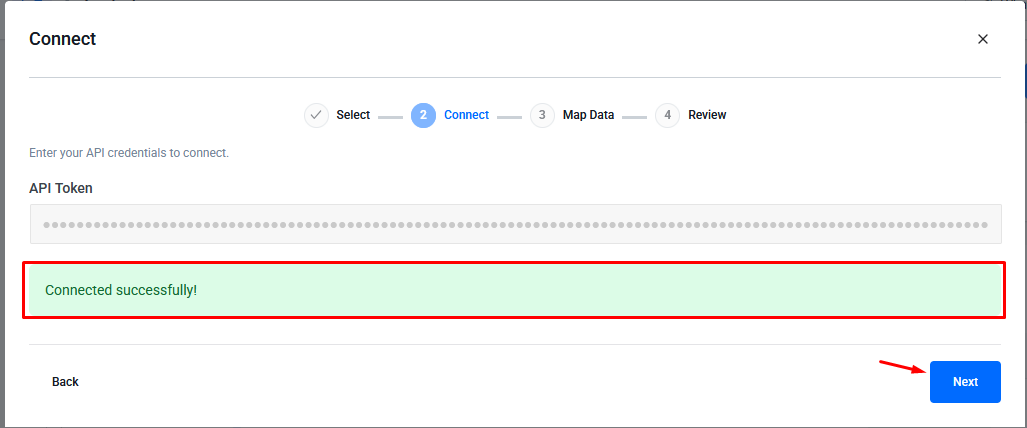
- GemCRM validates your credentials before proceeding.
Step 3: Choose What to Import
Select one import scope:
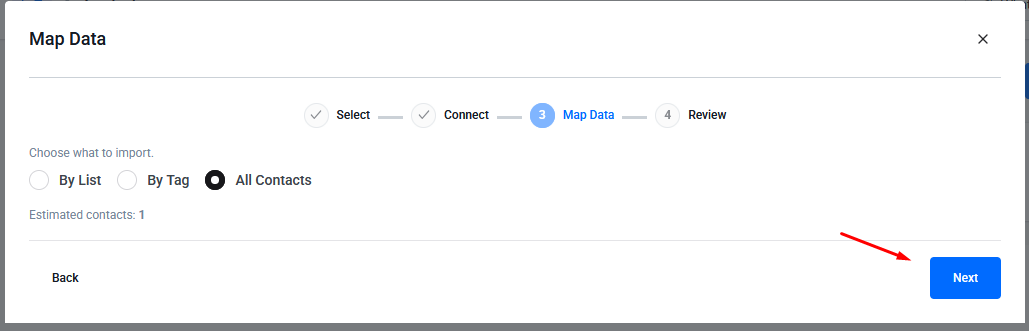
- All contacts — import every contact in your MailerLite account
- Specific list/audience — select from a dropdown of your MailerLite lists
- Specific tag/segment — filter by tag (where supported)
Step 4: Organize Imported Contacts (Optional)
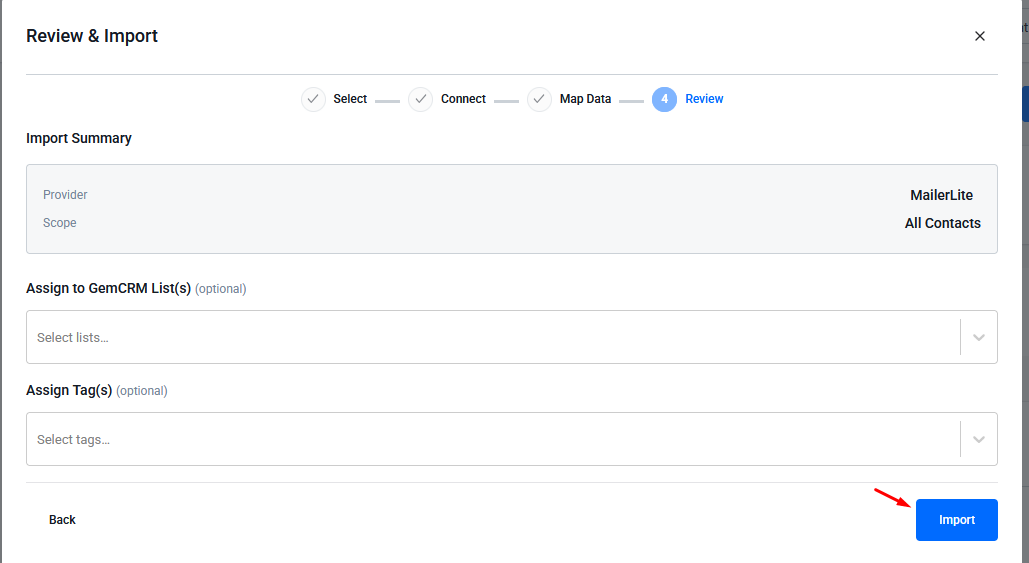
Assign your imported contacts to GemCRM Lists and/or Tags to keep them organized.
Step 5: Complete the Import
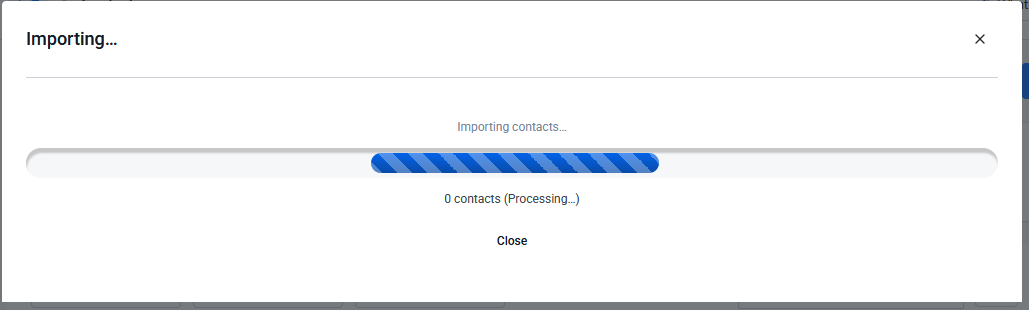
- Click Import.
- A progress bar tracks the import in real time.
- Imports run in batches of 50 contacts.
- You can navigate away — the import continues in the background.
Wrapping Up
Once the import finishes, your MailerLite contacts will show up in GemCRM under Contacts, along with any Lists or Tags you assigned during setup. From here, you can manage them just like any other contact in your CRM — segment them, add them to campaigns, or track their activity going forward.
If the import doesn’t go through, double-check that your API token hasn’t expired and that it was copied in full, since even a missing character will cause the connection to fail.