


GemCRM’s Dynamic Segment feature allows you to leverage all the rich data you have about your contacts to create highly targeted and meaningful segments. Every contact in GemCRM carries valuable information, such as:
- Profile and Signup Data: Signup date, source of signup, location, and how they were added.
- Engagement Data: Interaction with emails, campaigns, and other communications.
With this data, you can create Dynamic Segments that automatically group contacts based on conditions you define. These segments are continuously updated in real time, ensuring that contacts move in or out of a segment as their data or behavior changes.
How to create a Dynamic Segment in GemCRM
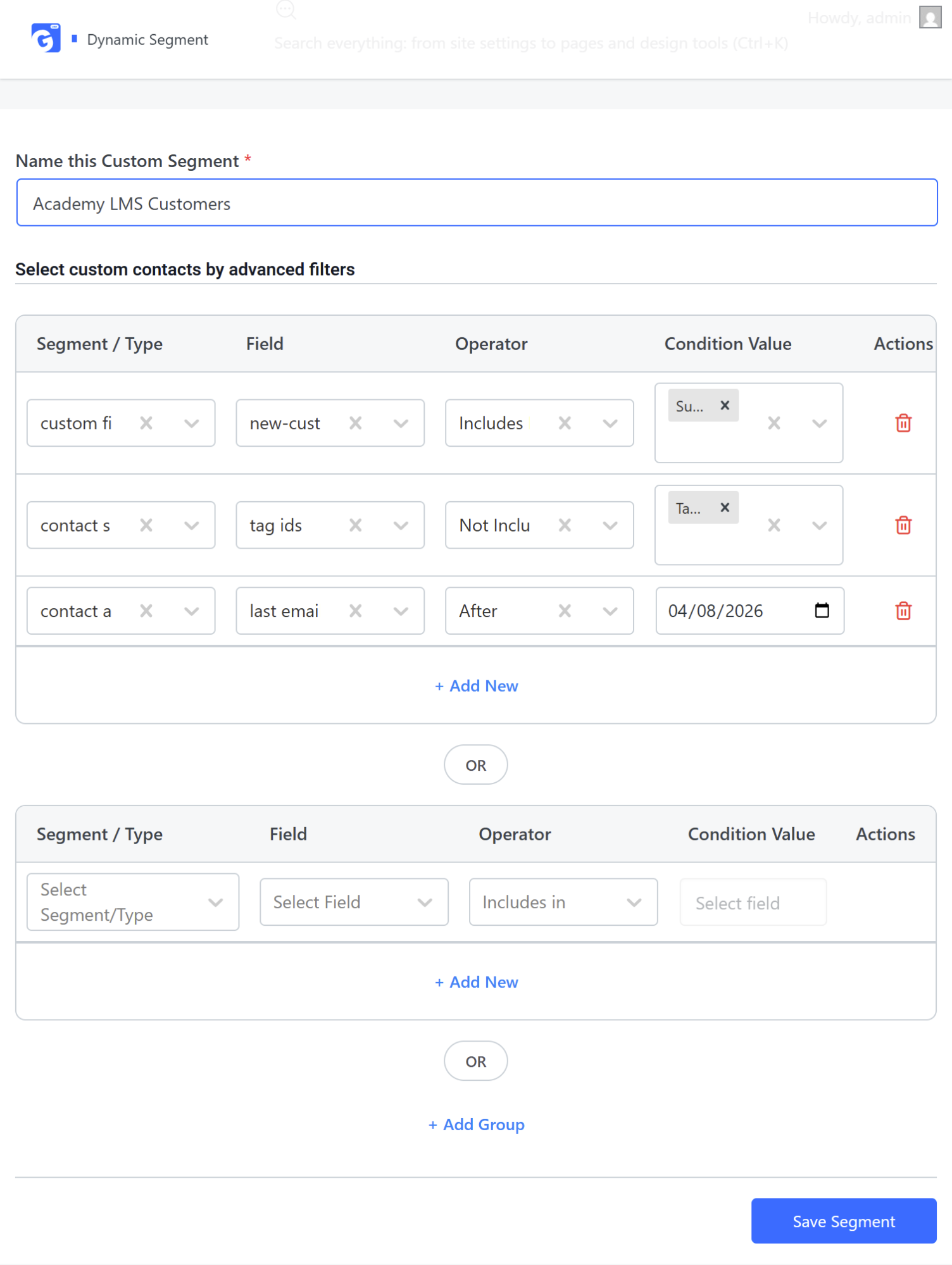
Navigate to GemCRM → Contacts → Dynamic Segment. Click on the “New Segment” button to start creating a new Dynamic Segment. Enter a custom segment name and select the segment type, Field, Operator, and condition value according to your needs. To add multiple conditions or criteria, click the “+ Add New” option. To add more group conditions together, use the “+ Add Group” option. After adding all details, don’t forget to click on the Save Segment option to create a custom segment.
This setup allows you to create complex, highly targeted segments that automatically update as contact data or behavior changes.
How to use the Dynamic Segment in GemCRM Campaign
To use a Dynamic Segment in a campaign, navigate to the GemCRM → Campaigns section. You can then add a Dynamic Segment to either a new campaign or an existing campaign as needed.
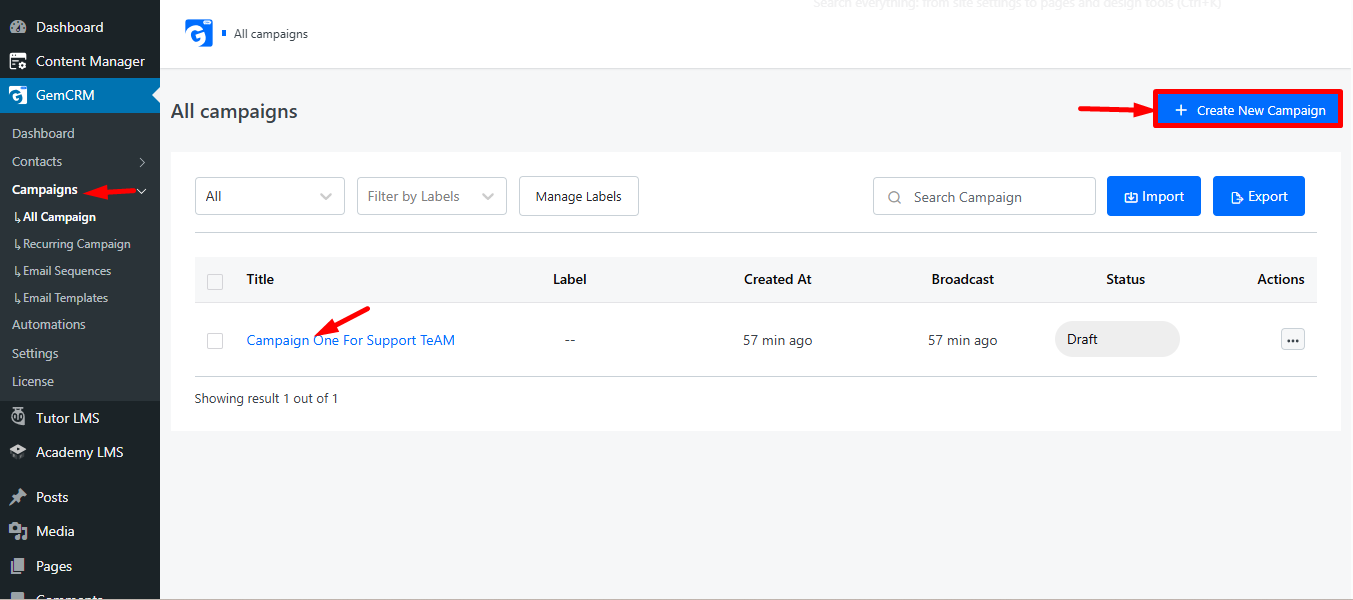
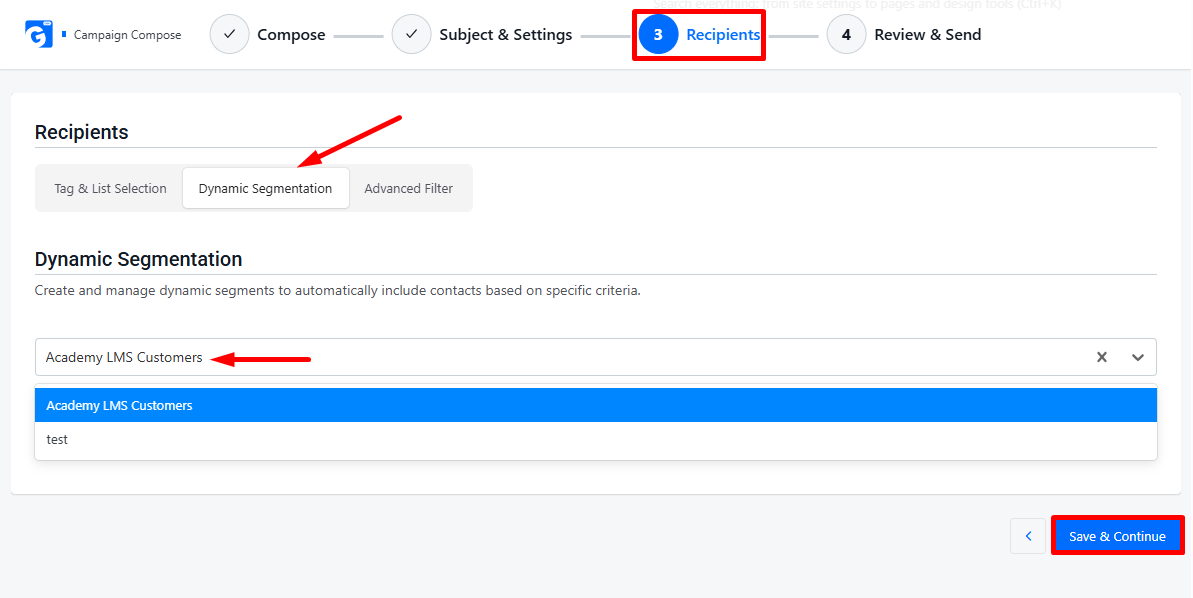
Go to the Campaigns page in GemCRM. Click the “Save & Continue” button to move to the Recipients section. In the Recipients section, select the Dynamic Segment option. Choose the custom segment you created earlier. Click the field to add your selected segment to the campaign. After adding the custom segment, click the “Save Segment” button to confirm and include it in your campaign.
This allows you to send your campaign to a targeted audience defined by your Dynamic Segment, ensuring more relevant and effective communication.
GemCRM’s Dynamic Segment feature helps you automatically organize contacts based on their data and behavior, allowing you to create highly targeted and personalized campaigns. By using dynamic segments, your marketing becomes more precise, efficient, and effective, ensuring the right message reaches the right audience at the right time.