


The Purchase History tab in GemCRM lets you view a contact’s complete order records directly from their contact details page — no need to switch between plugins or dashboards.
How to View Purchase History
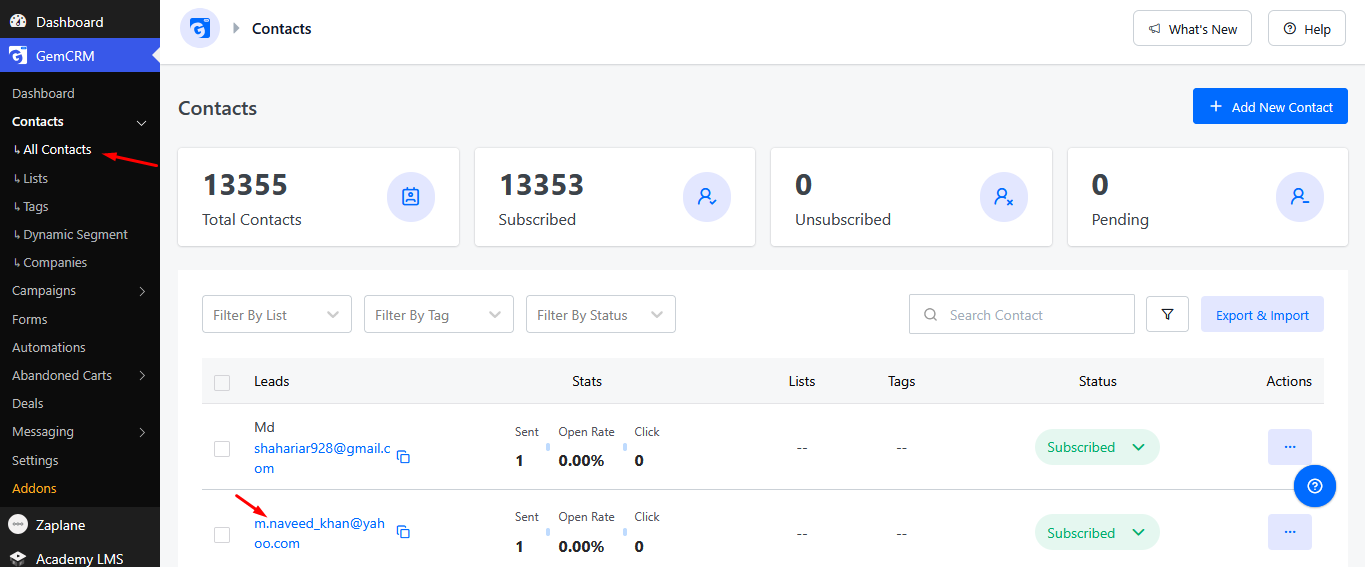
- Navigate to GemCRM → Contacts.
- Click on any contact from the list to open their Contact Details page.
- In the Details section, click the Purchase History tab.
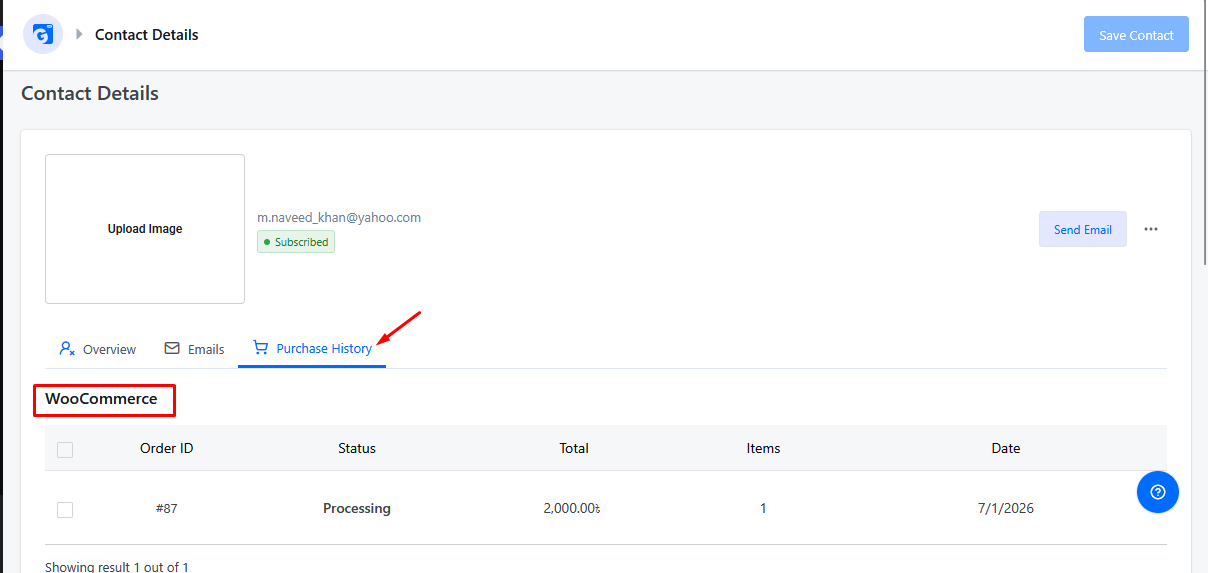
What You’ll See
GemCRM automatically detects which eCommerce platforms are active on your site and displays order data accordingly:
- Both WooCommerce and StoreEngine active: Two separate tables are shown — one listing WooCommerce orders and another listing StoreEngine orders for that contact.
- Only one platform active: Only the relevant table (WooCommerce or StoreEngine) appears.
This makes it easy to track a customer’s buying behavior across platforms without leaving the CRM.
Why This Is Useful
- Get a quick snapshot of a contact’s order history without digging through WooCommerce or StoreEngine separately.
- Useful for support, upselling, or understanding customer lifetime value.
- Works seamlessly whether you’re running a single-platform store or managing both WooCommerce and StoreEngine side by side.