


Professional emails.
No designer,
no code needed.
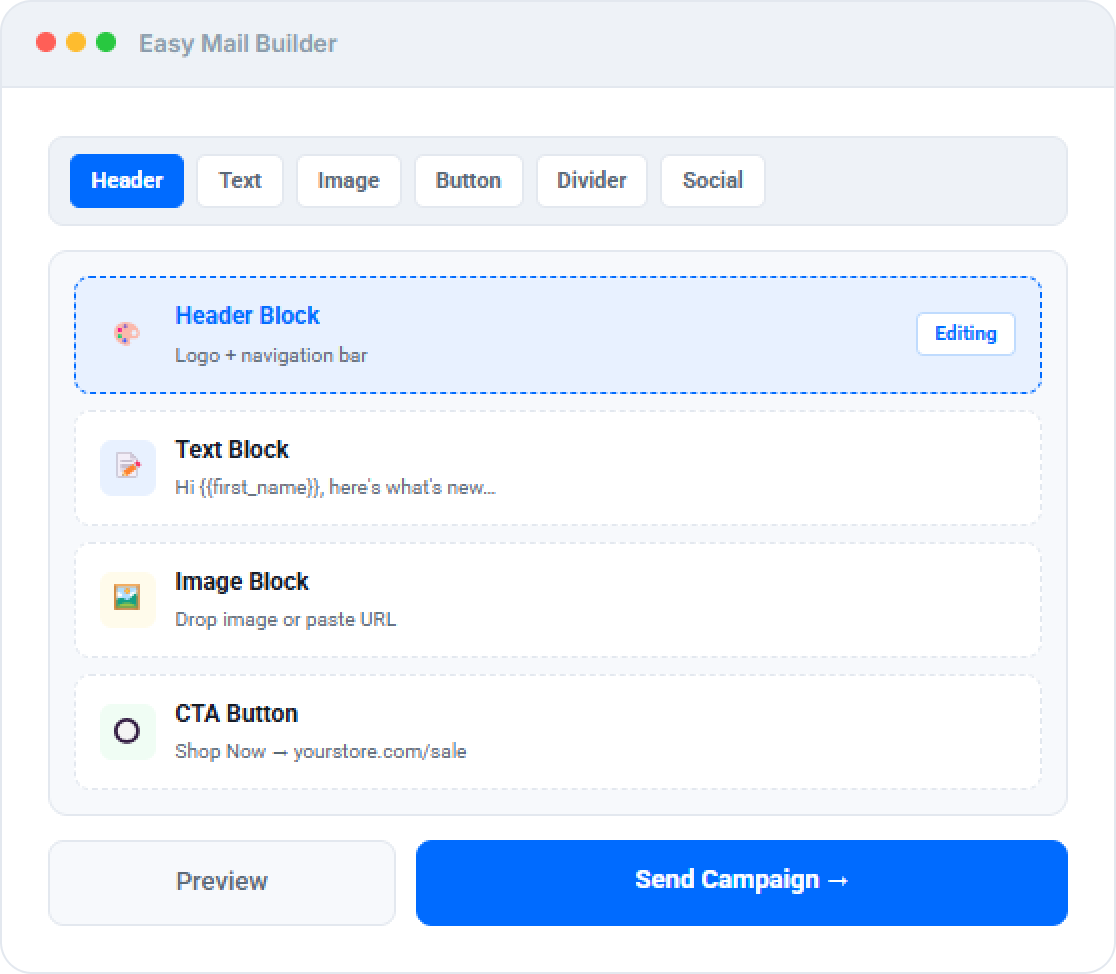
The built-in Easy Mail Builder gives you a drag-and-drop canvas inside WordPress. No third-party editor, no Canva export, no external account. Build, save template, A/B test, and send in minutes.
Free
Email Builder Plan
∞
Forms You Can Create
A/B
Testing Built In Free
$0
Per-Campaign Fee
Visual Canvas Builder
Drag. Drop. Send. No code. No compromise.
Every block snaps to a 4px grid. Merge tags personalise with first name, company, or any custom field. Save any design as a reusable template for next time.
Drag-and-drop canvas
Header, text, image, button, divider
Reusable templates
Save any design, reuse in seconds
Merge tag personalisation
{{first_name}}, company, custom fields
Mobile preview
Desktop + mobile view before sending
A/B Testing & Analytics
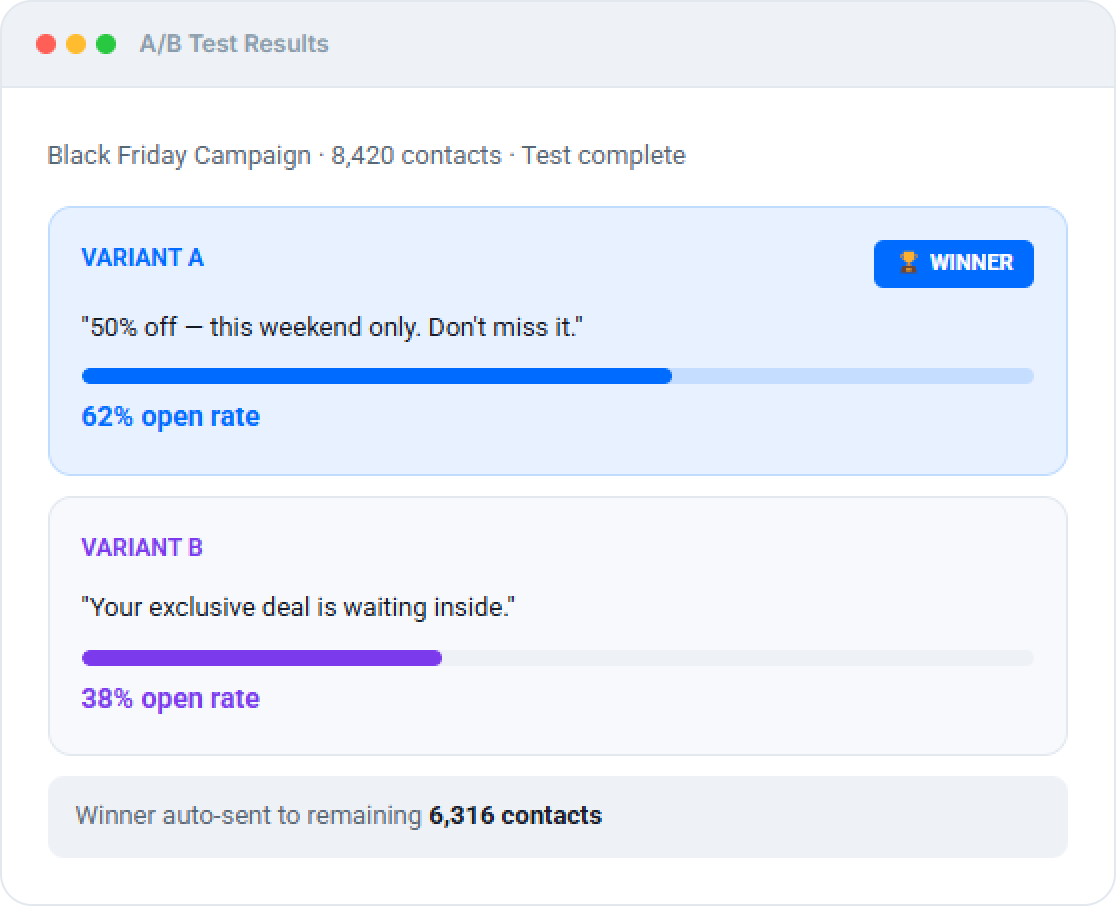
Test the winner. Send it automatically.
Also available in GemCRM
Build great emails. Then automate everything.
Drip Sequences
Use your saved templates in automated multi-step journeys.
Segmented Sends
Send to dynamic segments that update in real time.
Recurring Campaigns
Weekly or monthly newsletters that send automatically.
Campaign Analytics
Full open, click, and bounce tracking per campaign and contact.
Comparison
GemCRM Email Builder vs alternatives
Mailchimp charges per subscriber. FluentCRM’s builder is Pro only. GemCRM’s builder is free — forever.
|
Feature |
GemCRM |
Mailchimp Free |
FluentCRM |
|
Drag-and-drop builder |
Free |
None |
Pro only |
|
Reusable template library |
Free |
Paid |
Pro |
|
A/B subject line testing |
Free |
Paid |
Pro |
|
Follow-up auto-resend |
Free |
||
|
Per-subscriber fee |
None ever |
Yes |
None |
|
Data on your server |
|
|
Who uses this
Every WordPress site that sends email
Store Owners
Promo campaignsDesign once, A/B test the subject line, send to 10K contacts for SES cost only.
Bloggers
Weekly newslettersBuild a branded template, save it, send every week in 10 minutes without rebuilding.
Course Creators
Drip onboardingDesign the welcome sequence, save each step as a template, launch in one session.
Agencies
Brand-consistent sendsBuild client-branded templates. Reuse across campaigns without redesigning each time.
Email builder questions answered
Direct.
What blocks can I add?
Header, text, image, button, divider, and social icon blocks. All drag-and-drop, editable inline.
How do merge tags work?
Type {{first_name}} or any GemCRM contact field in double curly braces. GemCRM replaces them with real contact data before each send.
Can I save a design as a template?
Yes — any email can be saved to your template library and reused in any future campaign or sequence step with one click.
Is the builder free?
Yes — the builder, template library, A/B testing, and follow-up resend are all free in GemCRM.