The Abandoned Cart Settings page lets you define the rules for when a cart is considered abandoned, how GDPR consent is handled, and which lists or tags should be applied to customers.
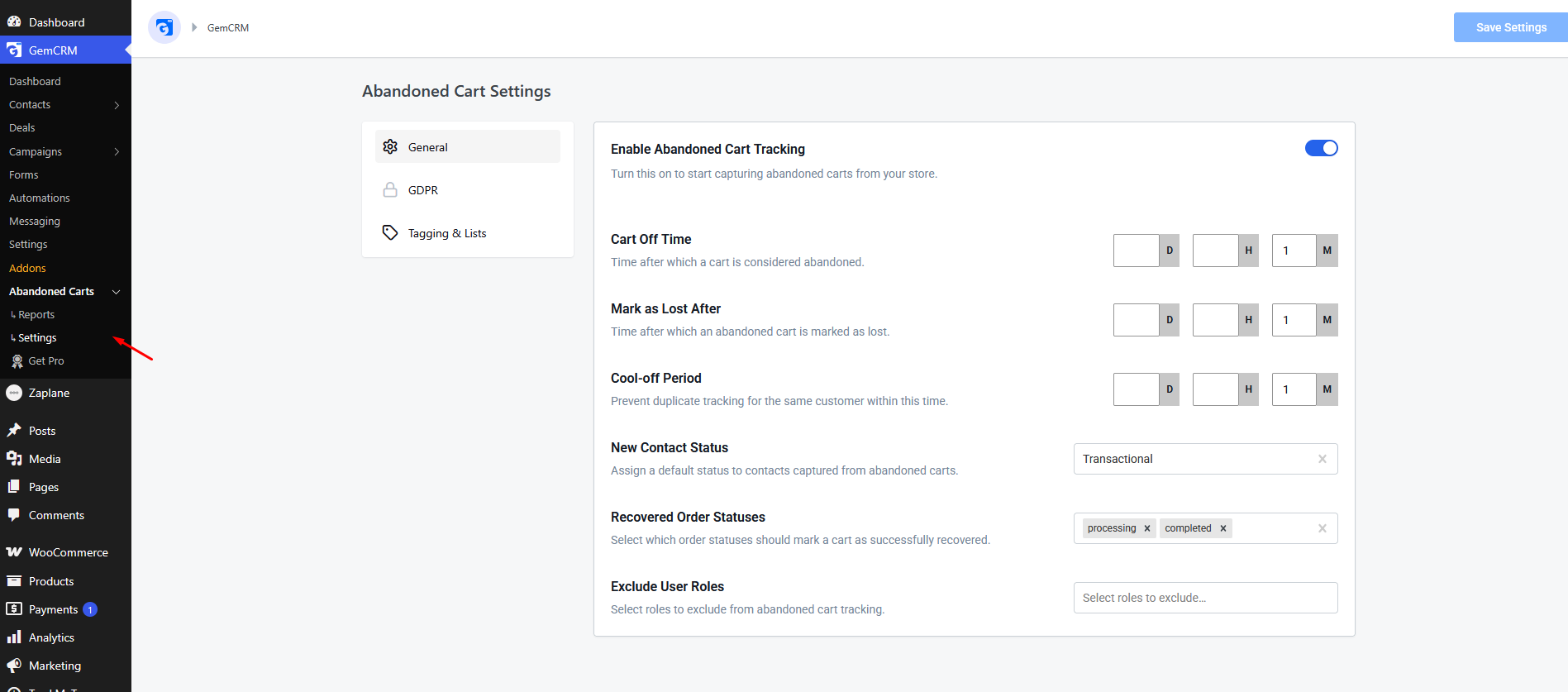
To access these settings, go to GemCRM → Abandoned Carts → Settings.
General Settings
The General tab controls the core logic of the tracking engine.
|
Setting |
Description |
|
Enable Abandoned Cart Tracking |
Global toggle to turn the tracking engine on or off. |
|
Cart Off Time |
The number of minutes of inactivity after which a “Draft” cart becomes “Abandoned”. The default is 30 minutes. |
|
Mark as Lost After |
The amount of time after which a “Processing” cart is moved to “Lost” status if not recovered. The default is 7 days. |
|
Cool-off Period |
Prevents duplicate tracking. If a customer abandons another cart within this window, it will not create a new record. |
|
New Contact Status |
The default GemCRM contact status assigned to new customers captured via abandoned carts (e.g., Transactional, Subscribed). |
|
Recovered Order Statuses |
Select which WooCommerce order statuses (e.g., Processing, Completed) should trigger a “Recovered” state for the cart. |
|
Exclude User Roles |
Select specific WordPress roles (like Administrator or Shop Manager) that should never be tracked. |
GDPR Settings
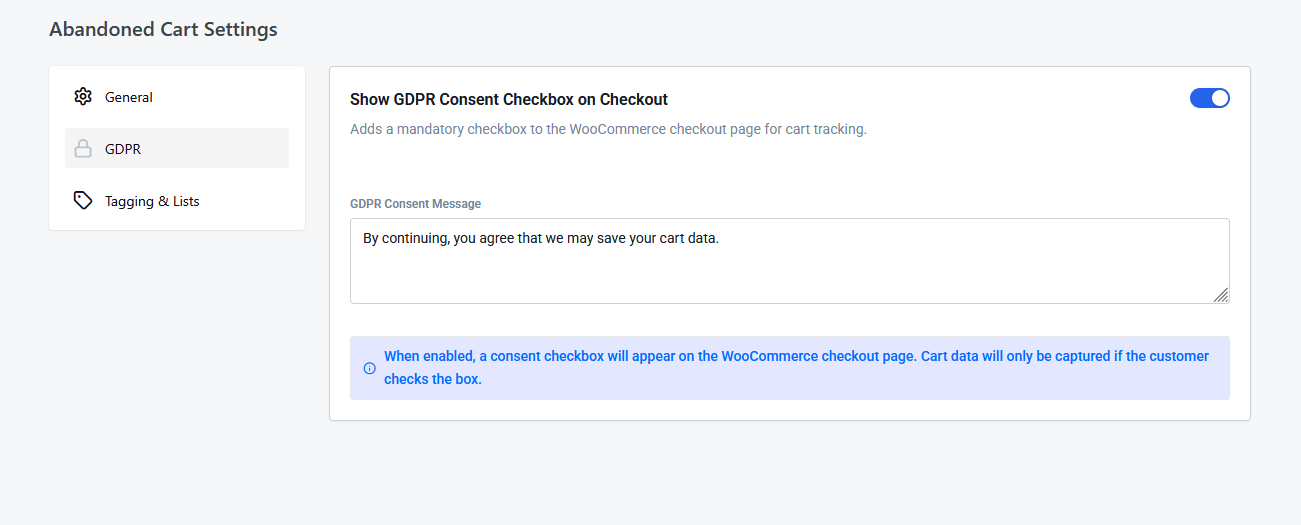
Use the GDPR tab to ensure your cart tracking is compliant with privacy regulations.
|
Setting |
Description |
|
Show GDPR Consent Checkbox |
When enabled, a mandatory checkbox is added to the WooCommerce checkout page. Cart data will only be saved if the customer checks this box. |
|
GDPR Consent Message |
The text displayed next to the consent checkbox. Use this to explain how the customer’s data will be used for recovery purposes. |
Tagging & Lists Settings
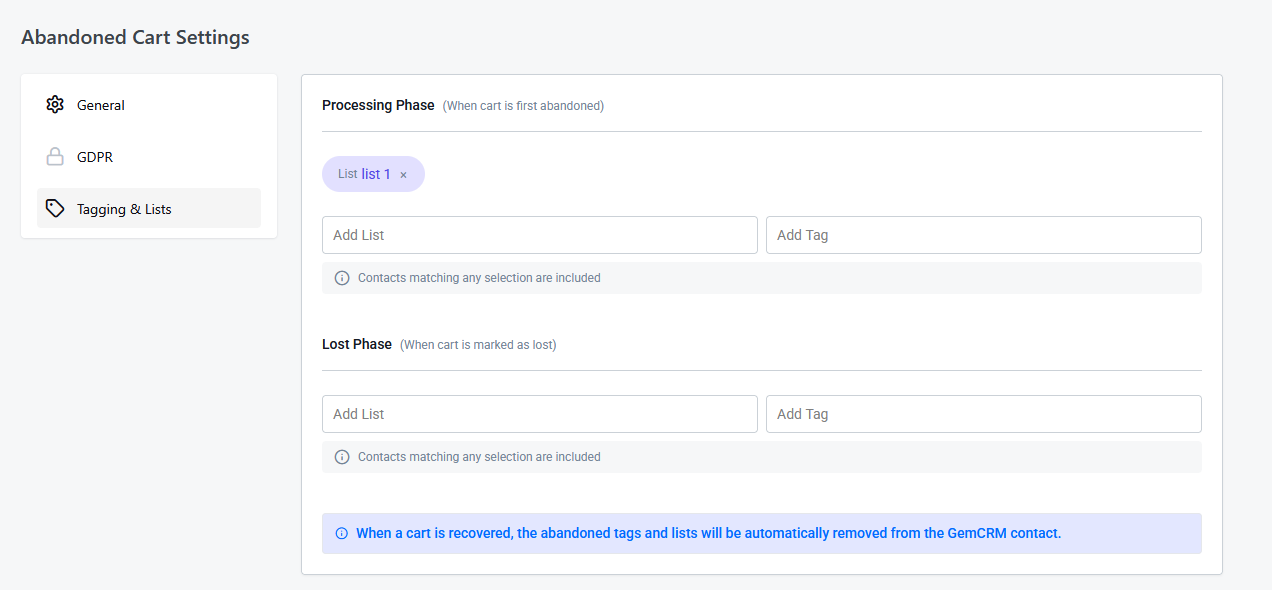
The Tagging & Lists tab allows you to automate contact organization based on the cart lifecycle.
Processing Phase
Configure which Lists and Tags should be applied to a contact as soon as their cart moves to the Processing status. This is the ideal time to trigger automated email sequences.
Lost Phase
Configure which Lists and Tags should be applied when a cart is officially marked as Lost. You might use this to tag them for a “last-chance” discount or move them to a different nurture list.
Note: When a cart is successfully recovered, GemCRM automatically removes the “Abandoned” tags and lists from the contact to keep their profile clean.