


The Advanced Filter in GemCRM allows you to precisely target contacts when creating campaigns. Instead of sending messages to broad lists, you can define specific conditions to include only the most relevant audience.
This feature is available during the Recipients step of campaign creation.
Overview
With Advanced Filter, you can:
- Create highly targeted contact segments
- Filter contacts using multiple conditions
- Combine rules using AND / OR logic
- Use contact data, segments, activities, and custom fields
Where to Find Advanced Filter
The Advanced Filter is available inside the campaign builder.
Steps to Access
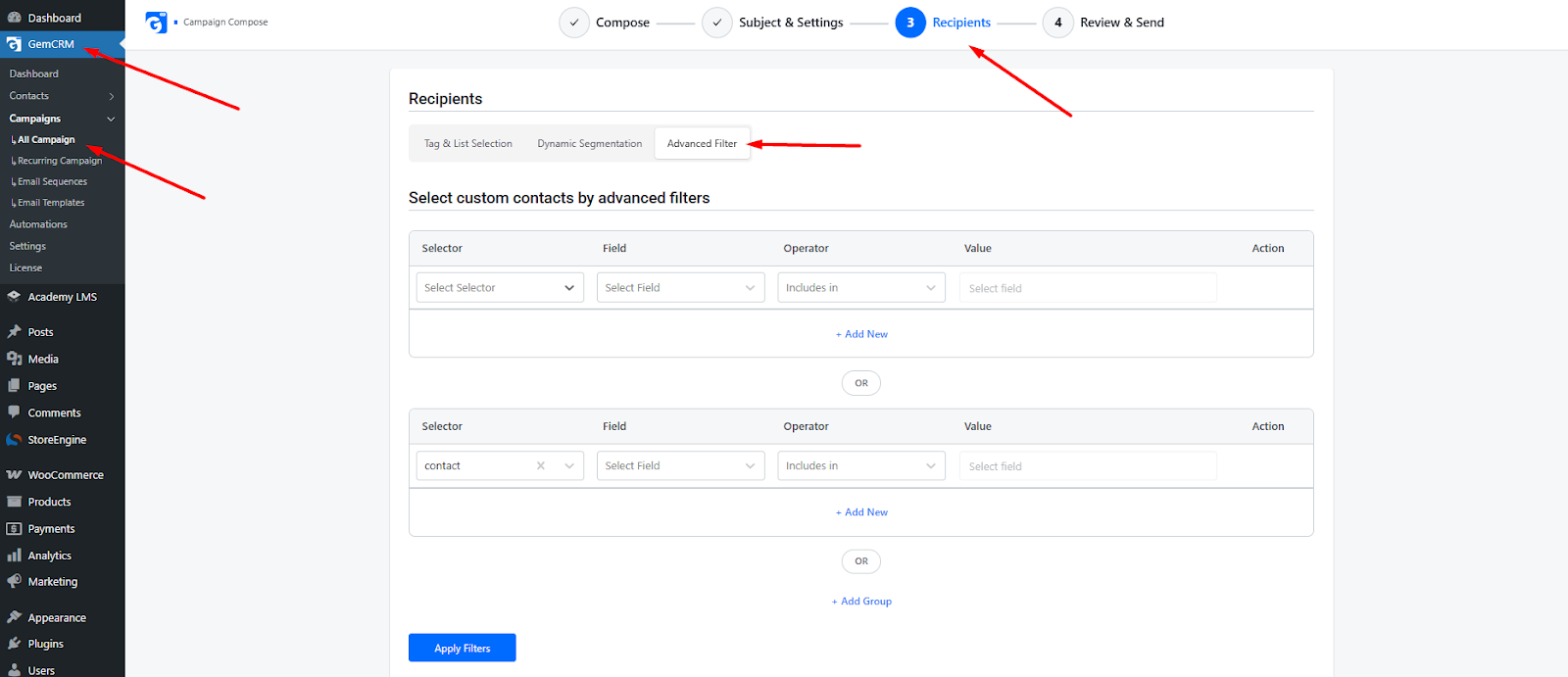
- Go to GemCRM → Campaigns
- Click All Campaigns
- Create a new campaign or edit an existing one
- Navigate to the Recipients step
- Click on the Advanced Filter tab
Understanding the Filter Builder
The Advanced Filter is built using a structured rule system.
Each filter row includes:
- Selector – Defines the data source
- Field – The specific attribute to filter
- Operator – Condition (e.g., includes, equals)
- Value – The value to match
Available Selectors
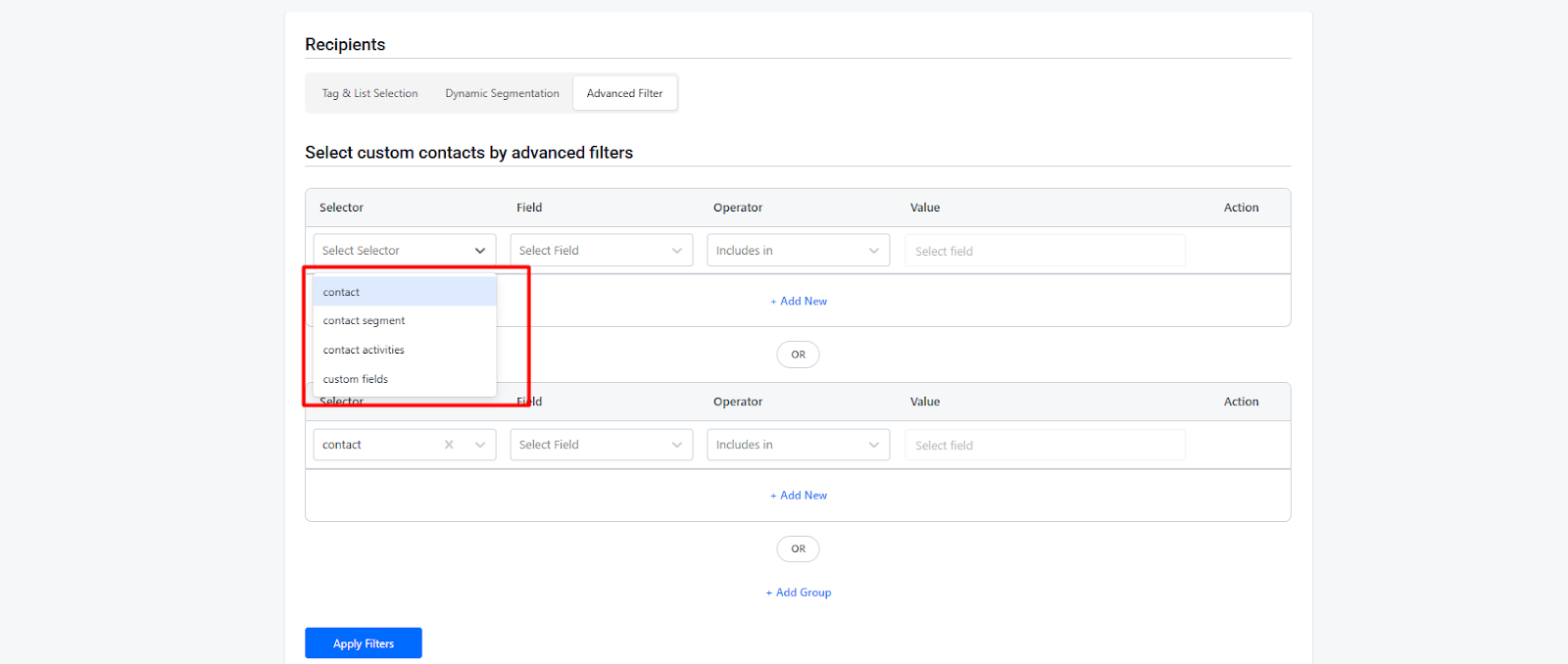
You can filter contacts using different data sources:
- Contact – Basic contact information (name, email, etc.)
- Contact Segment – Predefined segments
- Contact Activities – User actions or behaviors
- Custom Fields – Custom data added to contacts
How to Create an Advanced Filter
1. Select a Selector
- Choose a category such as Contact or Contact Segment
2. Choose a Field
- Select the field you want to filter by
- Example: Email, Tag, Country, Activity
3. Select an Operator
- Common operators include:
- Includes in
- Equals
- Not equals
- Contains
4. Enter a Value
- Define the value that matches your condition
- Example: Tag = “VIP Users”
5. Add More Conditions
- Click + Add New to add additional rules within the same group
6. Use OR Logic
- Click OR to create alternative conditions
- This allows contacts to match any of the conditions
7. Add Filter Groups
- Click + Add Group to create multiple rule groups
- Combine groups using AND / OR logic for advanced targeting
8. Apply Filters
- Click Apply Filters to finalize your selection
Example Use Cases
Target Specific Users
- Contacts where Country = USA AND Tag = Premium
Behavioral Targeting
- Users who completed a purchase but did not open the last email
Segment-Based Campaigns
- Send campaigns only to a specific contact segment
Benefits of Advanced Filter
- Highly precise audience targeting
- Better campaign performance and engagement
- Reduced spam and irrelevant messaging
- Flexible rule-building with logical conditions
Important Considerations
- Accurate Data: Ensure contact data and custom fields are properly configured
- Logic Awareness: Understand AND vs OR to avoid incorrect targeting
- Testing: Always review filters before sending campaigns
- Scalability: Use groups for complex segmentation
The Advanced Filter in GemCRM is a powerful tool for building smart, data-driven campaigns. By targeting the right audience with the right conditions, you can significantly improve engagement and conversion rates.