


Lists and Tags help you organize, segment, and manage your contacts effectively in GemCRM. While both are used to group contacts, they serve different purposes and work best when used together.
Lists are ideal for defining a contact’s overall category or lifecycle stage, while Tags allow you to apply flexible labels based on behavior or attributes.
1. Managing Lists in GemCRM
Lists are used to group contacts into structured, long-term categories such as Leads, Customers, or Subscribers. A contact typically belongs to one primary list.
Creating a New List
To create a new list:
- Navigate to GemCRM > Contacts > Lists from your sidebar.
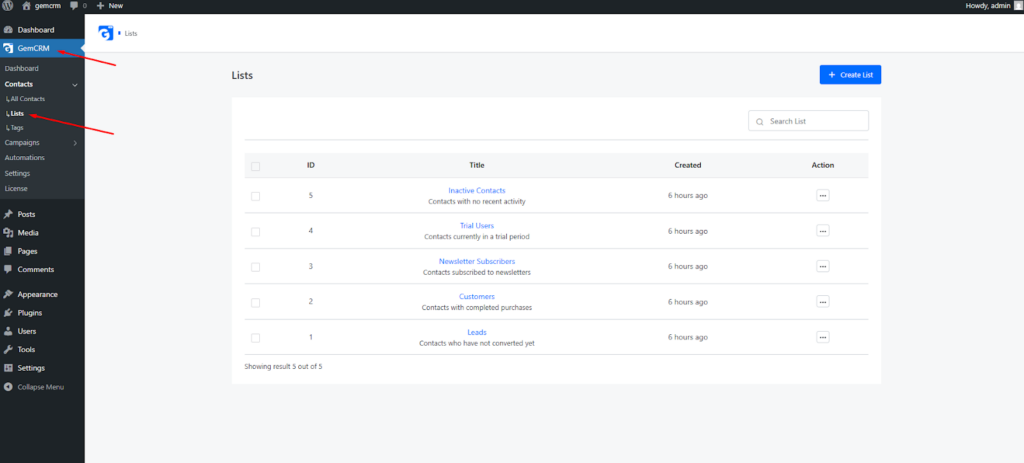
- Click the + Create List button at the top right.
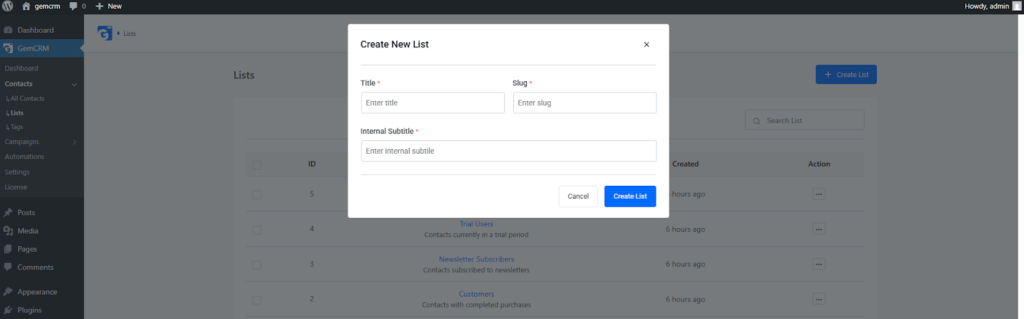
A pop-up form will appear. Fill in the following details:
- Title:
The display name of the list is shown throughout the CRM.
Example: Leads - Slug:
A unique, URL-friendly identifier used internally.
Example: leads - Internal Subtitle:
A short internal description explaining the purpose of the list.
Example: Contacts who have not converted yet
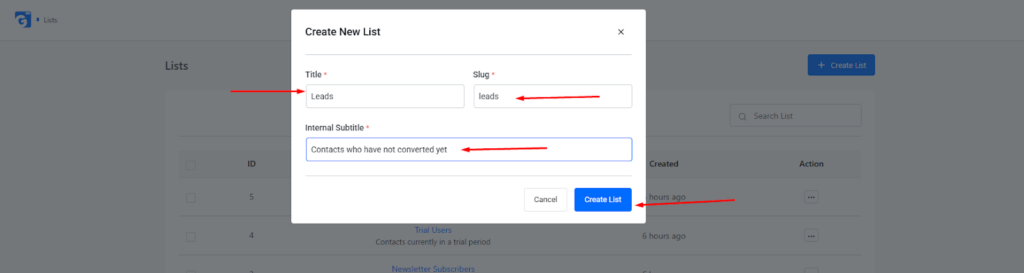
- Click Create List to save.
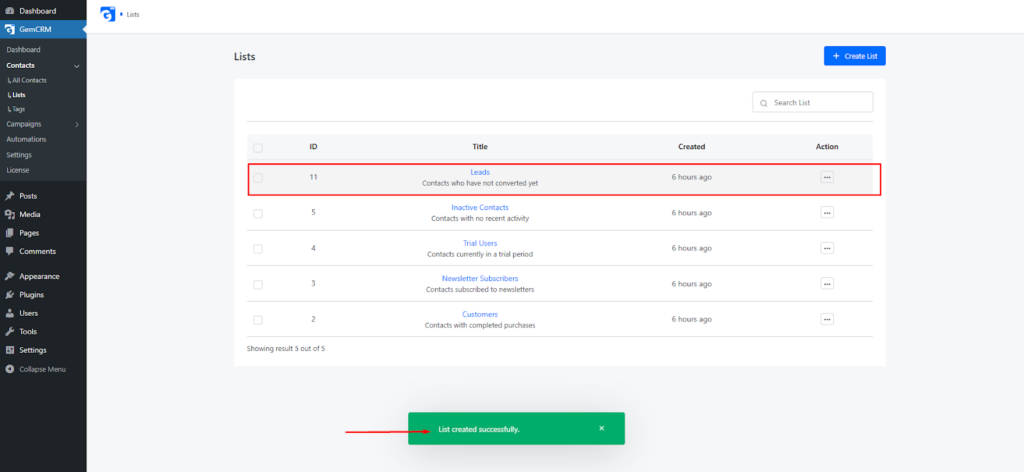
Once created, the list will be available when assigning contacts, filtering records, or building campaigns and automations.
2. Managing Tags in GemCRM
Tags are flexible labels that help identify specific actions, behaviors, or attributes of a contact. Unlike lists, a contact can have multiple tags applied simultaneously.
Tags are commonly used for tracking engagement, campaign participation, or follow-up actions.
Creating a New Tag
To create a new tag:
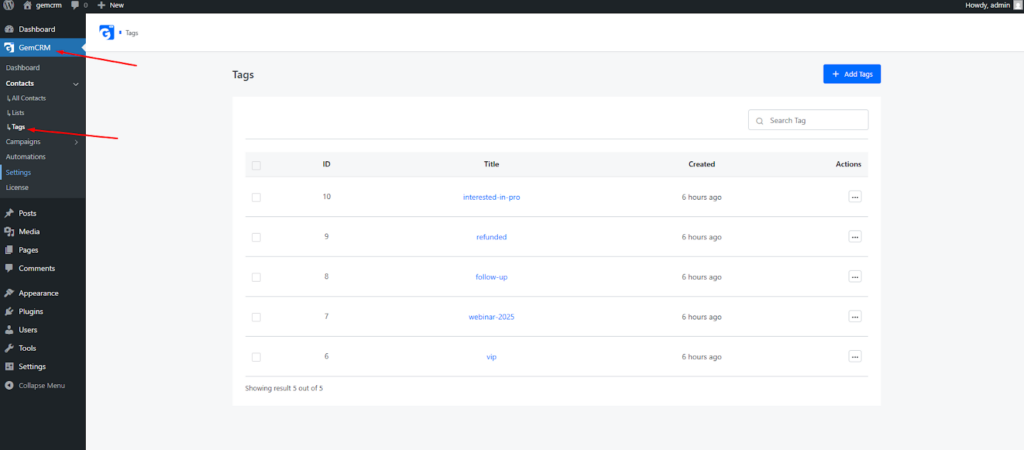
- Navigate to GemCRM > Contacts > Tags from your sidebar.
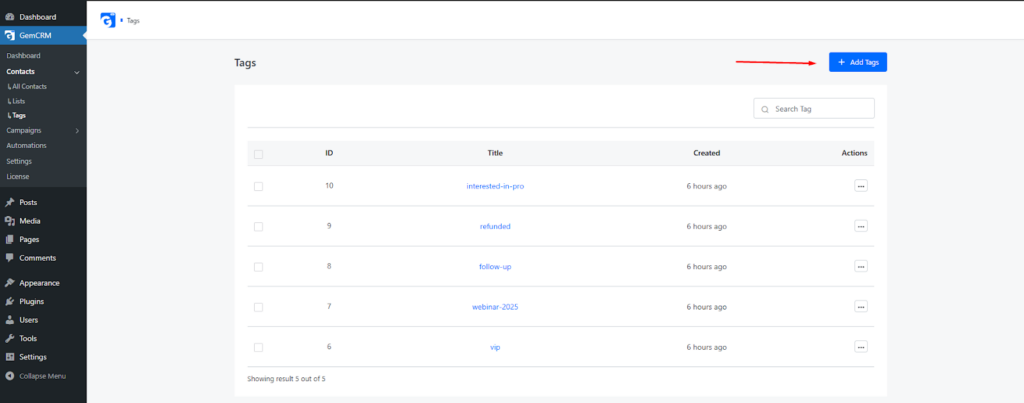
- Click the + Add Tags button.
A pop-up form will appear. Enter the required information:
- Title: The name of the tag used when assigning it to contacts.
Example: VIP - Slug: A lowercase, unique identifier for internal use.
Example: vip
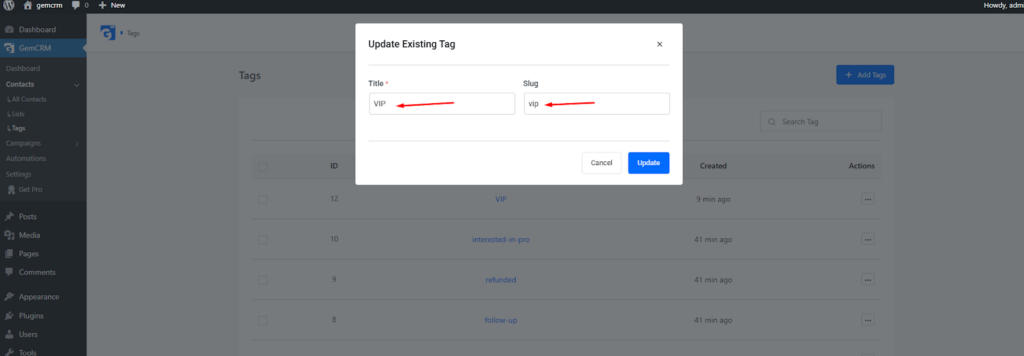
- Click Create to save the tag.
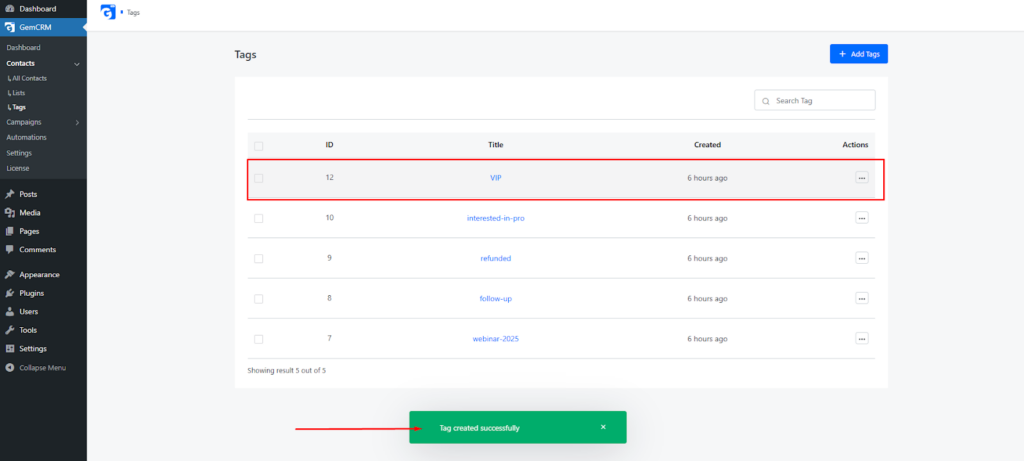
Tags can now be applied to contacts manually or through automation rules.
3. When to Use Lists vs Tags
Understanding when to use Lists and Tags will help keep your CRM organized and scalable.
- Use Lists to define who the contact is
(e.g., Lead, Customer, Trial User) - Use Tags to define what the contact does or qualifies for
(e.g., VIP, Follow-up, Webinar Attendee)
Example:
- List: Customers
- Tags: vip, webinar-2025, follow-up
Summary
Lists and Tags are the foundation of contact organization in GemCRM. By structuring your contacts with Lists and enriching them with Tags, you can create powerful segments, trigger automations, and deliver highly personalized experiences that improve engagement and conversions.