


Managing your contacts efficiently is the core of GemCRM. Whether you are adding a single lead or importing a massive list from another platform, GemCRM provides several flexible methods to get your data into the system
1. Adding Contacts Manually
If you need to add a single person, perhaps someone you just met or a quick lead, you can do this directly from the GemCRM dashboard.
Steps to add a contact manually:
- Navigate to GemCRM > Contacts from your sidebar.
- Click the + Add New Contact button at the top right.
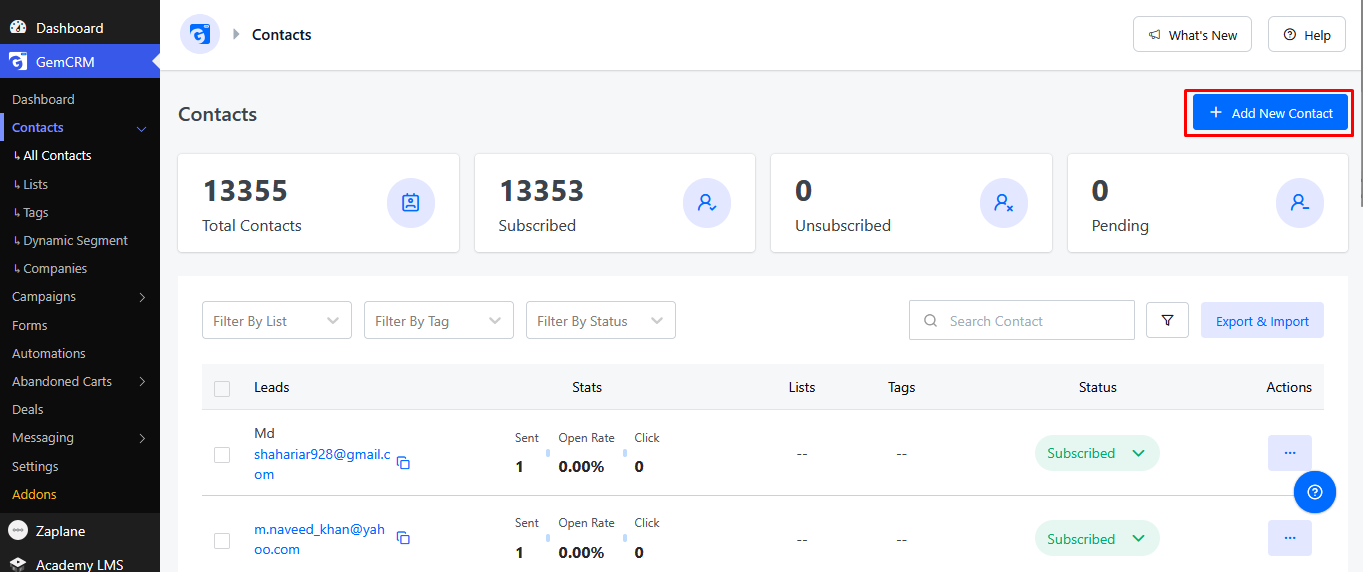
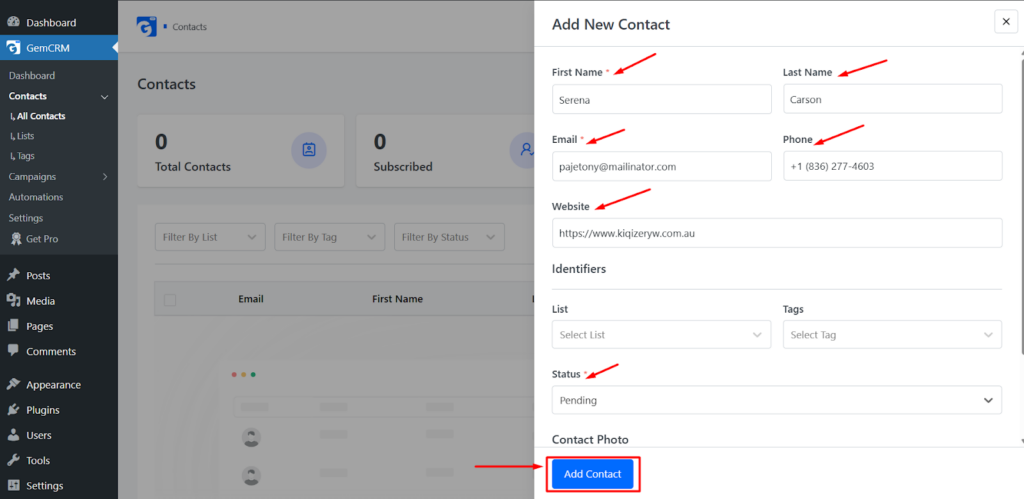
- A popup form will appear. Fill in the essential details:
- Email: (Required) The primary identifier for the contact.
- First Name & Last Name: Personal details for better segmentation.
- Status: Set the contact as Subscribed, Pending, or Unsubscribed.
- Tags & Lists: Assign the contact to specific lists or apply tags to trigger automated sequences.
- Click Confirm to save the contact.
2. Importing Contacts via CSV
Import contact from an Excel sheet, the CSV (Comma Separated Values) import tool is the fastest method.
Steps to import your list:
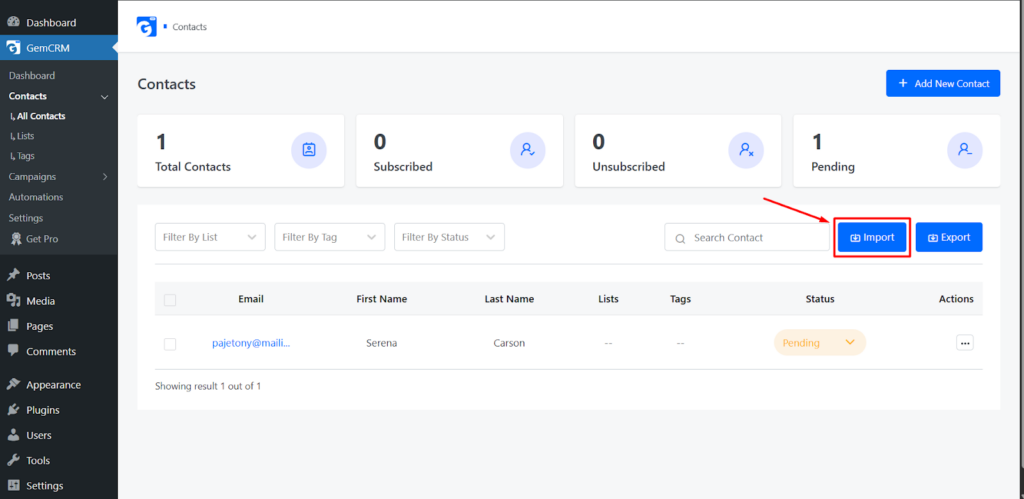
- Go to GemCRM > Contacts and click on the Import button.
- Upload File: Select your CSV file from your computer.
- Map Fields: GemCRM will show a preview of your data. Map your CSV columns (e.g., “Phone Number”) to the corresponding GemCRM fields.
- Select Lists/Tags: Choose which lists these contacts should be added to and apply any relevant tags.
- Handling Duplicates: Choose whether to update existing contact info if a duplicate email is found or to skip them.
- Run Import: Click Finalize Import. The system will process the data in the background.
Adding contacts is the first step toward building meaningful relationships with your audience. Whether you’re manually entering a single lead, importing a large database, or automating your growth through webforms, GemCRM ensures your data is organized and ready for action.
By keeping your contact lists clean and utilizing tags effectively, you can deliver highly personalized experiences that drive engagement and conversions.