


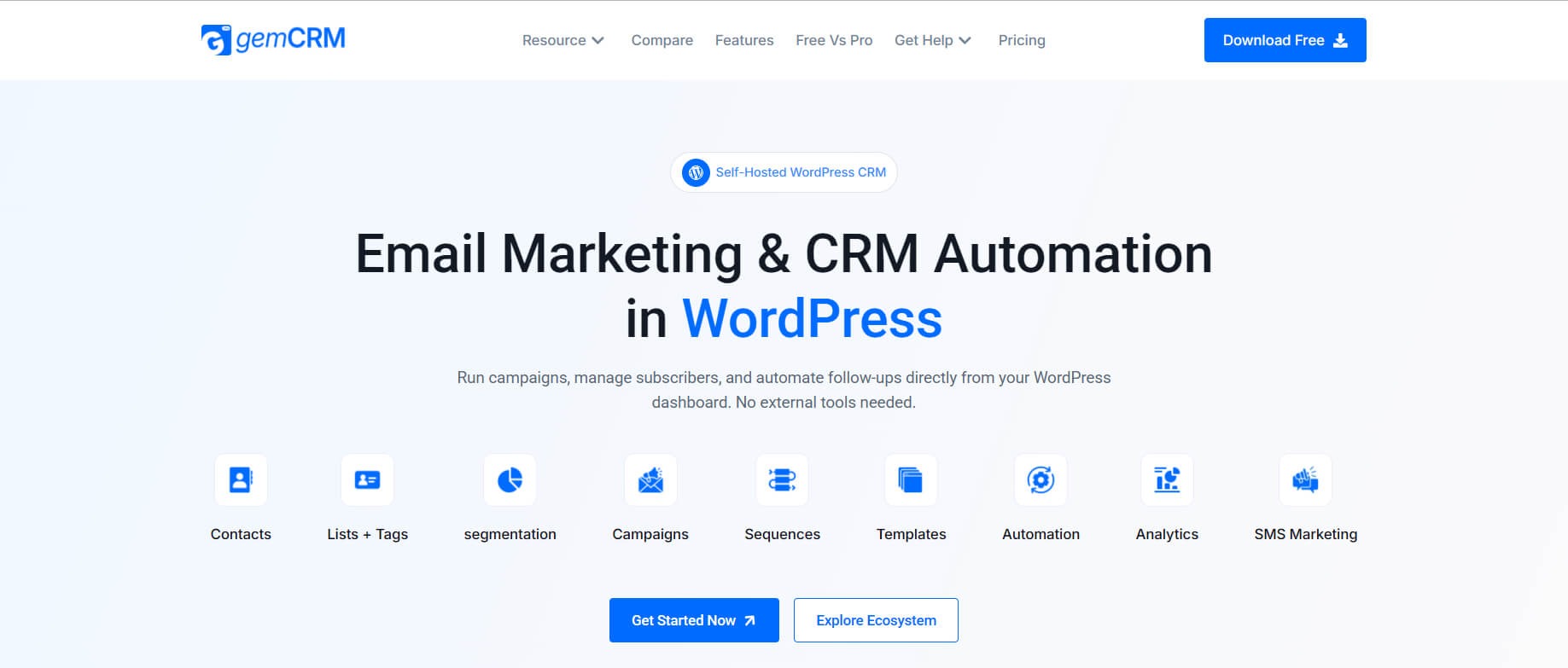
GemCRM is a lightweight, powerful Customer Relationship Management plugin built natively for WordPress. Designed by Kodezen, it gives you everything you need to capture leads, manage contacts, run email campaigns, and track customer relationships — all from inside your WordPress dashboard. GemCRM Installation and Overview.
System Requirements
|
Requirement |
Minimum Version |
|
WordPress |
6.8 or higher |
|
PHP |
7.4 or higher |
|
GemCRM Plugin |
1.2.0 |
|
MySQL / MariaDB |
5.7 / 10.3 or higher |
1. Installation
Installing via WordPress Admin
Follow these steps to install GemCRM directly from your WordPress dashboard:
- Log in to your WordPress admin panel.
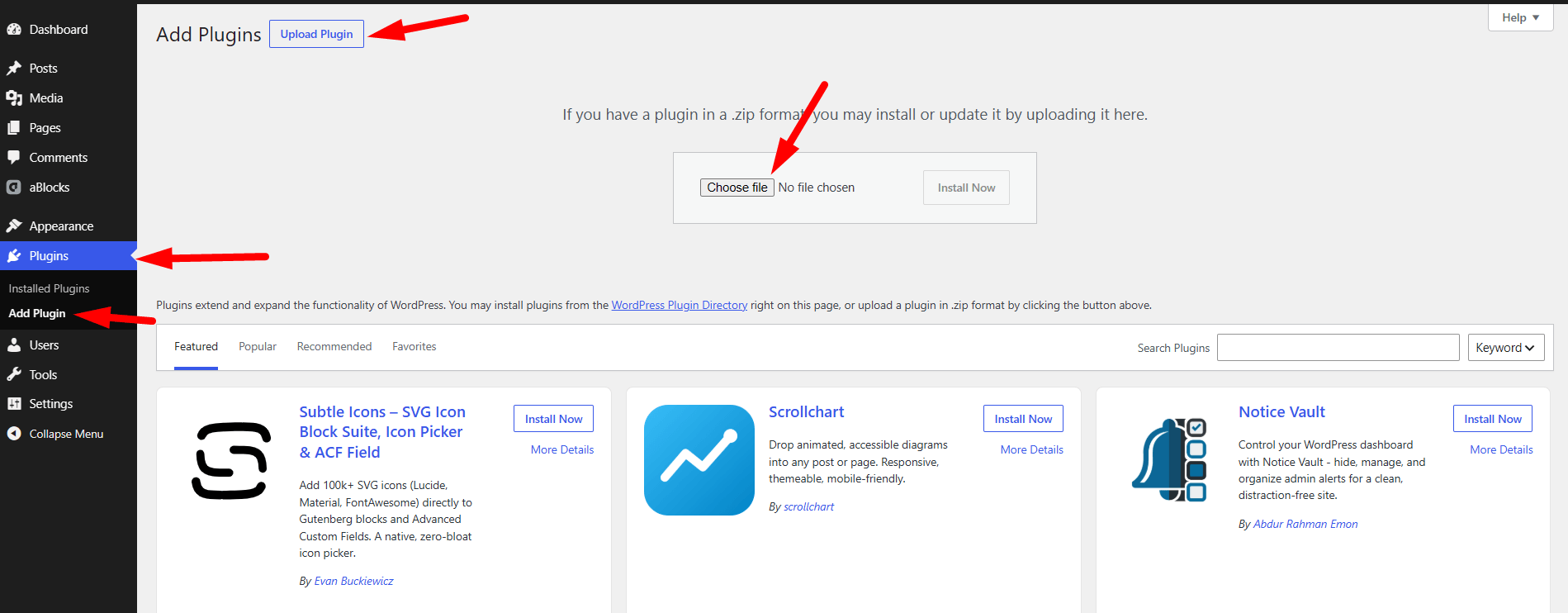
- Navigate to Plugins → Add New Plugin.
- Click the Upload Plugin button at the top of the page.
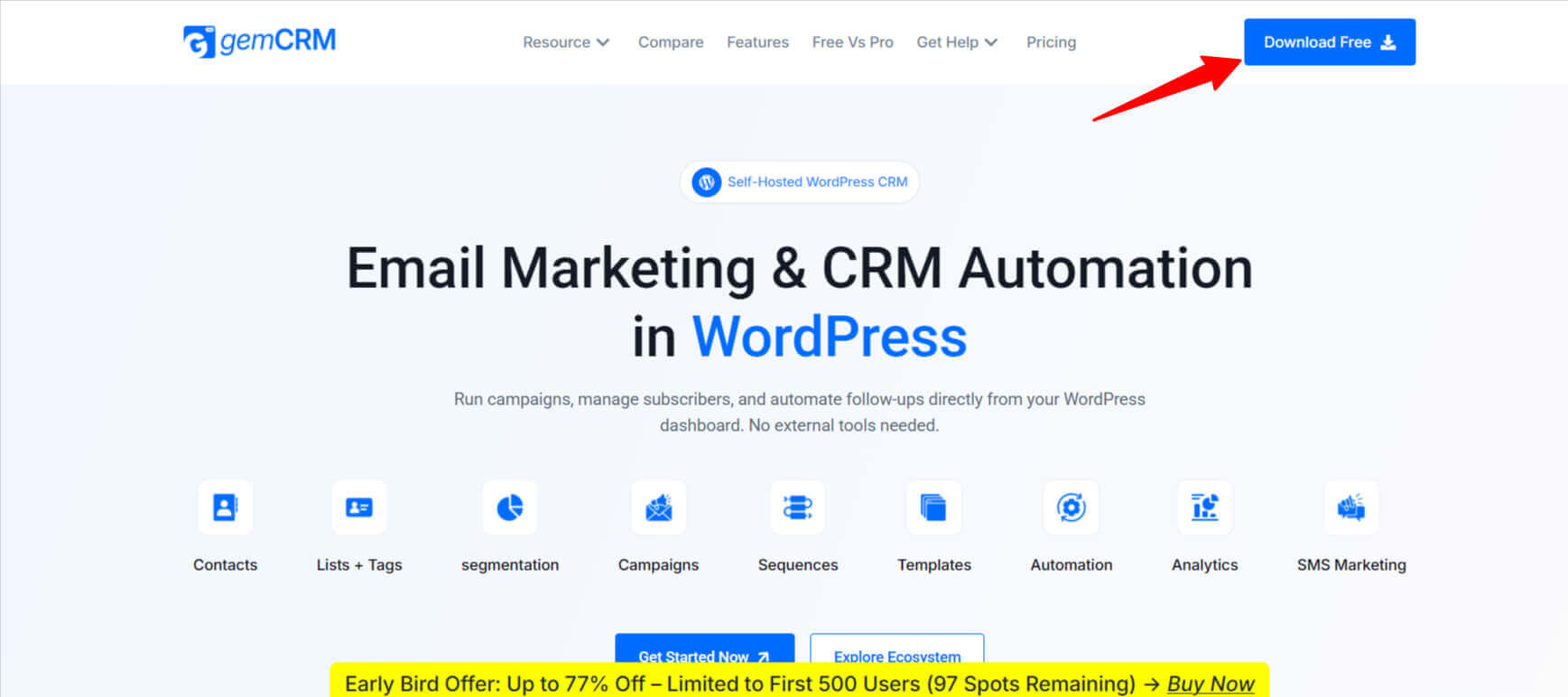
- Click Choose File and select the gemcrm_1_2_0.zip file you downloaded.
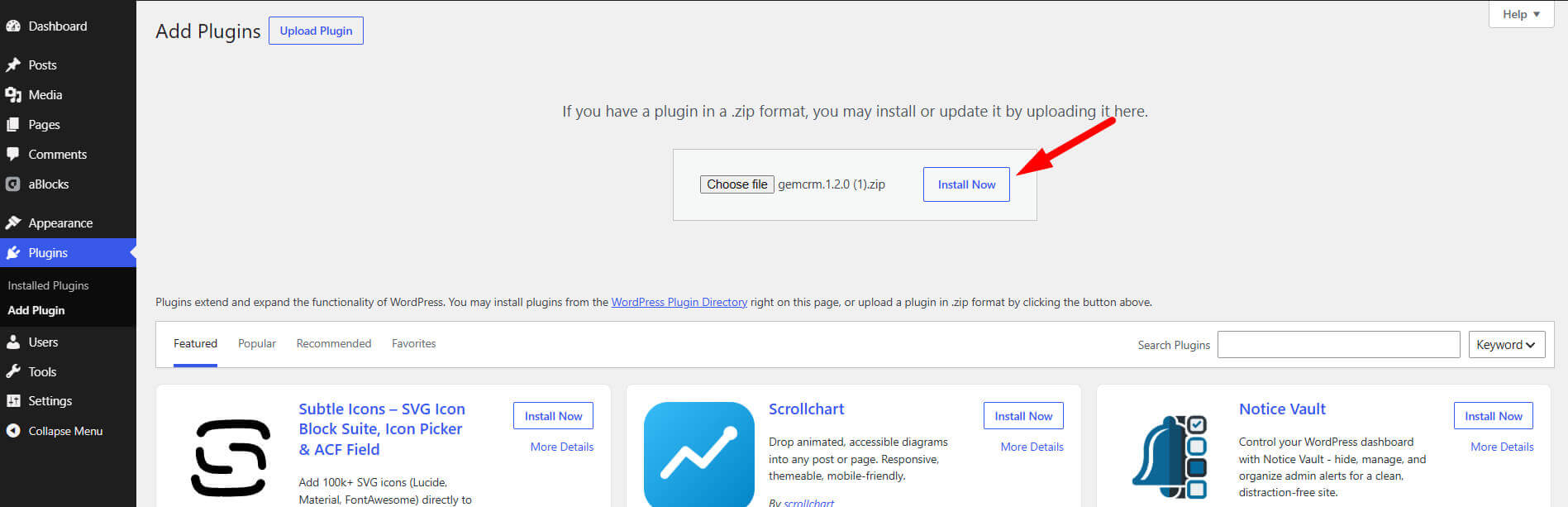
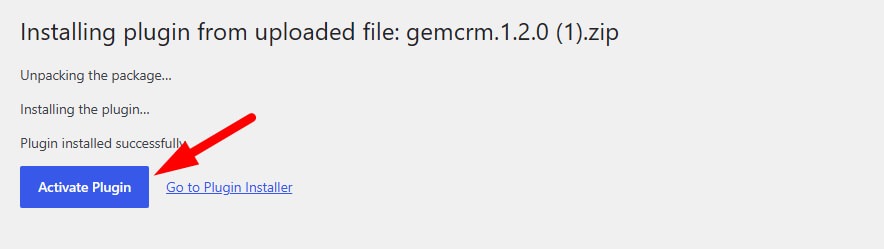
- Click Install Now, then Activate Plugin.
- You will now see a GemCRM menu item in your WordPress sidebar.
💡 After activation, GemCRM automatically creates its database tables and sets default settings. No manual database setup is required.
Installing via FTP
If you prefer manual installation or the zip upload fails:
1. Upload the gemcrm folder to /wp-content/plugins/.
2. In WordPress admin, go to Plugins → Installed Plugins.
3. Locate GemCRM in the list and click Activate.
2. Plugin Overview
GemCRM is structured around several core modules that work together to manage your customer relationships end-to-end.
Contacts
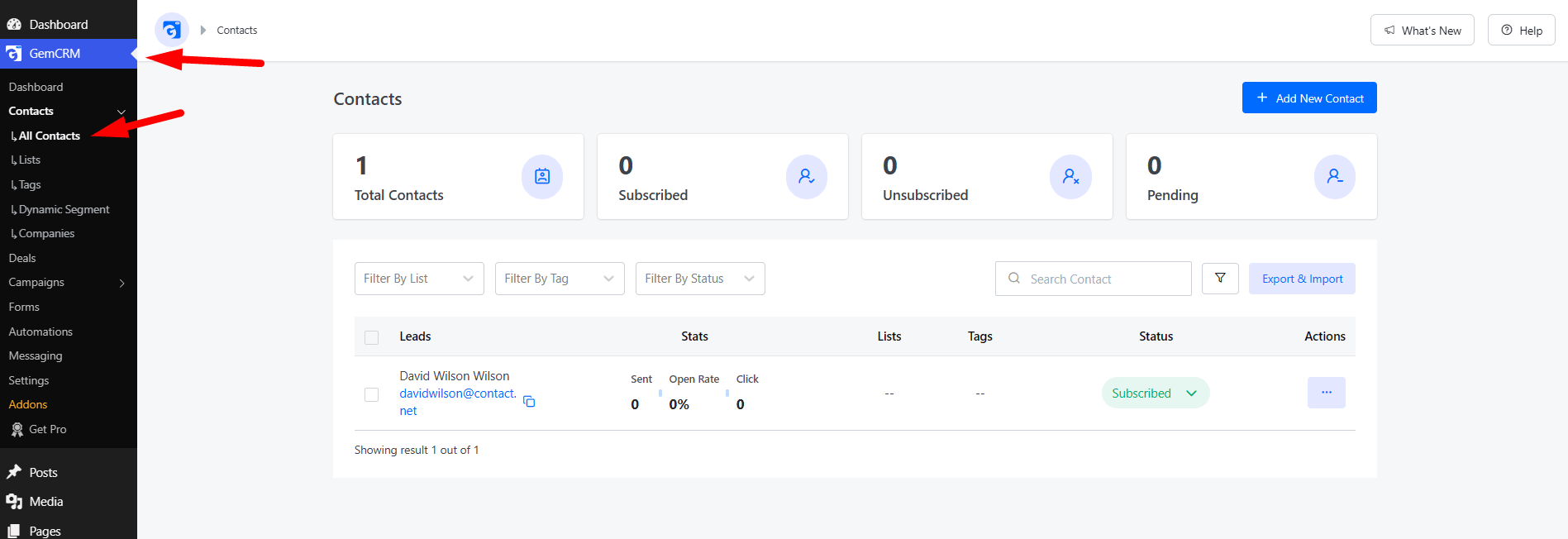
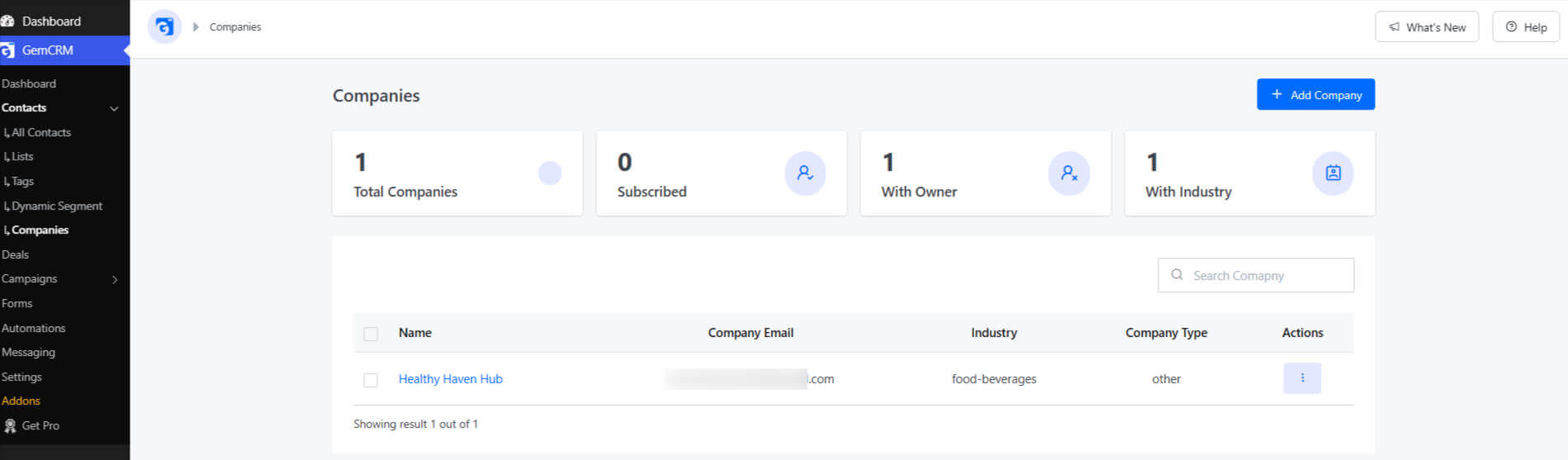
The Contacts module is the heart of GemCRM. Every person who interacts with your business is stored here. Each contact record supports:
• Email address, first name, last name, and date of birth.
• Contact status: Draft, Pending, Subscribed, Unsubscribed, or Spammed.
• Lists and Tags for segmentation.
• Custom fields for any additional data you need to track.
• Activity timeline and email engagement history.
💡 Contacts can be created manually, imported from CSV, synced from WooCommerce/EDD orders, or captured via subscription forms.
Lists & Tags
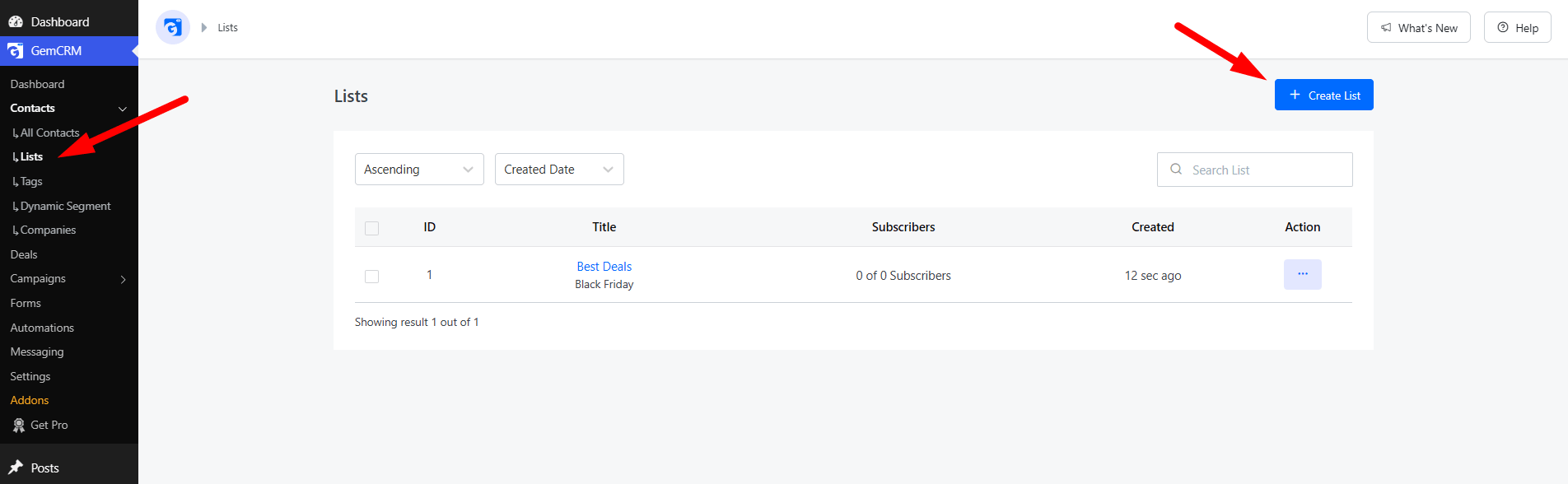
Lists allow you to group contacts into audiences (e.g. “Newsletter Subscribers”, “VIP Customers”). Tags are flexible labels that can be applied across multiple lists for fine-grained segmentation.
Subscription Forms
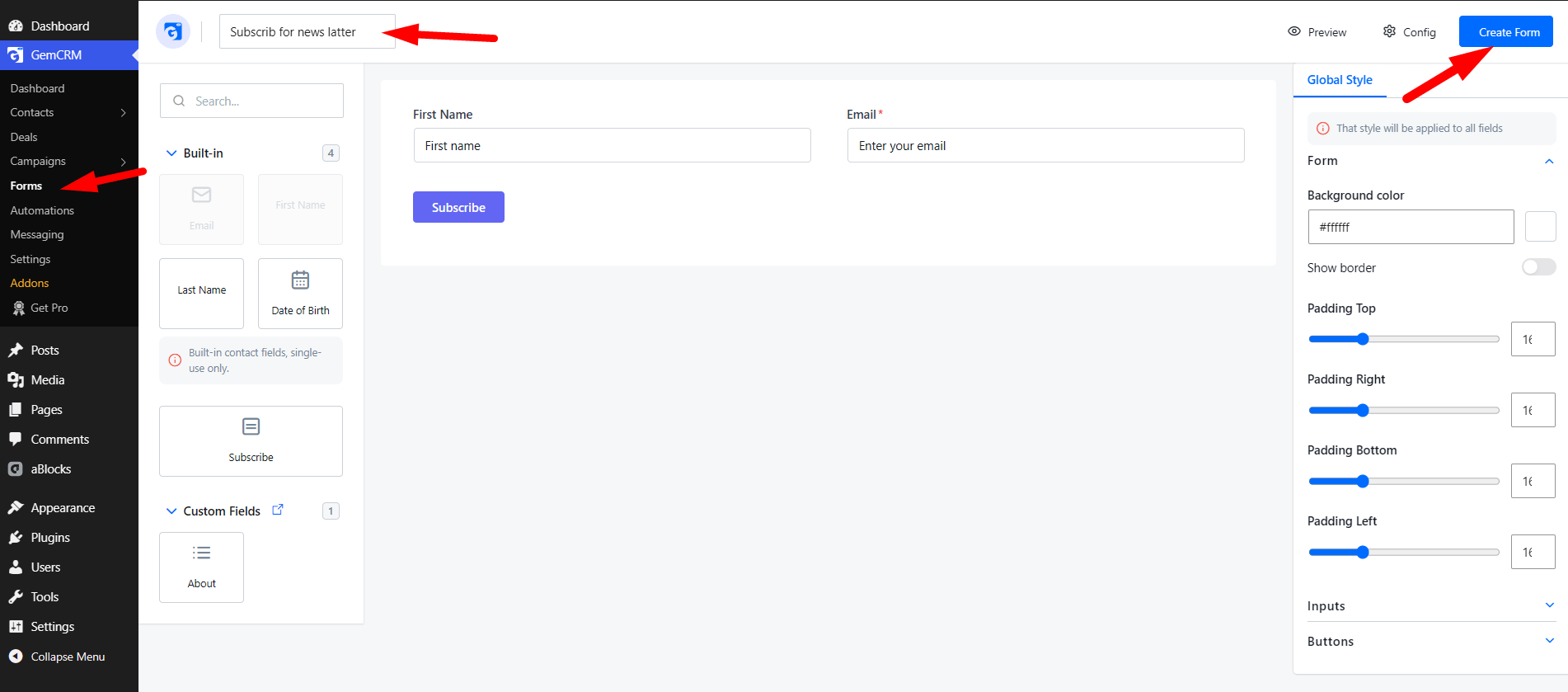
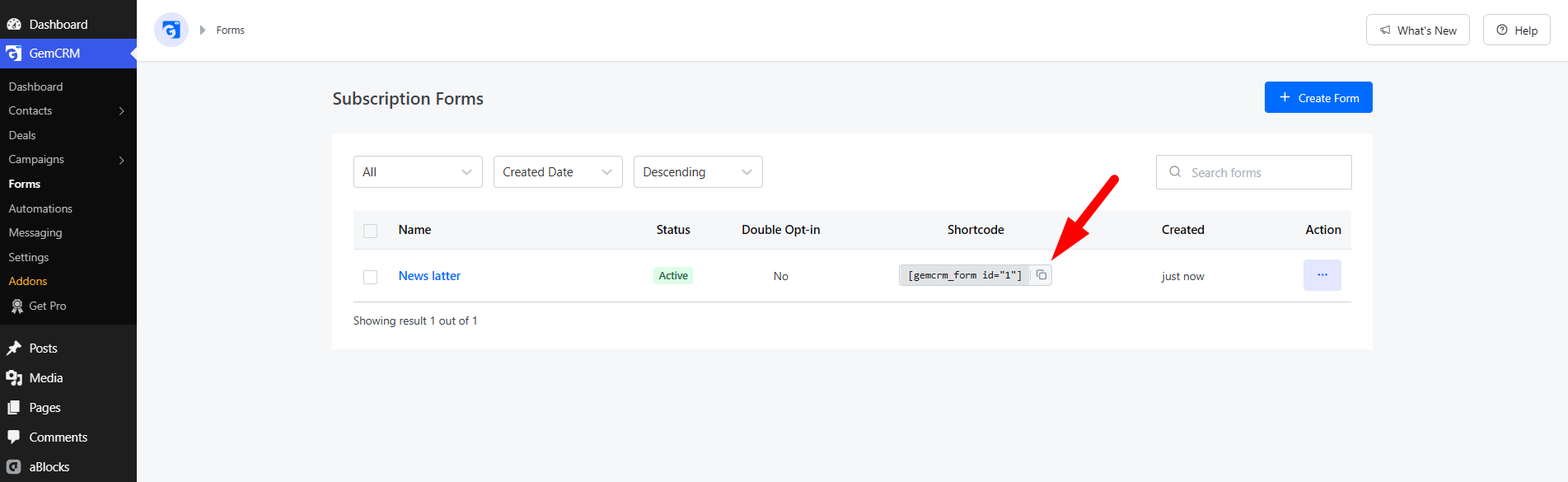
GemCRM includes a built-in form builder that generates embeddable subscription forms via a WordPress shortcode:
[gemcrm_form id="YOUR_FORM_ID"]Forms support custom fields, configurable layouts, style customization, and optional Double Opt-in verification per form.
Email Campaigns
Create and send targeted email campaigns to your contact lists. The campaign builder supports:
• Rich HTML email templates with visual drag-and-drop editor.
• Merge tags like {{contact.first_name}} for personalization.
• Scheduled sending and rate limiting (configurable sends per second).
• Open and click tracking.
• Automated retry on failure (configurable max retries).
Integration Sync
GemCRM can automatically import contacts from popular WordPress plugins:
• WooCommerce — sync customers on purchase.
• Easy Digital Downloads (EDD) — sync customers on download purchase.
• StoreEngine — sync store customers.
• Fluent Cart — sync cart customers.
• Academy LMS, LifterLMS, Tutor LMS — sync enrolled students.
💡 Contacts can be created manually, imported from CSV, synced from WooCommerce/EDD orders, or captured via subscription forms.
Webhooks
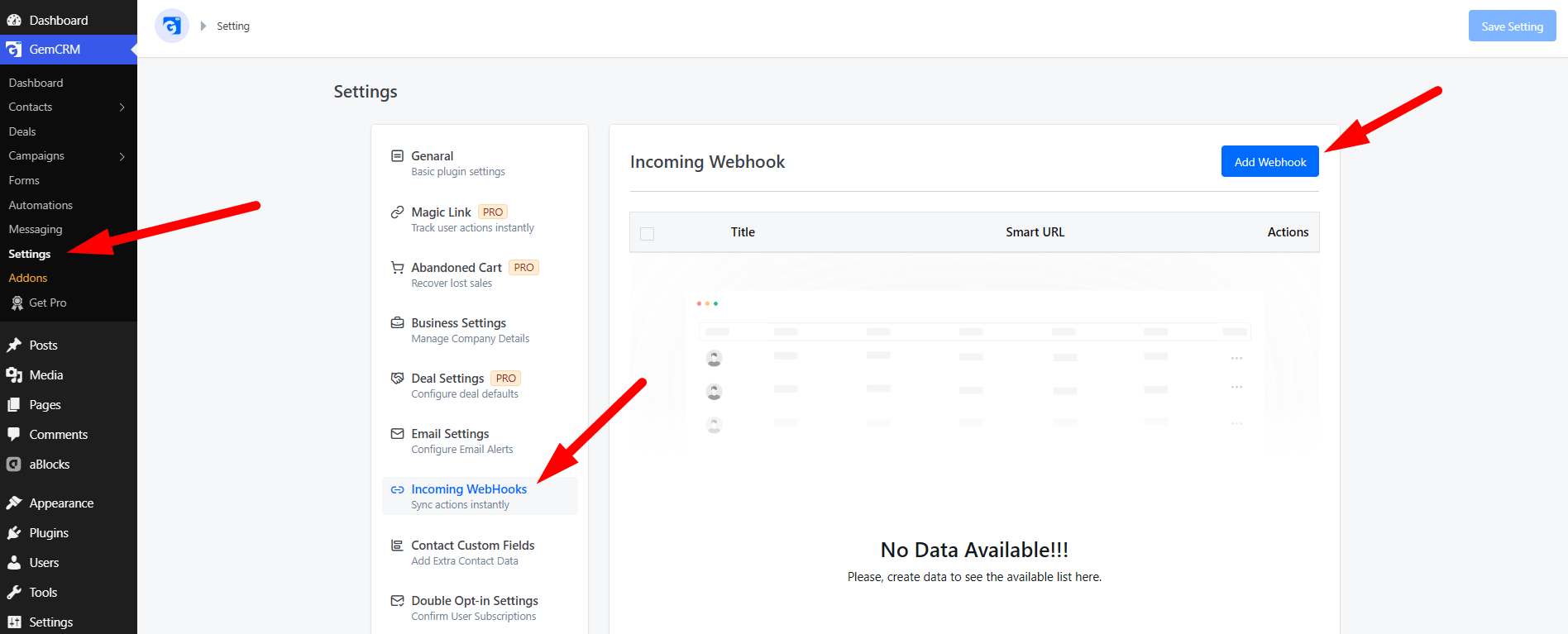
GemCRM supports both outgoing webhooks (notify external services when contacts are created/updated) and incoming webhooks (receive data from external services to create or update contacts).
Roles & Permissions
The plugin includes a granular role-based permission system. Administrators can assign specific GemCRM capabilities to any WordPress user, including access to contacts, lists, tags, campaigns, forms, settings, and Pro features like smart links and dynamic segments.
3. First-Time Configuration
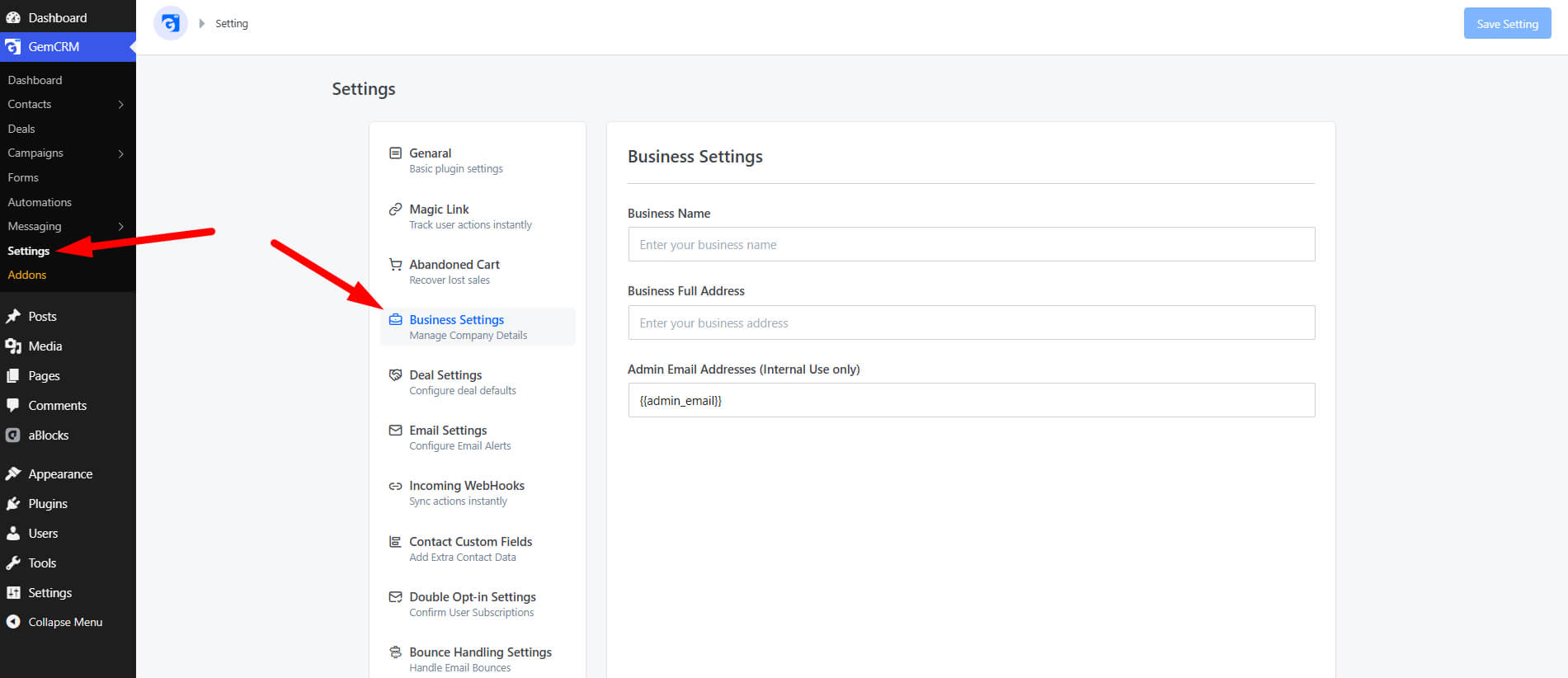
After installation, visit GemCRM → Settings to configure the following:
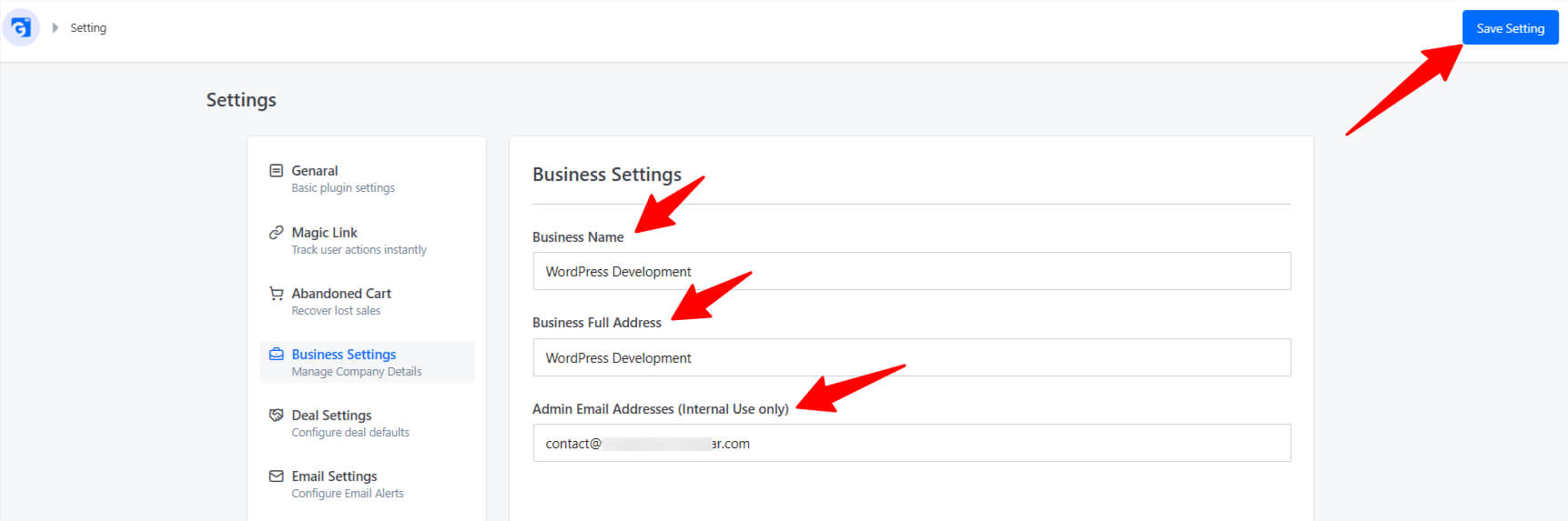
• Business Settings: Enter your business name, address, and admin email.
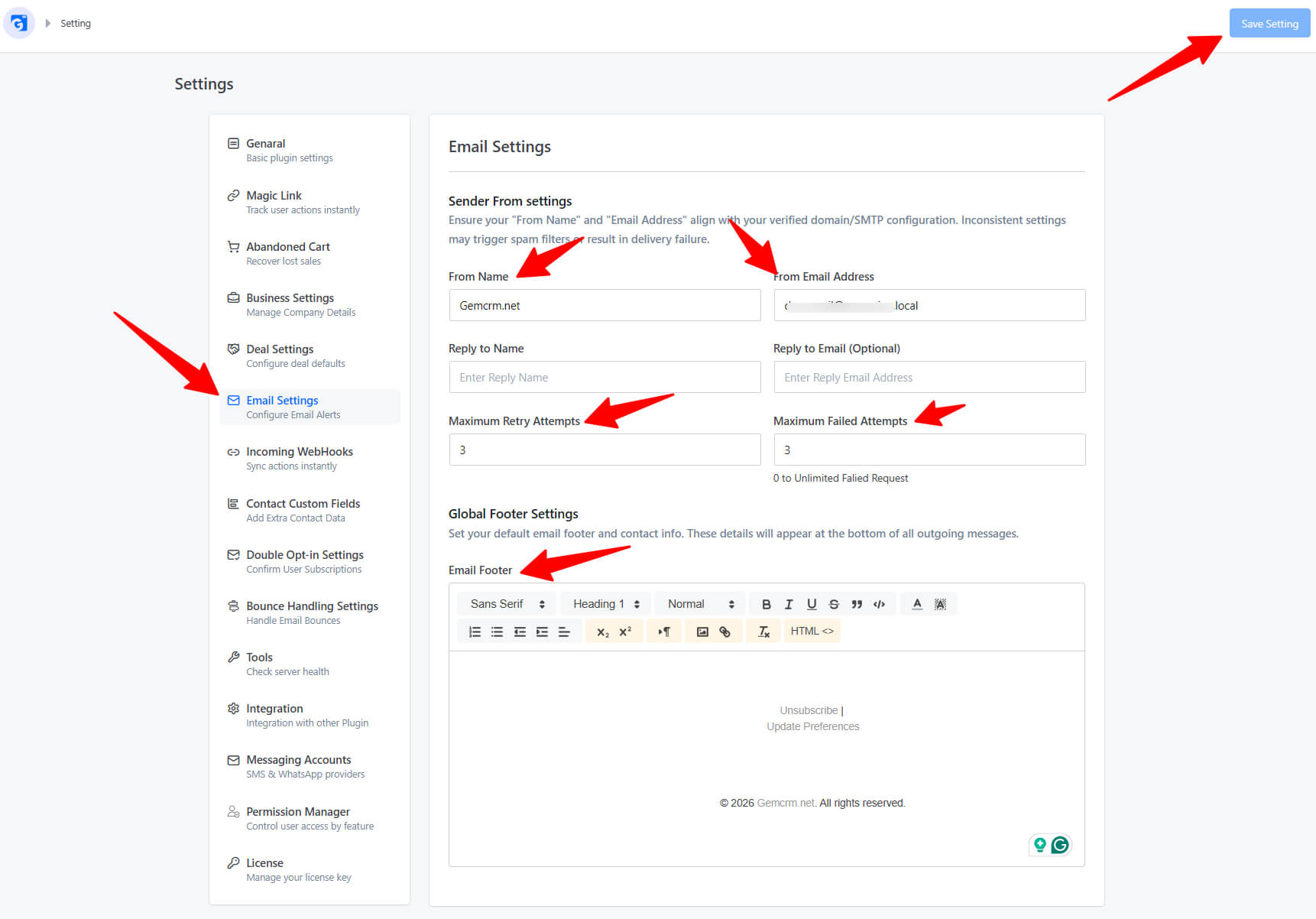
• Email Settings: Set your “From” name and email, reply-to address, footer text, and sending limits.
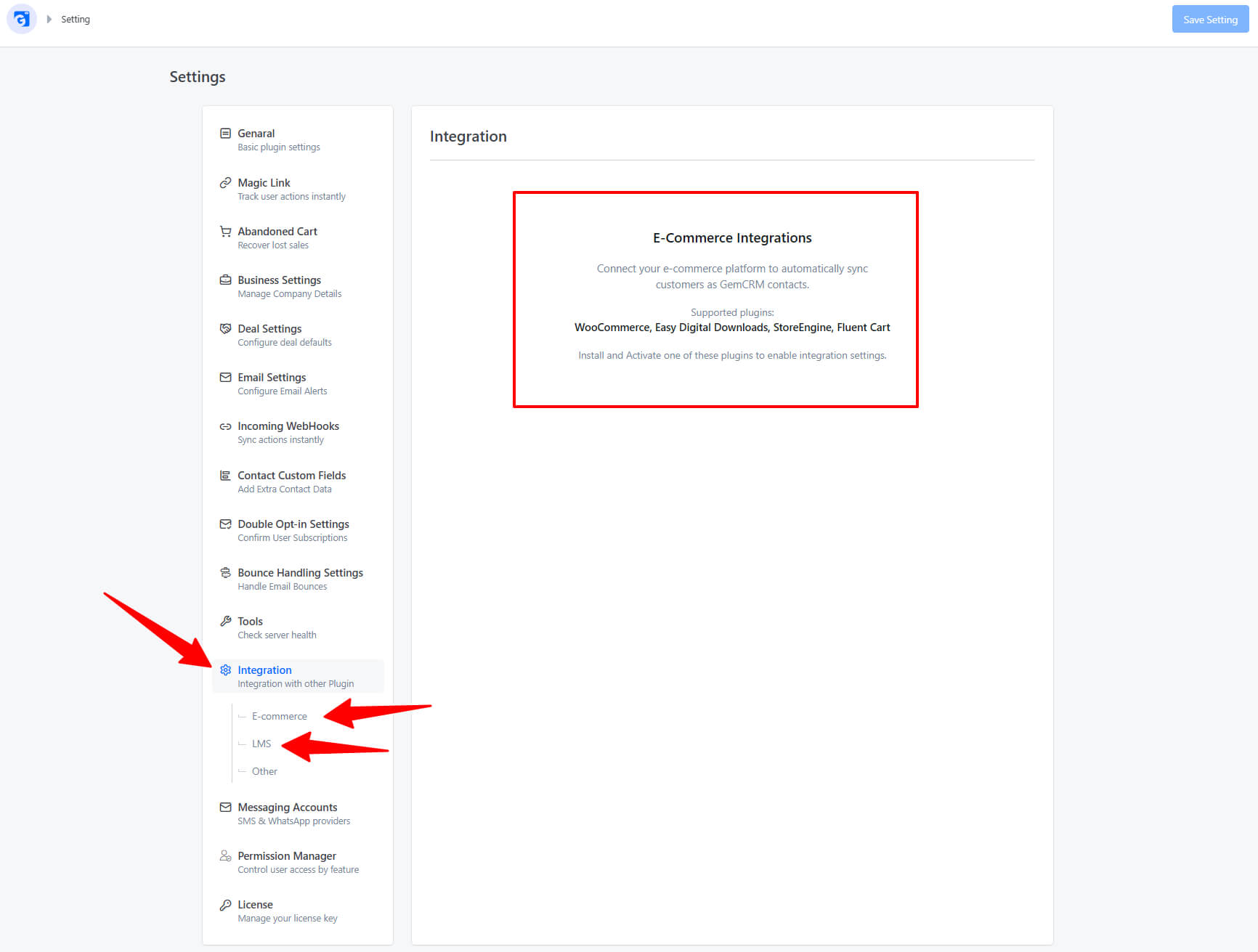
• General Settings: Configure auto-sync rules for WooCommerce, LMS plugins, and WordPress users.
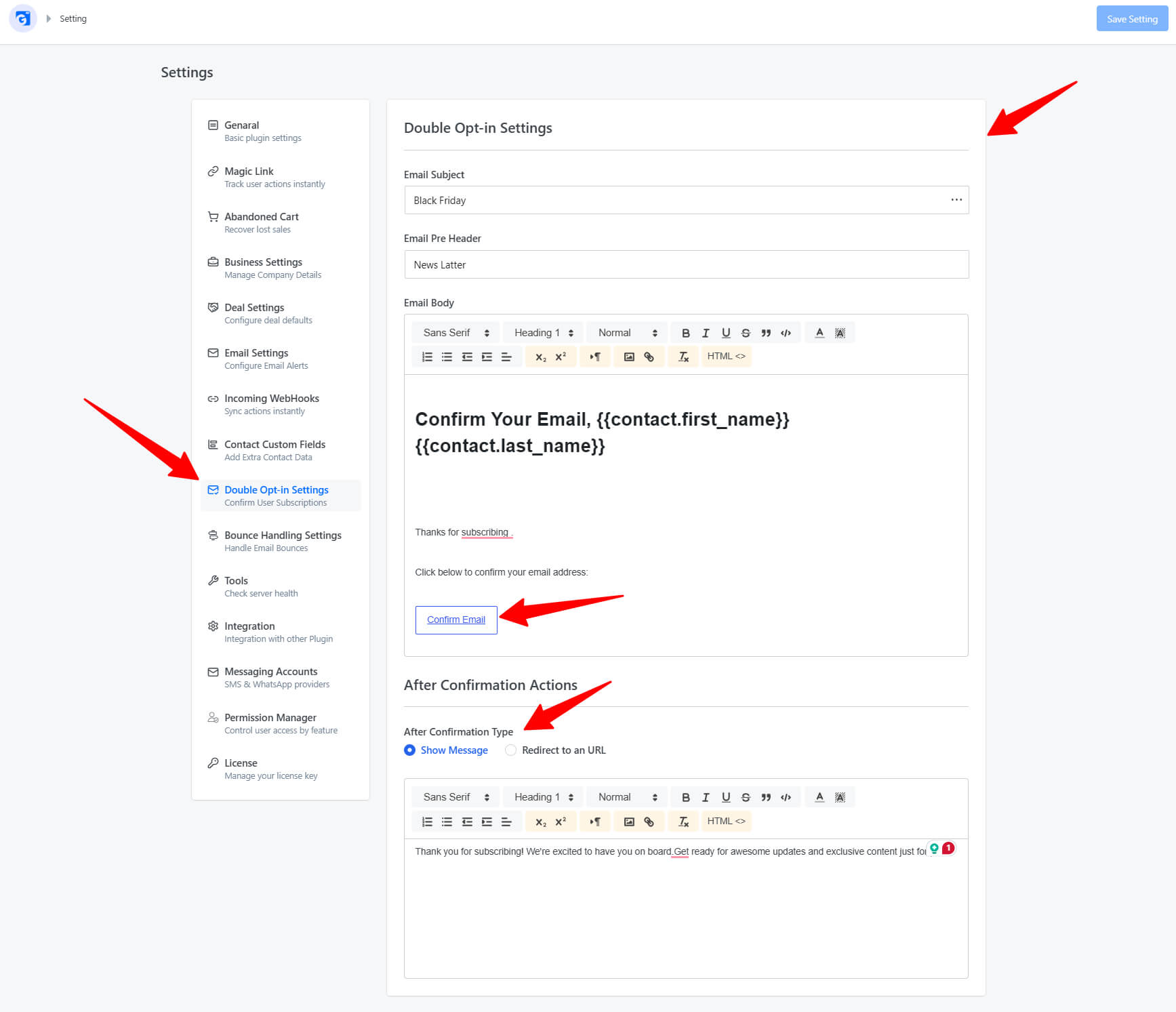
• Double Opt-in: Customize the verification email sent to new subscribers (see the Double Opt-in Settings guide).
💡 GemCRM uses WordPress’s built-in Action Scheduler library for reliable background processing of emails and queue jobs — no cron setup is required.
For further assistance, visit GemCRM or contact Kodezen support.