



You’re running your business on WordPress, but your leads are scattered across spreadsheets, email inboxes, and sticky notes. Sound familiar?
Here’s the good news: a self-hosted WordPress setup can replace several separate subscriptions — CRM, email marketing, funnel tools — often for less than the cost of one mid-tier SaaS CRM seat. A sales pipeline WordPress setup lets you track leads, automate follow-ups, and close deals — all from the dashboard you already use every day.
This guide walks you through exactly how to build one, which tools actually work, and how to avoid the common mistakes that turn a promising pipeline into a cluttered mess.
What Is a Sales Pipeline in WordPress?
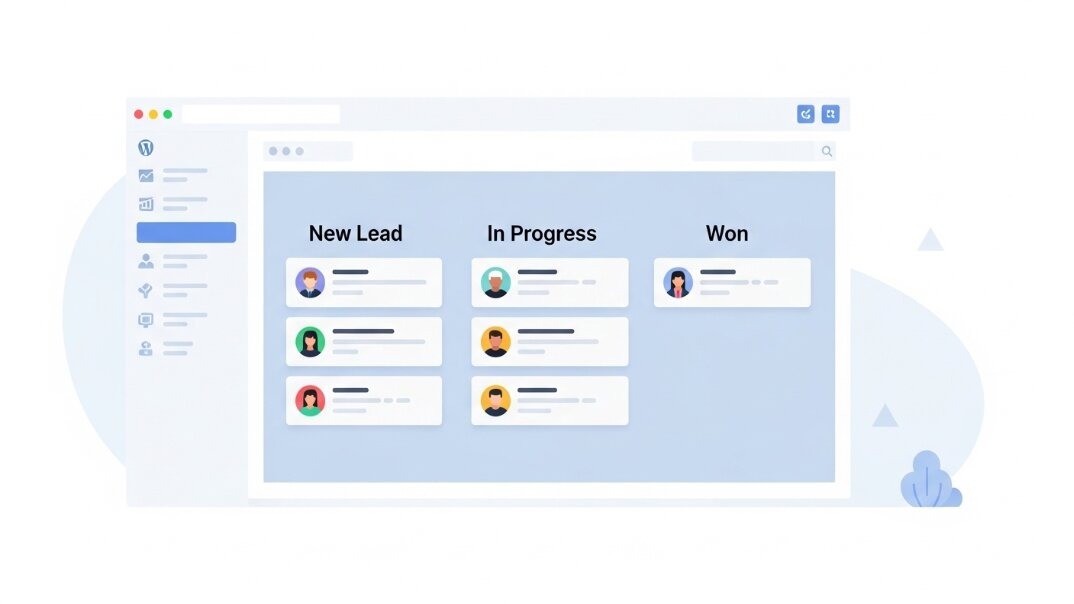
A sales pipeline is a visual representation of where each lead stands in your sales process—from initial contact to a closed deal.
In WordPress, you can manage a sales pipeline using a CRM or sales management plugin that adds customizable stages such as New Lead, Contacted, Qualified, Proposal Sent, Won, and Lost directly to your dashboard.
Instead of juggling multiple tools, you can track leads, manage deals, schedule follow-ups, and monitor sales progress from within your WordPress site. This creates a centralized workflow where leads captured through forms, landing pages, and other marketing channels move seamlessly through your sales process.
Think of it as a Kanban board for your sales team, built right into the platform that’s already capturing your leads through forms and landing pages.
Why Does a WordPress Sales Pipeline Matter in 2026?
Why bother building this inside WordPress instead of just using HubSpot or Salesforce?
Cost and control are the two biggest reasons. Dedicated CRM platforms charge per user, per month, and the price climbs fast once your team grows. A WordPress-based pipeline often costs a one-time fee or a modest annual license — and you own the data.
Speed matters too. When your lead capture forms, landing pages, and CRM all live on the same platform, there’s no delay between a form submission and a sales rep seeing that lead. No Zapier middleman, no sync errors, no “the lead came in three hours ago, but nobody saw it.”
For small businesses and solo founders especially, an integrated pipeline means less tool-switching and fewer subscriptions to manage.
How Does It Work?
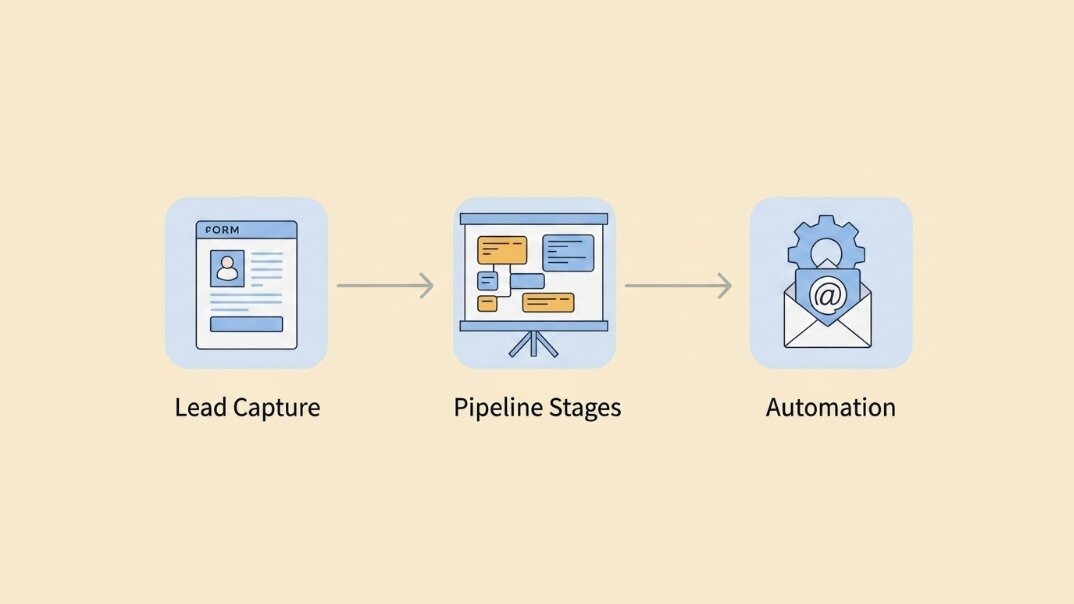
At a basic level, a WordPress sales pipeline plugin connects three things:
Lead capture — contact forms, landing pages, or popups that feed new leads into the system
Pipeline stages — a visual board where each lead moves left to right as they progress
Automation — emails, tags, and tasks that trigger automatically based on stage changes
When someone fills out a form on your site, the plugin creates a contact record and drops them into your “New Lead” stage. From there, you (or an automation) move them through the pipeline. Each stage change can trigger a follow-up email, a notification to your sales rep, or a task reminder.
The result: leads don’t fall through the cracks, and your team always knows what to do next.
The Standout Tool: GemCRM’s Deal Addon
If you’re looking for a WordPress solution that combines email marketing, contact management, and deal tracking in one platform, GemCRM is worth considering.
GemCRM is a self-hosted WordPress CRM built for contact management, email marketing, and automation. Its Deal Addon extends those capabilities by adding a full Kanban-style sales pipeline directly inside your WordPress dashboard. You can create custom deal stages, track pipeline value, manage tasks, add notes, and view deal activity timelines—all from a centralized workspace.
What makes GemCRM particularly useful is that deal management works alongside its existing CRM and email marketing features. Leads captured through forms can be stored as contacts, segmented into lists, enrolled in email sequences, and tracked through the sales pipeline without relying on separate systems. This creates a more unified workflow for businesses that want to manage lead nurturing and sales activities from within WordPress.
Enabling the Deal Addon
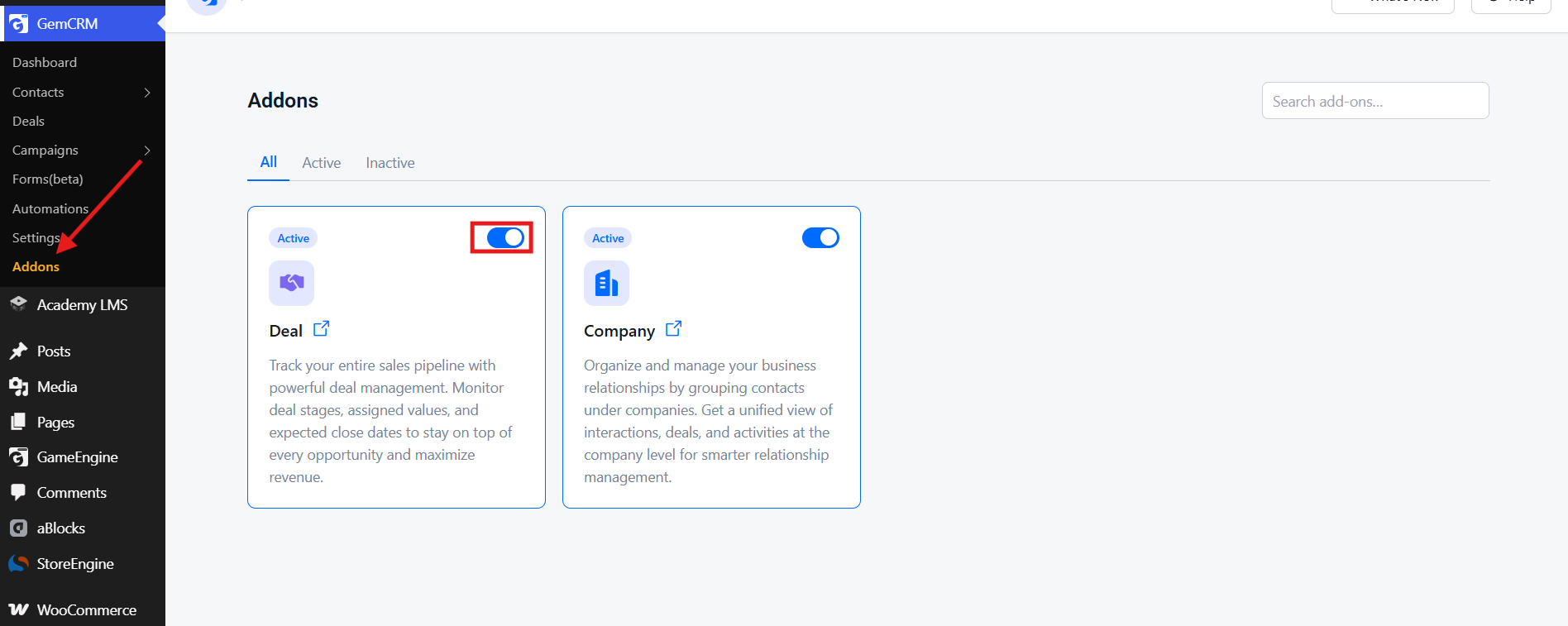
The Deal module isn’t on by default. Go to Addons in your GemCRM sidebar, find the Deal addon card, and click the toggle to activate it. The toggle turns blue, status changes to Active, and a Deals option appears in your sidebar immediately.
Your Pipeline Dashboard
Open Deals and you’ll see a live summary at the top: Total Deals, Pipeline Value, Open Deals, and Won Deals. Below that, toggle between Kanban view — cards moving left to right across stages — and List view for a more compact overview.
Click Manage Stages to customize your pipeline stages to match how your sales process actually works.
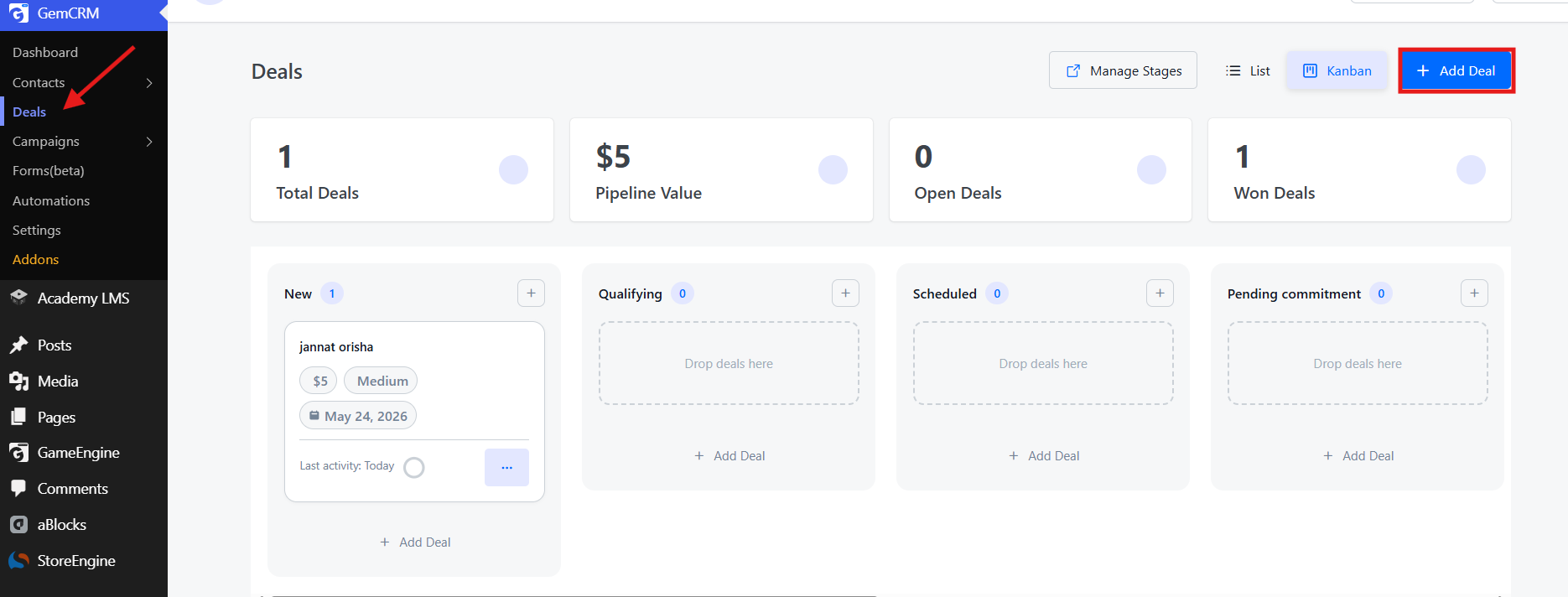
Adding a Deal
Click + Add Deal and fill in the deal details: name, stage, amount, currency, priority, and expected close date. Once saved, the deal appears on your Kanban board and is ready to track.
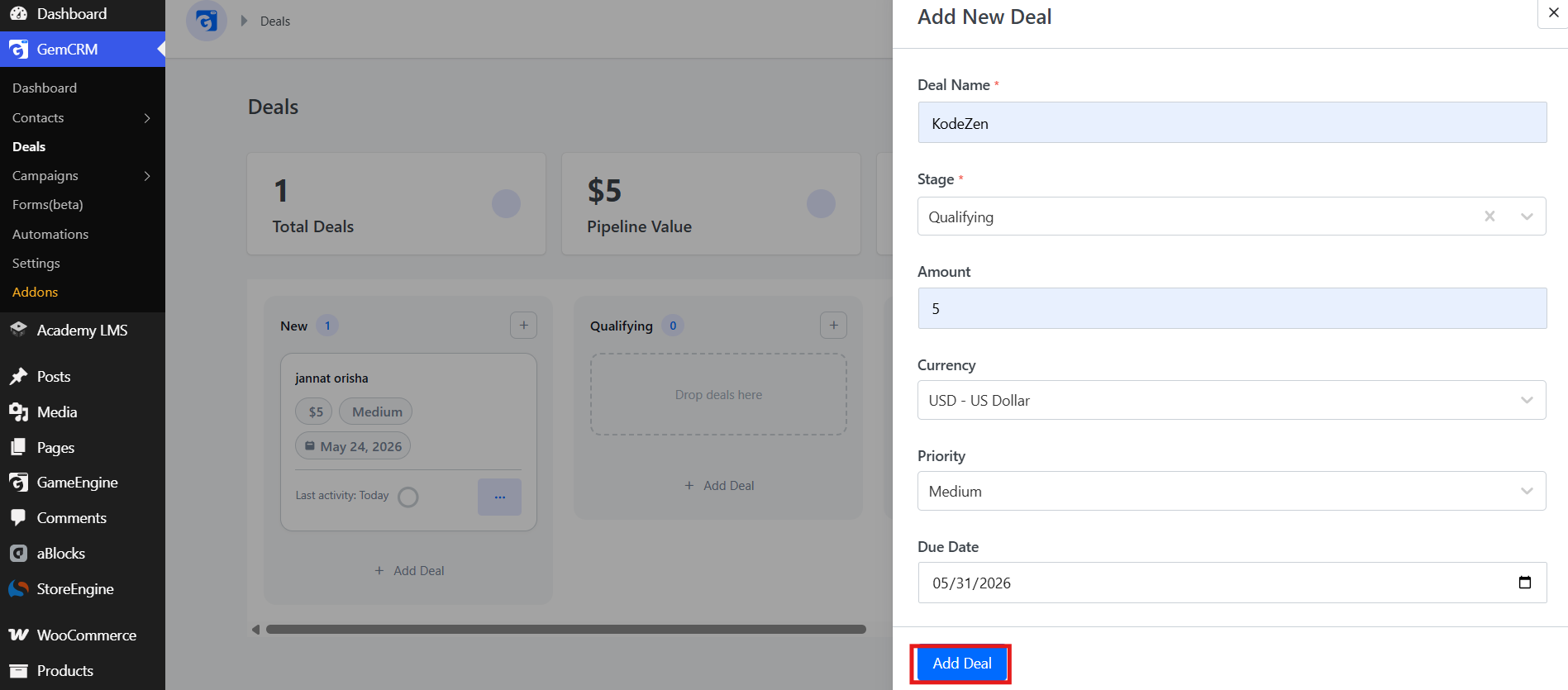
Inside Each Deal
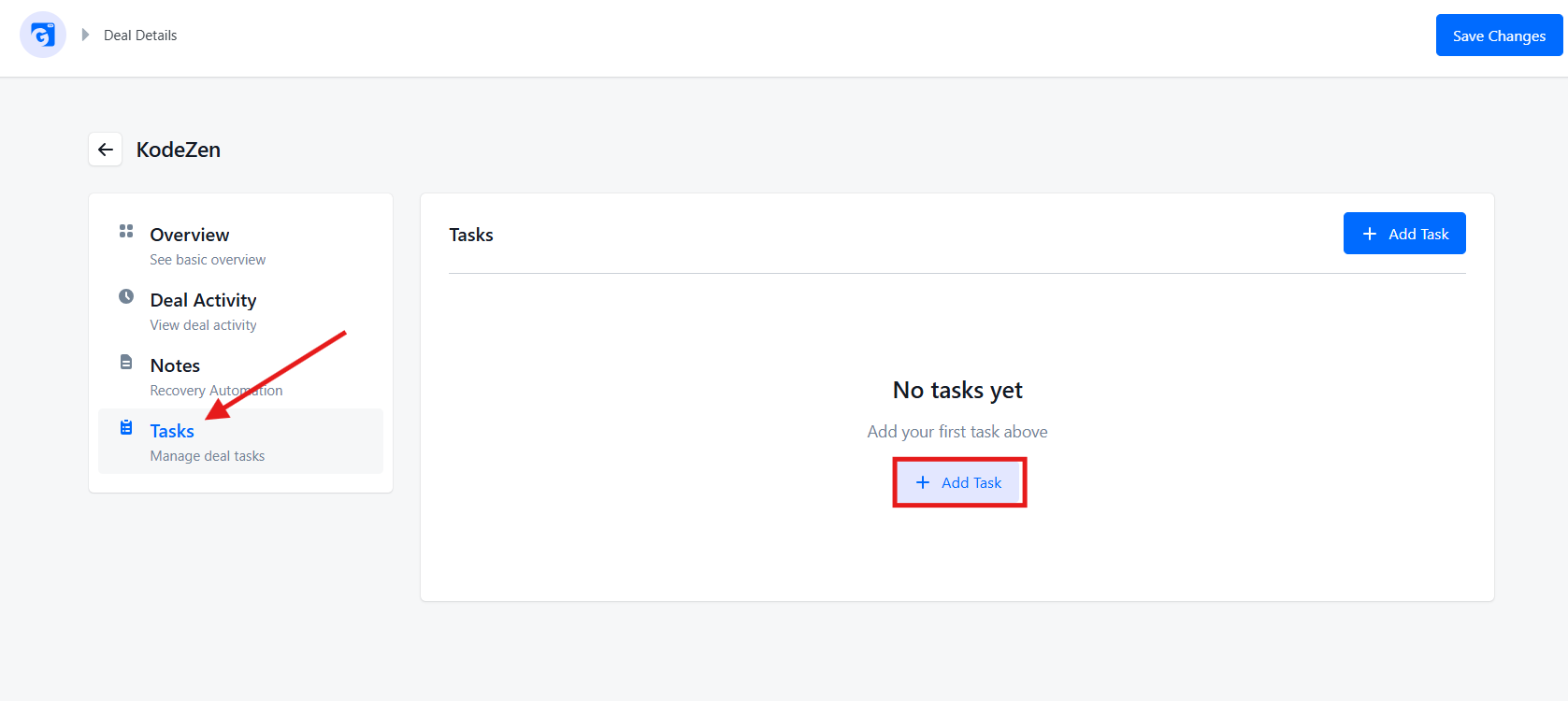
Click any deal to open its details page. Four sections keep everything organized:
Overview — a full summary of the deal’s details. Edit any field here as things change.
Deal Activity — an automatically generated timeline of every action on this deal: stage changes, notes added, tasks created, detail updates. Each entry shows what changed, who changed it, and when. Essential for deals that run over multiple weeks.
Notes — capture anything worth remembering: a key detail from a call, a concern the prospect raised, a commitment you made. Notes are tied to the deal, not scattered across inboxes.

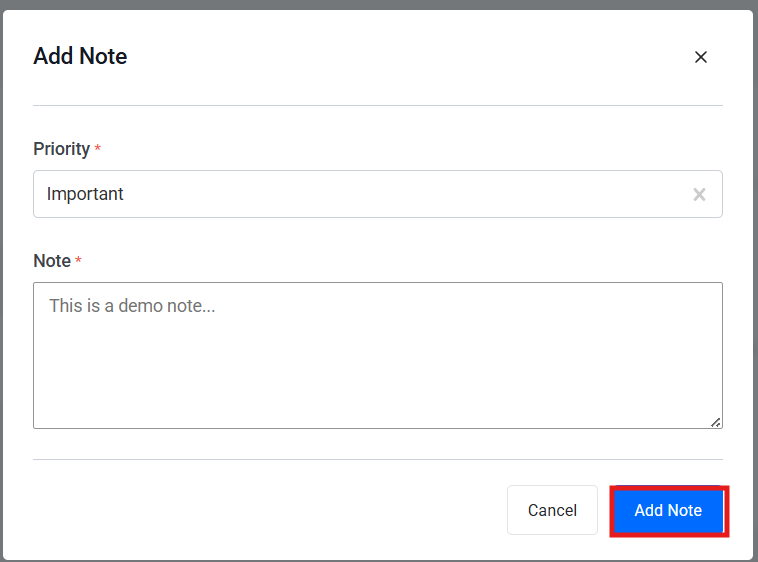
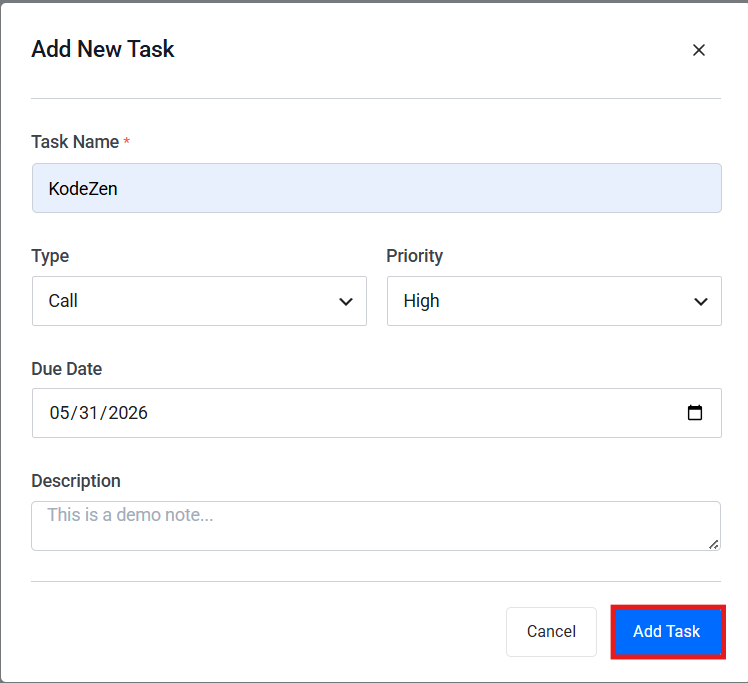
Tasks — create action items and follow-ups that live with the deal. Set a name, type (Call, Email, Meeting), priority, due date, and description. Nothing gets lost in a separate to-do app.
Benefits of Building Your Pipeline Inside WordPress
Lower cost — avoid per-seat CRM subscription fees
One login, one dashboard — no switching between your website admin and a separate CRM
Better data ownership — your customer data stays on infrastructure you control
Faster setup — many plugins integrate directly with your existing theme and forms
Easier customization — since it’s WordPress, developers can extend the pipeline with custom fields or workflows
Real-World Example (Illustrative Scenario)
Picture a small consulting agency paying for a $300/month CRM subscription, mostly because they liked having a visual pipeline view. If they switched to GemCRM and enabled the Deal addon, they could map their existing 6-stage sales process, connect their existing contact forms, and keep running their automated email sequences — all inside one plugin.
The likely outcome: faster response times to new leads, simply because the whole team can see the pipeline directly in the WordPress dashboard instead of checking a separate app. Deal history, notes, and tasks live right alongside the contact record — no switching tools mid-conversation with a prospect.
This is the core advantage of a self-hosted setup: the win isn’t always more leads — it’s fewer leads slipping through the cracks because the team can actually see what’s happening.
Tools Used to Build a Sales Pipeline in WordPress
|
Tool |
Best For |
Pricing Model |
|
Self-hosted email marketing, contact management, automation, and deal pipeline tracking through the Deal Addon |
Free version available; Pro lifetime plans available |
|
|
CRM, email marketing automation, funnels, and customer journey management for WordPress |
Free core version; paid annual plans available |
|
|
WooCommerce sales funnels, checkout optimization, order bumps, upsells, and marketing automation |
Free version available; premium annual plans available |
|
|
Lightweight client and project management for freelancers/small teams |
Free core plugin; paid extensions available |
|
|
Visual funnel building, lead capture, and WooCommerce conversion optimization |
Free version available; premium annual and lifetime plans available |
|
|
Connecting WordPress forms, contacts, live chat, and marketing activities with HubSpot CRM |
Free CRM available; paid plans available for advanced features |
GemCRM stands out for small teams by combining contact management, email marketing, automation, and deal pipeline tracking in a single self-hosted WordPress solution. The free version covers core CRM features, while Pro plans start at around $119 for one site and include the Deal Addon, unlimited contacts, campaigns, automations, and integrations. See the latest deals at gemcrm.net/pricing.
Alternatives like Groundhogg and FunnelKit are excellent for advanced automation and WooCommerce-focused workflows. However, GemCRM’s lifetime licensing option can make it a more cost-effective choice for businesses looking to avoid ongoing subscription fees.
Comparison: WordPress Sales Pipeline vs. Standalone CRM
|
Feature |
WordPress Sales Pipeline (Plugin) |
Standalone CRM (e.g., HubSpot, Salesforce) |
|
Cost |
One-time or low annual fee |
Recurring per-user fees |
|
Setup time |
Faster if already on WordPress |
Requires integration/migration |
|
Data location |
Self-hosted, full control |
Hosted by the vendor |
|
Scalability |
Good for small-mid teams |
Built for large enterprise teams |
|
Customization |
Highly customizable via plugins/code |
Limited to the vendor’s ecosystem |
|
Learning curve |
Lower if the team knows WordPress |
Often requires dedicated training |
Future Trends: Sales Pipelines in WordPress for 2026 and 2027
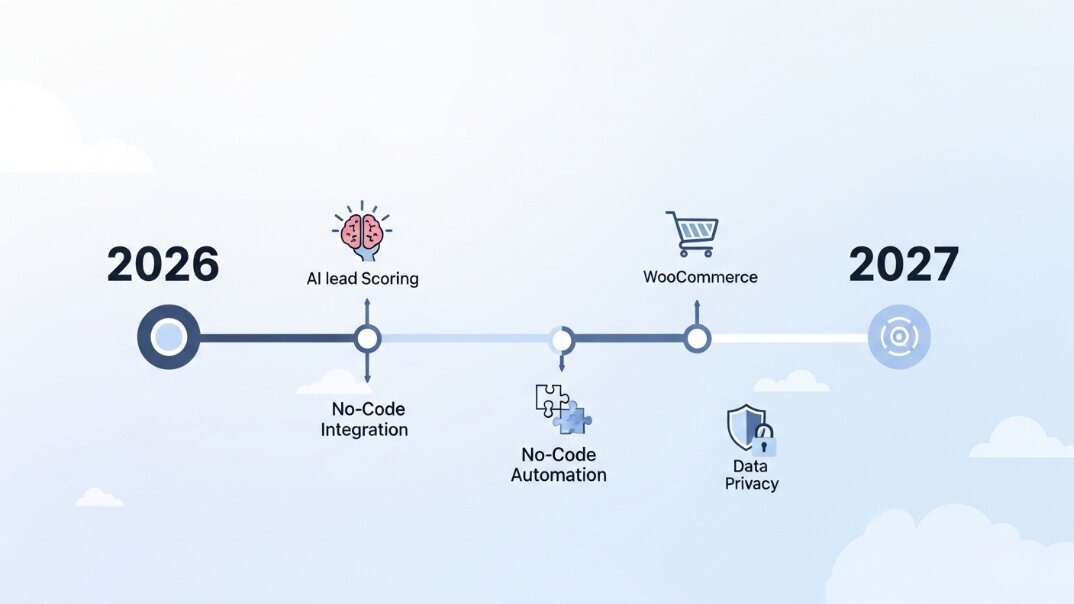
A few shifts worth watching:
AI-assisted lead scoring — more pipeline plugins are adding AI features to automatically flag “hot” leads based on behavior and engagement
Tighter WooCommerce integration — pipelines that connect directly to order data, so a customer’s purchase history shows up alongside their deal stage
No-code automation builders — visual, drag-and-drop automation is becoming standard rather than a premium add-on
Privacy-first data handling — as data privacy regulations tighten globally, self-hosted pipelines (where you control the data) become more attractive
Expect plugins like GemCRM, Groundhogg, and FunnelKit to keep narrowing the gap with standalone marketing platforms on automation features, while keeping their cost advantage.
Conclusion
Building a sales pipeline inside WordPress isn’t about replacing every feature of a big-name CRM — it’s about giving your team a clear, affordable, centralized view of where every lead stands, without adding another subscription to your stack.
For most small teams, GemCRM with the Deal addon enabled is the strongest starting point: it covers email marketing, contact automation, and deal-stage tracking in one plugin, right inside WordPress. Enable the Deal addon, set up your pipeline stages, and you’re tracking deals from the same dashboard your leads are already flowing into.
If you need deeper WooCommerce funnel optimization, FunnelKit or WPFunnels are worth a look alongside GemCRM. For heavier CRM automation with SMS and advanced workflows, Groundhogg is a solid companion tool.
But start with GemCRM. Check it out at gemcrm.net.
FAQs
Is there a free sales pipeline plugin for WordPress?
Yes. GemCRM offers a free CRM with contact management and basic automation, while its Deal Addon for sales pipeline tracking is available in Pro plans starting at around $119 as a one-time lifetime purchase. Groundhogg also has a free core CRM, and WP-CRM System provides a free plugin for managing contacts and clients. For advanced deal pipeline features, a paid plan is usually required.
Can I use WPFunnels as a sales pipeline?
WPFunnels is primarily a funnel and landing page builder. It’s great for guiding leads through a sales journey, but for a true Kanban-style pipeline view of deals, pair it with a CRM plugin like GemCRM.
Do I need coding skills to set up a sales pipeline in WordPress?
No. Most WordPress CRM and sales pipeline plugins, including GemCRM’s Deal Addon, can be set up and managed entirely from the WordPress dashboard without coding. Technical skills are only helpful if you want advanced customizations, custom fields, or third-party integrations.