



A mid-size WooCommerce store sends one 20%-off email to its entire list. Click rate: about 2%. A few weeks later, the same store splits that same list into three groups — VIP repeat buyers, customers who’ve gone quiet, and people who signed up but never ordered — and sends three versions of the same offer, each written for who’s actually reading it. Click rate on the identical discount: more than triple, per group. Same product, same email, same discount code. The only thing that changed was who saw which version.
So the real question isn’t whether customer segmentation works — it’s which plugin actually does it well for a WooCommerce store, since that depends more on your existing stack than any single “best” answer.
What Is WooCommerce Customer Segmentation? (And Why the Plugin You Pick Matters)
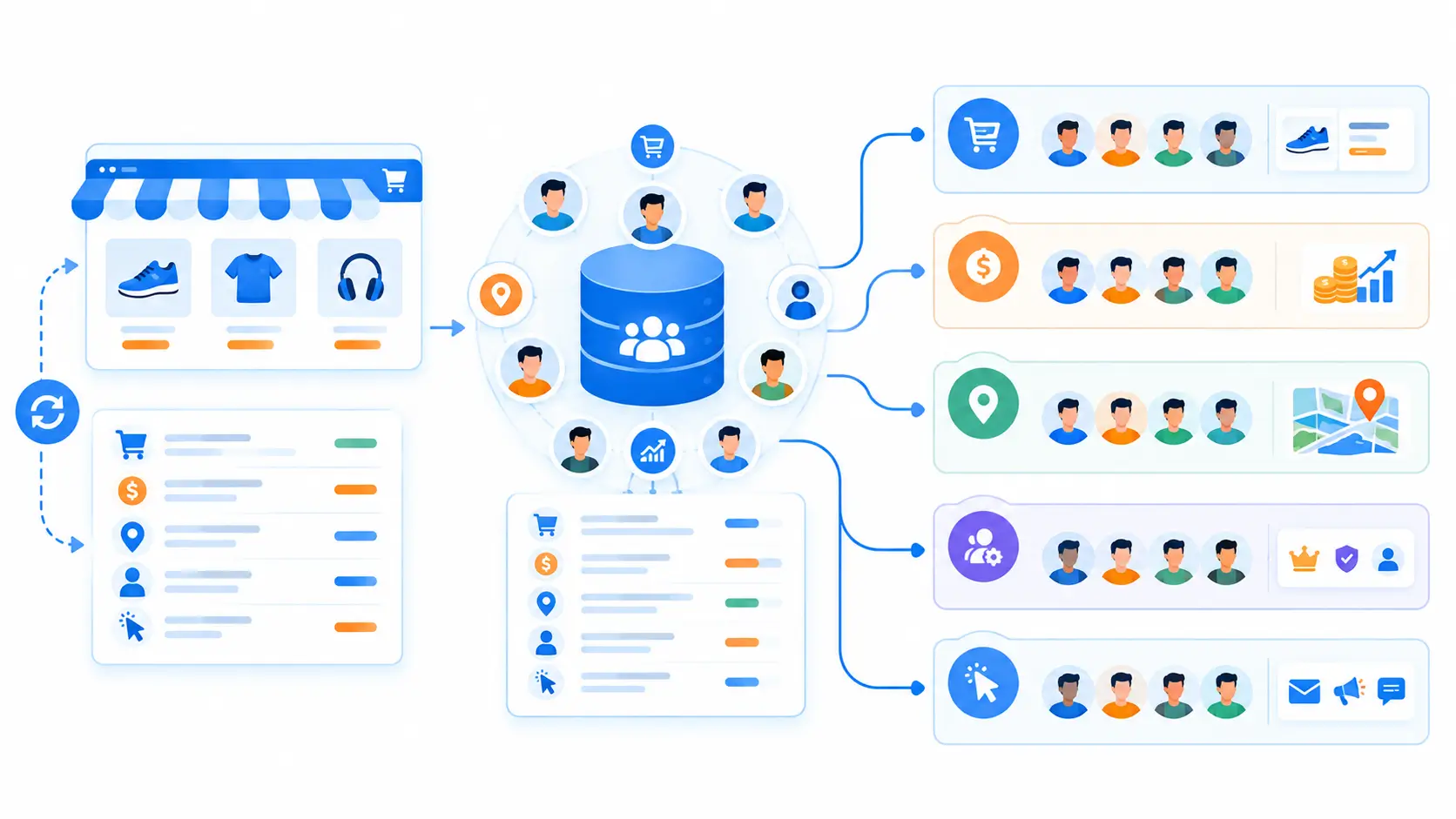
WooCommerce customer segmentation is the process of splitting your customer list into smaller, meaningfully different groups — based on what they’ve bought, who they are, or how they behave — so each group gets a message built for them instead of one broadcast built for no one in particular.
The definition is simple. The stakes are in the tooling.
A segment built once and exported to a spreadsheet is a snapshot — accurate the day you pulled it, wrong a week later once new orders, refunds, and repeat purchases happen. A dynamic segment re-evaluates itself against live store data, so “customers who spent over $200 in the last 90 days” always means today’s list, not whichever list you happened to export last month.
That distinction — static export vs. live, self-updating segment — is really what separates a genuinely useful WooCommerce customer segmentation plugin from a filter you run once and forget. It’s also the first thing worth checking before you install anything, covered in Section 4 below.
The Types of Customer Segmentation
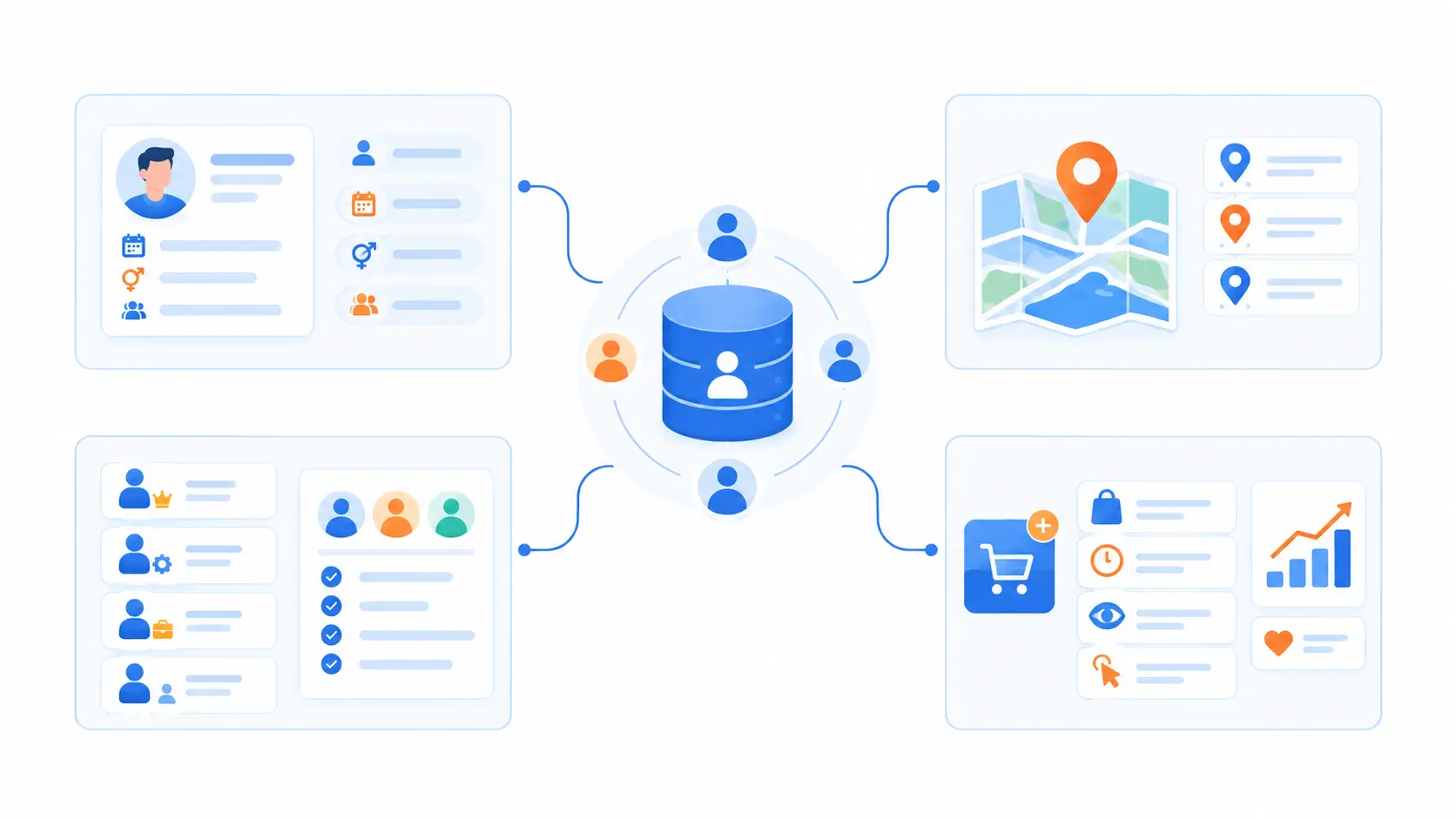
Most segmentation plugins organize customers along four broad axes. You don’t need all four for every campaign, but knowing the categories makes it easier to tell whether a plugin’s “segmentation” claim actually covers what you need. (For a deeper look at segmentation strategy in general, beyond just WooCommerce, see our complete guide to customer segmentation.)
Demographic Segmentation
Age, gender, birthday, and other profile attributes a customer provides directly — genuinely useful when accurate, but most WooCommerce checkouts never collect it, so the data is often missing or stale. Treat it as a layer on top of behavioral segmentation (below), not a primary way to group customers.
Geographic Segmentation
Country, region, city, or timezone — pulled automatically from the checkout address, so it’s reliable without asking customers for anything extra. Useful for timezone-aware sends, currency- or region-specific offers, and shipping promotions, usually layered onto a behavioral or role-based segment rather than used alone.
Role & Account-Type Segmentation
Wholesale vs. retail, guest vs. logged-in account, subscriber vs. one-time buyer — already sitting in WooCommerce’s own user roles and order records. It earns distinct campaigns: bulk-pricing and reorder reminders for wholesale customers, an account-creation nudge for guests, and renewal reminders scoped only to actual subscribers.
Behavioral Segmentation
The highest-signal category, since it’s based on what a customer actually did:
Purchase history alone is deep enough to deserve its own guide: for a full breakdown of behavioral/purchase-history segments — VIPs, repeat buyers, at-risk customers, and more — see our complete guide to segmenting WooCommerce customers by purchase history.
What to Look for in a WooCommerce Customer Segmentation Plugin
5 Best WooCommerce Customer Segmentation Plugins in 2026 (Compared)
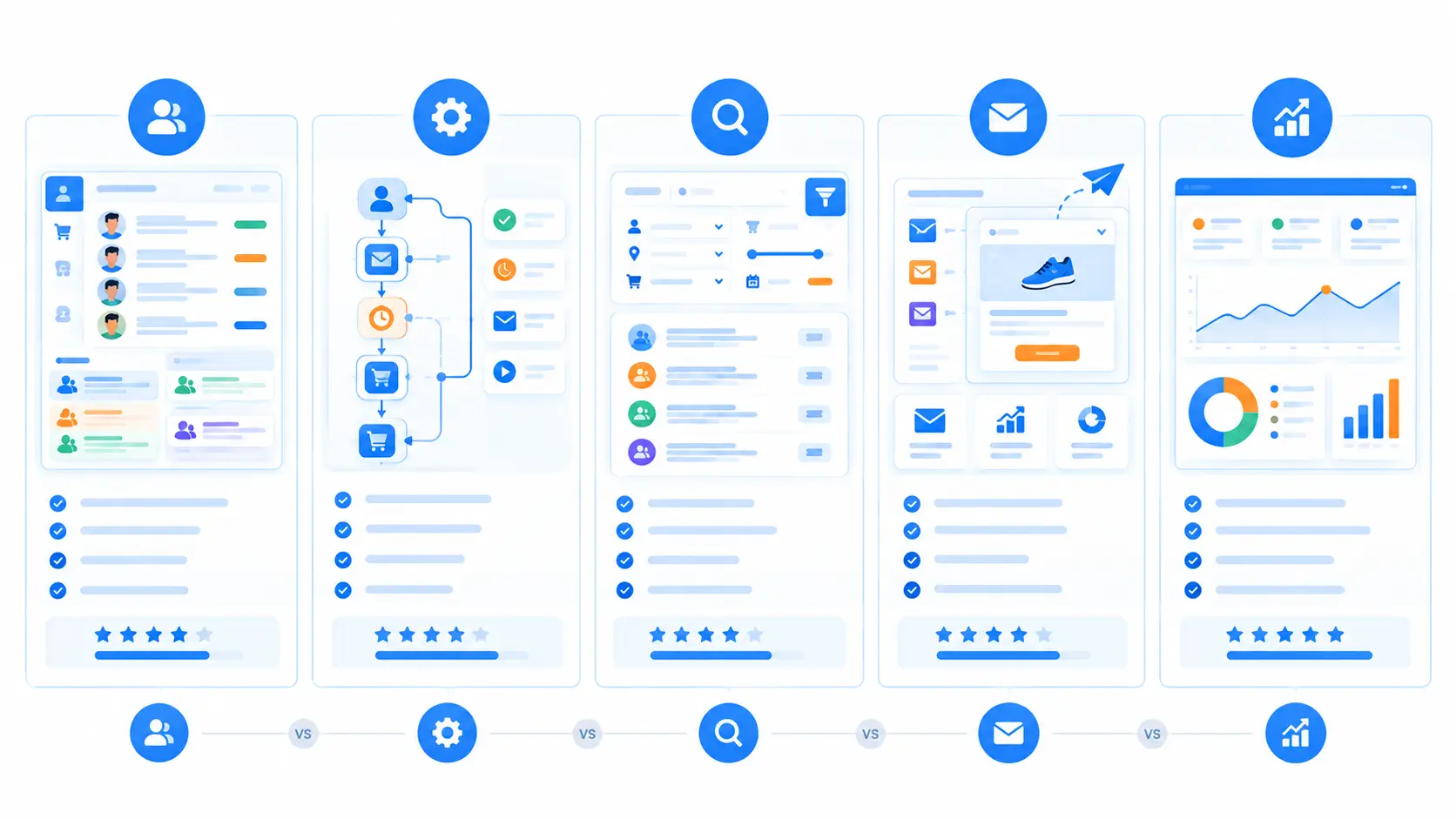
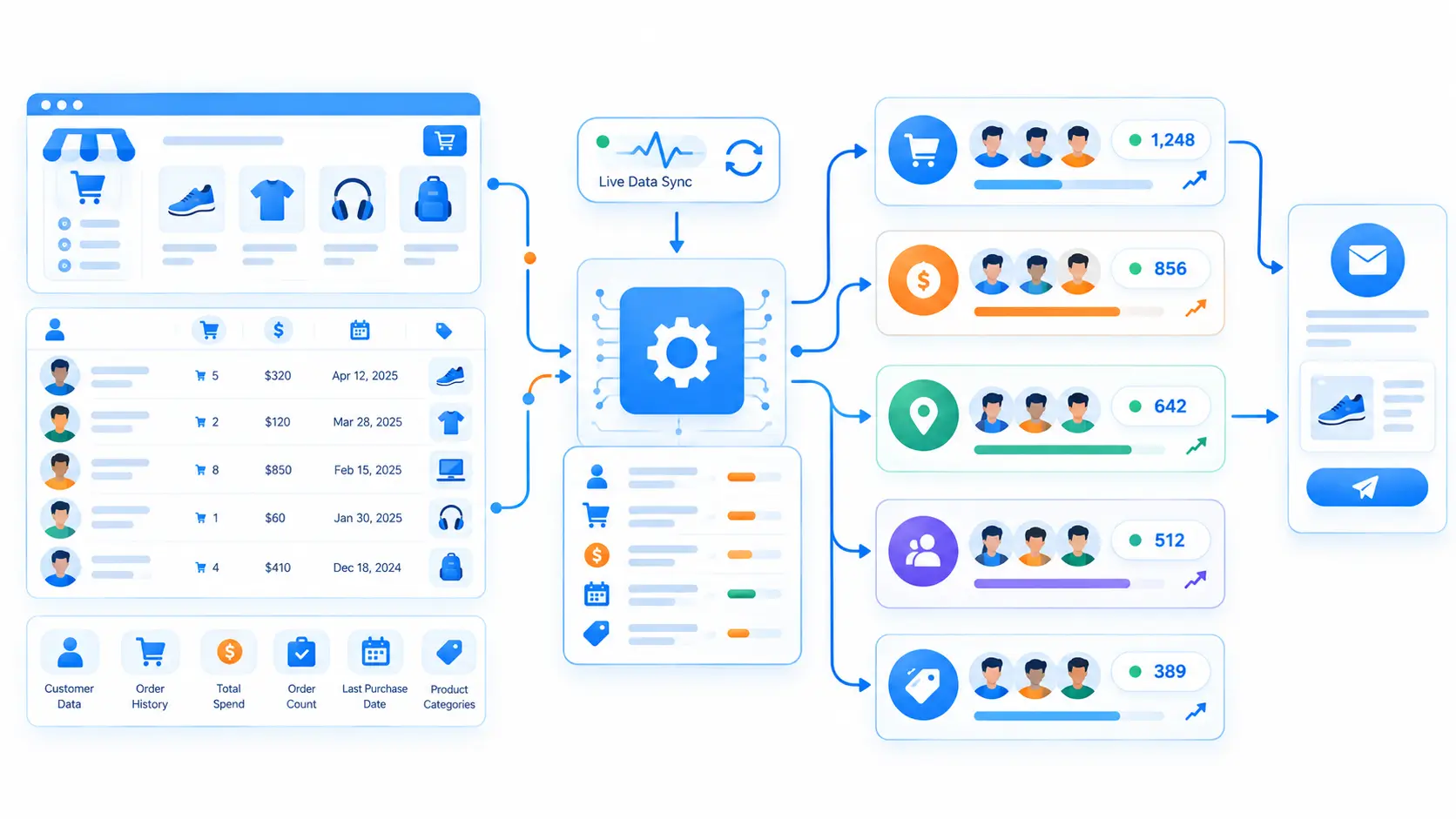
These five made the list because each one clears the checklist from Section 4 — native WooCommerce data sync and genuinely dynamic segments, at minimum — while covering a different shape of store and stack, rather than five variations on the same tool.
Between them they span both ends of a few real trade-offs: a WordPress-native plugin you self-host (GemCRM, AutomateWoo, Users Insights) vs. a hosted SaaS you log into separately (Metorik); a tool that sends campaigns itself vs. one that only filters and hands the list to something else (Users Insights); and pricing that stays flat regardless of list size vs. pricing that scales with subscribers or order volume.
A few otherwise-popular names didn’t make the cut for this specific list: general email plugins without a real dynamic-segment layer, and pricing-only or wholesale plugins that segment for price display rather than for campaigns, are outside what this roundup is comparing.
Ordered from GemCRM’s own entry — transparently, since we build it — through four real alternatives, closest-competitor first.
1. GemCRM — Best All-in-One Pick (Segmentation Built Into a Free CRM)
Best for: Stores that want segmentation, email/SMS sending, and automation living in one plugin instead of three separate subscriptions.
GemCRM is a free WordPress CRM that syncs contacts and full purchase history from WooCommerce (and StoreEngine) automatically — no API keys, no field mapping. Because that sync starts the moment WooCommerce is active, there’s no separate integration step to configure before the first segment can be built — the order data is already sitting on each contact record.
Its Dynamic Segment builder turns that order data into a live, self-updating segment: add one or more conditions from a dedicated “WooCommerce History” group — Total Order Count, Total Order Value, First/Last Order Date, Purchased Products, Purchased Categories, Purchased Tags, Used Coupons, and Is a Customer? — combine them with AND/OR logic (for example, Last Order Date over 60 days ago AND Total Order Value in your top tier), and watch a live matching-contact count update as you build, so you know exactly how big the segment is before you save it.
That segment then plugs straight into GemCRM’s own email campaigns, SMS/WhatsApp messaging, or a Zaplane-triggered automation — you’re not stitching together AutomateWoo for automation, MailPoet for email, and a separate reporting plugin just to get from “segment” to “sent.” Once saved, the same segment shows up as a selectable audience in every one of those places, so building the condition set once means reusing it everywhere instead of rebuilding it per tool.
Pricing model: Flat, per-site licensing ($59–$199/year, or a one-time lifetime option) with unlimited contacts on every tier — segmentation doesn’t get more expensive as your list grows, unlike per-subscriber SaaS pricing.
Honest limitation: Dynamic Segment is a GemCRM Pro feature. The free plan gives you the underlying purchase-history data on every contact record; building a reusable, live segment from it requires upgrading.
2. AutomateWoo — Best for Behavior-Based Automation Workflows
Best for: Stores that want targeting expressed as automation triggers and conditions, rather than a separate segment-building step.
AutomateWoo is WooCommerce’s own official marketing-automation extension, built around three pieces per workflow: a Trigger (the event that starts it — an abandoned cart sitting idle for 4 hours, a customer who hasn’t purchased in a set number of days, a customer’s total spend crossing a set amount), optional Rules that narrow when it’s allowed to fire (only for orders over $100, only for a specific product category, only for a specific customer role), and an Action (send an email, change an order status, or run a custom function for developers).
Rules stack with AND logic within a single workflow, so one workflow can require an order over $100 and a specific product category before it fires. That combination is powerful for automation, but it’s scoped to one workflow at a time — there’s no separate screen where “customers who spent over $100 and bought from Category X” exists as its own named, reusable segment you could point five different workflows at; the stacked condition lives inside that one workflow only.
Pricing model: $159/year per site (or a discounted 2-year term at $254.40) — flat, not per-subscriber.
Honest limitation: Because targeting conditions live inside each individual workflow, you can’t build one segment and reuse it across five different workflows — the same conditions have to be rebuilt each time.
3. Users Insights — Best Lightweight, Purpose-Built Segmentation Plugin
Best for: Stores that mainly want a fast, filterable view of customers and are fine pairing it with whatever email/SMS tool they already use.
Users Insights is a self-hosted WordPress plugin built around advanced, stackable filters for user data — geolocation, last login, registration date, and custom fields, on top of a dedicated WooCommerce module that filters by order count, purchased products, order status, and last-order date. Because those role and meta filters aren’t limited to WooCommerce, a store also running a membership or wholesale plugin can combine order-history conditions with account-type fields in the same saved view.
Any combination of filters can be saved as a named segment for later reuse, and any filtered view — saved segment or one-off — can be exported to CSV on the spot or on a recurring schedule, since the export is built to match “what you see is what you get” against the current filtered table. It’s a segmentation and filtering tool first, though — it doesn’t send campaigns itself, so a saved segment still needs to be exported or connected to a separate email/SMS plugin to actually act on.
Pricing model: Self-hosted, single-site license, priced independently of contact count. (Verify current pricing at usersinsights.com before publishing — the site blocks automated price checks.)
Honest limitation: You’ll still need a separate email or automation plugin to actually message a segment once it’s built.
4. MailPoet — Best for Stores Already Standardized on MailPoet for Email
Best for: Stores that already send campaigns through MailPoet and want segmentation without adding another plugin.
MailPoet builds dynamic, auto-updating segments from WooCommerce data — total spent, order count, country, active subscription/membership — alongside email-engagement signals like opens and clicks, then sends the resulting campaigns from the same plugin. Because segments are built from the same WooCommerce sync MailPoet’s automations already use, a customer who crosses a segment’s spend threshold today is picked up automatically for the next send, with no manual refresh step.
It also ships pre-built WooCommerce automations that lean on this same data without any segment-building at all: an Abandoned Cart sequence that stops automatically once a customer completes their purchase, and a First Purchase automation (a “thank you” email that can send immediately or after a delay) — both come with editable starter content rather than a blank canvas.
Pricing model: Free to 500 subscribers, then from $10/month, scaling with list size.
Honest limitation: Multi-condition segments (combining several WooCommerce fields at once) are gated to paid plans, and price climbs as your list grows regardless of how engaged those subscribers actually are.
5. Metorik — Best for Deep WooCommerce Analytics & Reporting Alongside Segmentation
Best for: Stores that want deep, granular reporting first, with segmentation and campaign sending as part of the same dashboard.
Metorik is a hosted analytics platform for WooCommerce (not a WordPress plugin) that layers segmentation on top of its reporting: filter any resource — customers, orders, subscriptions, products, or carts — by any of its attributes (total spend, lifetime value, payment method, and more), including support for RFM-style analysis (Recency, Frequency, Monetary value) for grading customers by how recently and how often they buy. It connects to a store through WooCommerce’s REST API rather than a bundled plugin install, and syncs historical order data on setup — so segments and reports are typically usable within a few minutes of connecting a store, not just from that point forward.
Any filtered segment can be saved and named for reuse, shared with your team or kept private, and exported as a CSV — either on the spot or on a recurring schedule — then sent targeted campaigns through Metorik’s own built-in drag-and-drop email/automation tool.
Pricing model: SaaS, starting at $25/month on the Starter plan, priced by average monthly order volume (a trailing 3-month average) rather than contact count.
Honest limitation: It’s a separate hosted service, not a WordPress plugin — your segmentation data lives outside wp-admin, and pricing scales with store order volume rather than staying flat.
Quick Comparison Table
|
Plugin |
Best For |
Dynamic or Static Segments |
Standalone or Needs an Email/SMS Tool |
Pricing Model |
|
GemCRM |
All-in-one: segmentation + email/SMS + automation |
Dynamic (GemCRM Pro) |
Standalone — email, SMS/WhatsApp, and automation built in |
Flat per-site, $59–$199/yr or lifetime; unlimited contacts |
|
AutomateWoo |
Behavior-based automation workflows |
Rule-based per workflow, not a saved segment |
Standalone — sends its own emails |
Flat per-site, $159/yr |
|
Users Insights |
Lightweight, purpose-built filtering/segmentation |
Dynamic (saved filtered views) |
Needs a separate email/SMS tool to act on a segment |
Self-hosted, single-site license (verify current price) |
|
MailPoet |
Stores already using MailPoet for email |
Dynamic |
Standalone — segmentation and sending in one plugin |
Free to 500 subscribers, then from $10/mo, scales with list size |
|
Metorik |
Deep analytics/reporting alongside segmentation |
Dynamic |
Standalone — built-in email automation |
SaaS from $25/mo, scales with order volume |
How to Start Segmenting Your WooCommerce Customers (Quick-Start with GemCRM)
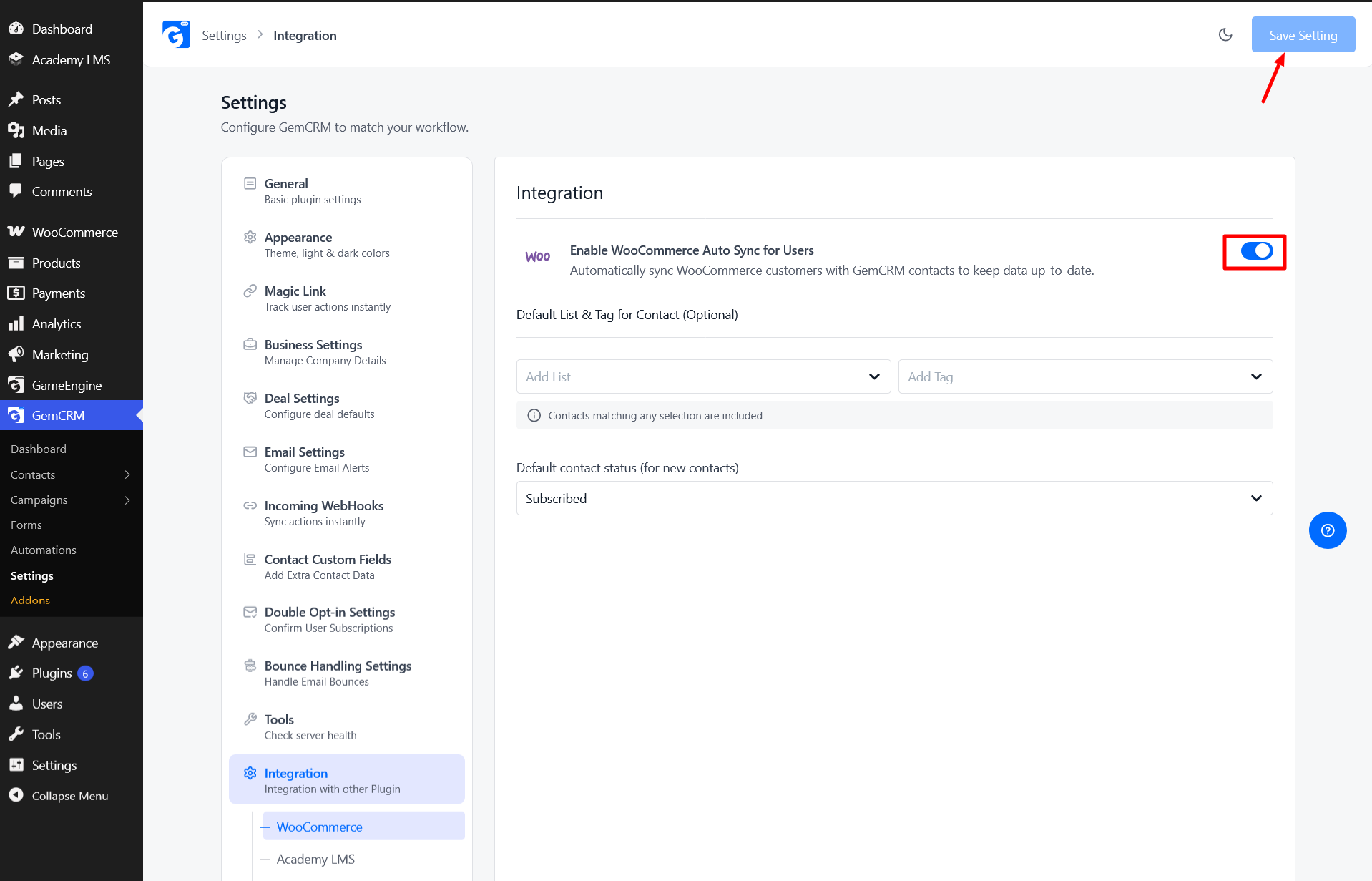
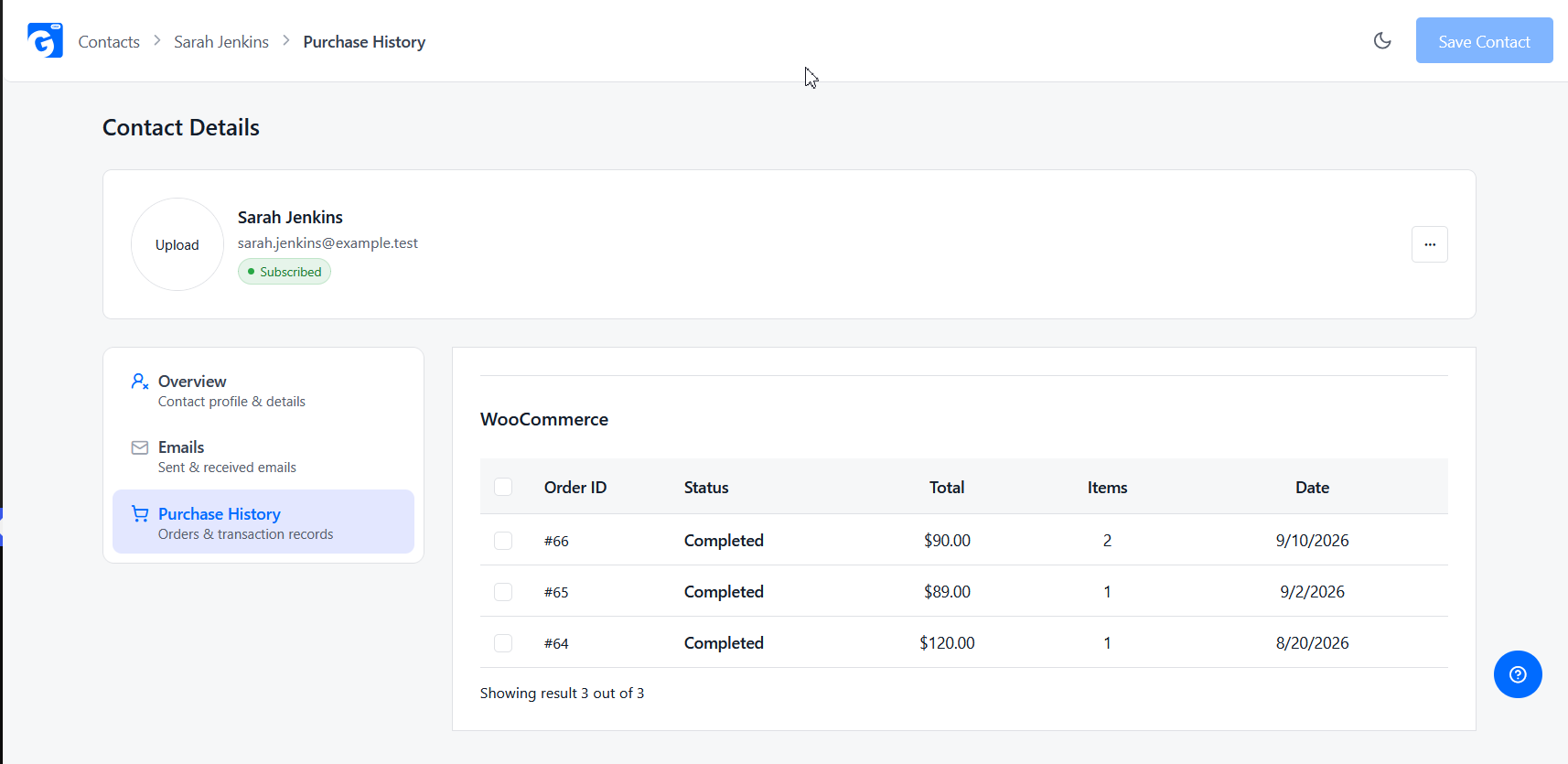
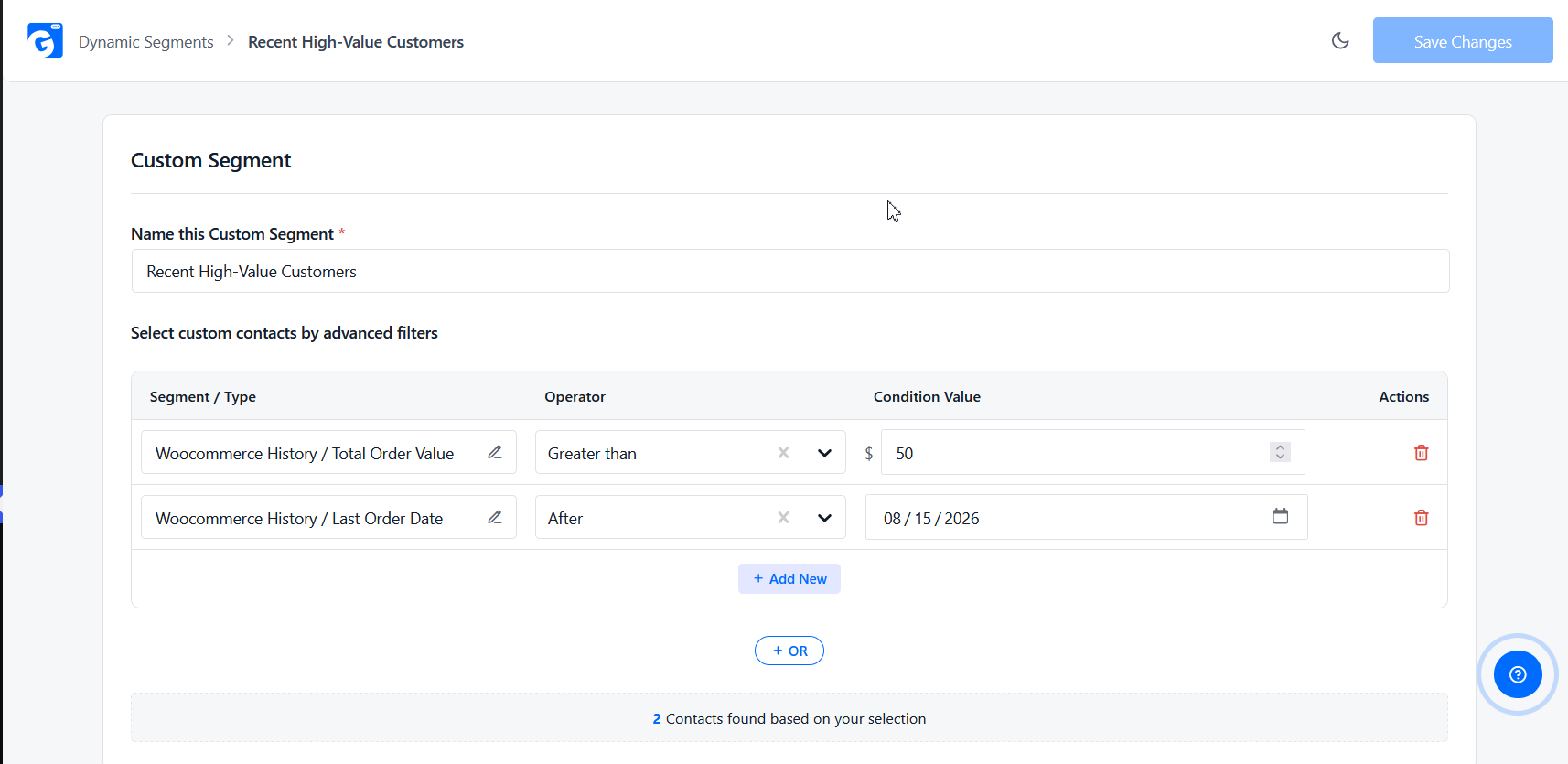
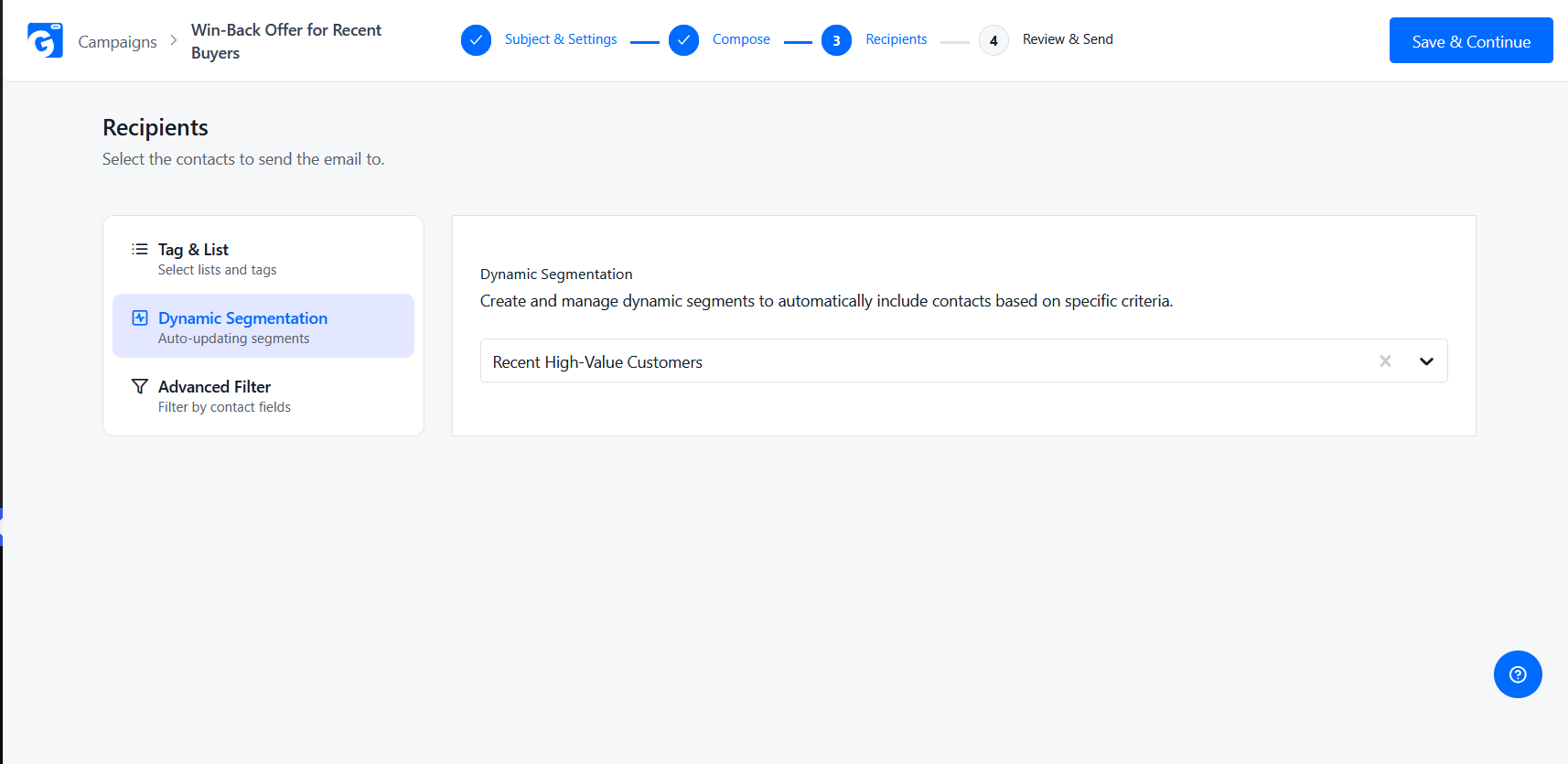
For the full step-by-step on building dynamic segments from purchase history — including every WooCommerce History field available and campaign ideas for each segment — see our complete guide to segmenting WooCommerce customers by purchase history.
Best Practices for Getting the Most Out of Your Segments
Prioritize Dynamic Over Static Segments
A segment that doesn’t update itself is a spreadsheet with extra steps. Check that whatever you pick re-evaluates against live order data, not a one-time export.
Don’t Pay Per-Subscriber for Something Your CRM Should Include
If segmentation is core to how you run campaigns, per-subscriber pricing punishes you for growing your list. Weigh flat/per-site pricing against SaaS tools that get more expensive every time someone new subscribes.
Start With 2-3 Segments, Not Twelve
A handful of well-chosen segments — VIPs, at-risk, new customers — outperform a dozen narrow ones nobody has time to build real campaigns for.
Revisit Your Segments Monthly
Thresholds that defined a “VIP” or “lapsed” customer at launch drift as your average order value and repurchase cycle change. A five-minute monthly review keeps segments accurate.
Conclusion
There’s no single “best” WooCommerce customer segmentation plugin — there’s a best fit for how you already run your store. If you want segmentation living inside a free CRM alongside email, SMS, and automation, GemCRM is built for exactly that. If you’re already deep into WooCommerce’s own automation extension, standardized on MailPoet for email, or want analytics-grade reporting alongside your segments, one of the other four in this list is the better match.
For the broader picture of what a WooCommerce CRM should do beyond segmentation, see our complete guide to WooCommerce CRM, or our roundup of the best CRMs for WooCommerce stores. And once you’re ready to build your first segments from real order data, our guide to segmenting by purchase history walks through every WooCommerce History field available.
Start segmenting your WooCommerce customers for free with GemCRM.
FAQs
What is a WooCommerce customer segmentation plugin?
A plugin that groups your WooCommerce customers into smaller lists based on shared traits — purchase history, spend, location, or behavior — so you can send each group a more relevant campaign instead of one blast to everyone.
Is customer segmentation possible in WooCommerce for free?
Yes. WooCommerce’s built-in Analytics → Customers report gives basic on-screen filtering for free, and free plugins like GemCRM (purchase-history data on every contact) and MailPoet (segments up to 500 subscribers) add real segmentation without a paid plan — though the most useful dynamic-segment features are often gated to a paid tier once you need more.
What’s the difference between static and dynamic segments?
A static segment is a one-time export or filtered list — accurate the moment you create it, then increasingly wrong as new orders and refunds happen. A dynamic segment re-evaluates its conditions against live store data, so it always reflects who currently qualifies.
Do I need a separate CRM or reporting plugin for this?
Not necessarily. Some tools — GemCRM, MailPoet, Metorik — combine segmentation with the sending or reporting layer in one product. Others, like Users Insights, are filtering-only and need to be paired with a separate email or SMS plugin to act on a segment.
Which plugin is best for a small store vs. a high-volume store?
Smaller stores generally do fine on flat-priced or free tools (GemCRM, MailPoet’s free tier, Users Insights) since pricing doesn’t scale with list size. High-volume stores that want deep reporting alongside segmentation may get more value from an analytics-first tool like Metorik, despite its order-volume-based pricing.
Does GemCRM’s free plan include segmentation?
The free plan includes the underlying data — every contact’s full purchase history, synced automatically from WooCommerce — but building a live, reusable Dynamic Segment from that data is a GemCRM Pro feature.