

A prospect says “send me a quote,” and then nothing happens for three weeks. The follow-up sat in someone’s inbox, the quote lived in a spreadsheet, and nobody saw the deal go cold. That is what weak sales pipeline management costs you.
Choosing software to fix it is harder than it looks, because almost every tool promises a visual pipeline. This guide compares eight options on what actually differs: plan limits, setup effort, integrations, and fit for WooCommerce stores.
Quick Overview
Prices and plan limits in this article were checked against vendor pages on October 13, 2026. They change often, so confirm before buying.
Best Sales Pipeline Management Tools at a Glance
|
Tool |
Best for |
Pipeline and deal tracking |
Automation and reporting |
Integrations |
Ease of setup |
Pricing / free option |
Main limitation |
|
HubSpot Sales Hub |
Small teams starting free, then growing |
Drag-and-drop deals; custom pipelines need a paid plan |
Forecasting and AI deal insights are premium |
Large marketplace; WooCommerce via third-party plugins |
Easy to start |
Free plan; Professional $90/seat/mo billed annually + $1,500 onboarding |
Costs climb quickly at higher tiers |
|
Pipedrive |
Sales-focused teams wanting a simple board |
Unlimited pipelines on all plans |
Automations start on Growth |
Marketplace, API; WooCommerce via third-party |
Easy |
From $14/seat/mo billed annually; 14-day trial, no free plan |
No free plan; automation gated |
|
GemCRM (Pro) |
WordPress and WooCommerce sites |
One Kanban pipeline with custom stages |
Stage-based drip sequences; basic stage totals, no forecasting |
Native WooCommerce customer sync; WordPress-only |
Easy on WordPress |
Free plugin; deals need Pro from $59/site/yr |
Single pipeline; WordPress-only |
|
Zoho CRM |
Budget-conscious teams in the Zoho ecosystem |
Multiple pipelines from Standard |
Workflows and forecasting on Standard; Blueprint on Professional |
Zoho Marketplace; WooCommerce via plugins |
Moderate |
Free for 3 users; paid prices on Zoho’s page |
Free plan lacks multiple pipelines |
|
Freshsales |
Small teams wanting built-in AI and phone |
1 pipeline on Growth, 10 on Pro |
Forecasting insights on Enterprise |
Freshworks Marketplace; official WooCommerce guide |
Easy to moderate |
From $9/user/mo billed annually; 21-day trial; free plan listed |
Multiple pipelines need Pro |
|
Salesforce Sales Cloud |
Complex or growing sales operations |
Opportunity stages, sales paths |
Forecasting by edition |
AppExchange; WooCommerce via extensions |
Heavier |
Free Suite; Starter $25; Pro Suite $100 per user/mo |
Setup and cost grow with complexity |
|
monday CRM |
Teams already using monday.com |
Visual boards, customizable columns |
Monthly automation caps per plan |
Integrations; WooCommerce via Zapier-type tools |
Easy |
From $12/seat/mo billed yearly, 3-seat minimum; trial only |
Seat minimum; automation limits |
|
Close |
Calling and email-heavy inside sales |
Multiple pipelines on all plans |
Workflows from Growth |
Zapier, API |
Easy |
14-day trial; no free plan |
Not built for ecommerce |
8 Best Sales Pipeline Management Tools
1. HubSpot Sales Hub
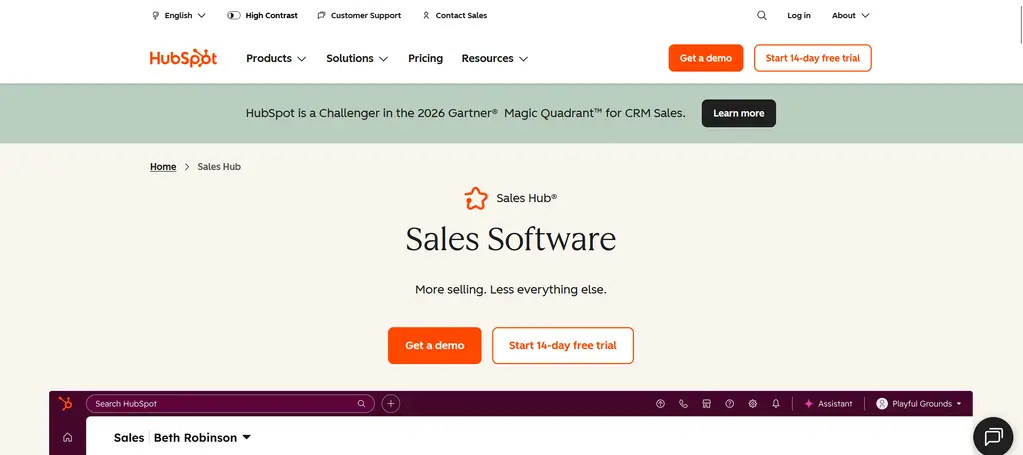
Best for Small teams that want to start free and add paid features as the process matures.
Key pipeline management features HubSpot lets you customize deal stages and drag deals between them. It also offers a deal dashboard, tasks, and pipeline health views. Forecasting and AI deal insights are reserved for paid editions.
Integrations and setup HubSpot has a large marketplace and a clean setup flow. For WooCommerce, HubSpot’s own documentation did not surface a first-party connector. The older “HubSpot for WooCommerce” extension is no longer sold on WooCommerce.com, and current options are third-party plugins such as the CRMPerks plugin. One more detail: HubSpot’s help center says connecting an e-commerce integration adds a deal pipeline you cannot modify.
Pricing and plan limitations HubSpot’s pricing page lists Professional at $90 per seat per month billed annually ($100 monthly) plus a required one-time $1,500 onboarding fee. Enterprise is $150 per seat with a $3,500 onboarding fee. Starter prices change with promotions, so check the page. Creating custom pipelines requires Starter or higher.
Pros and limitations The free entry point and ecosystem are real strengths. The trade-off is cost: Professional pricing and onboarding fees can dwarf the entry price, and seat types affect what each user can do.
Verdict Shortlist it if you want a free start and expect to add marketing tools later. Look elsewhere if your budget is fixed and you need multiple pipelines or forecasting early.
2. Pipedrive
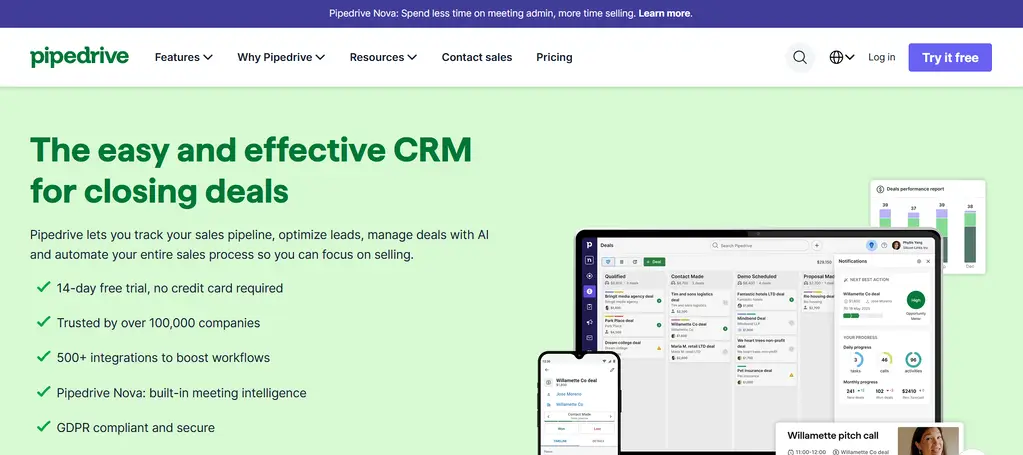
Best for Sales-led teams that want a simple, pipeline-first board.
Key pipeline management features Pipedrive’s comparison page says it offers unlimited pipelines on all plans, with customizable stages on every tier.
Integrations and setup Pipedrive has a marketplace and API. We found no first-party WooCommerce integration. Options are third-party, such as the W2P plugin, which can map order statuses to deals and pipelines but moves to a paid subscription after a 15-day trial.
Pricing and plan limitations Pipedrive’s pricing page lists Lite at $14 per seat per month and Growth at $39, both billed annually. Automations start on Growth, with active-automation caps per plan. There is a 14-day trial and no free plan.
Pros and limitations It is quick to learn and focused on selling. The entry plan lacks automation, and WooCommerce needs a connector.
Verdict Shortlist it for a lean sales team. Skip it if you want a free tier or native WooCommerce data.
3. GemCRM
Best for WordPress and WooCommerce sites that want customer data and a deal board in one place.
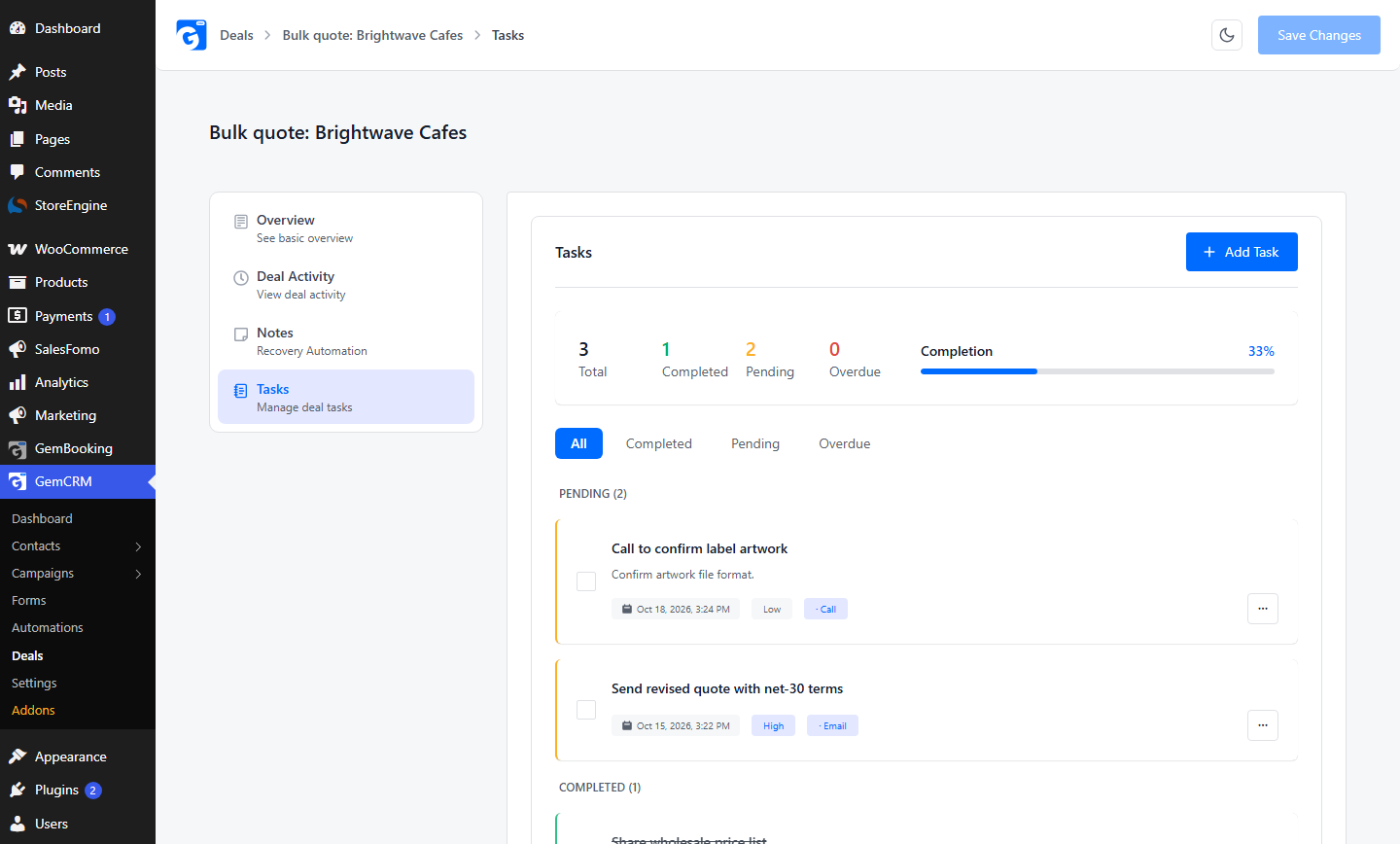
Key pipeline management features GemCRM Pro adds a Kanban deal board with seven default stages (New through Lost), custom stages, deal value, priority, close date, tasks, notes, an activity log, and links to contacts and companies. We ran it in a local test install (GemCRM 1.6.5 with Pro, fake data).
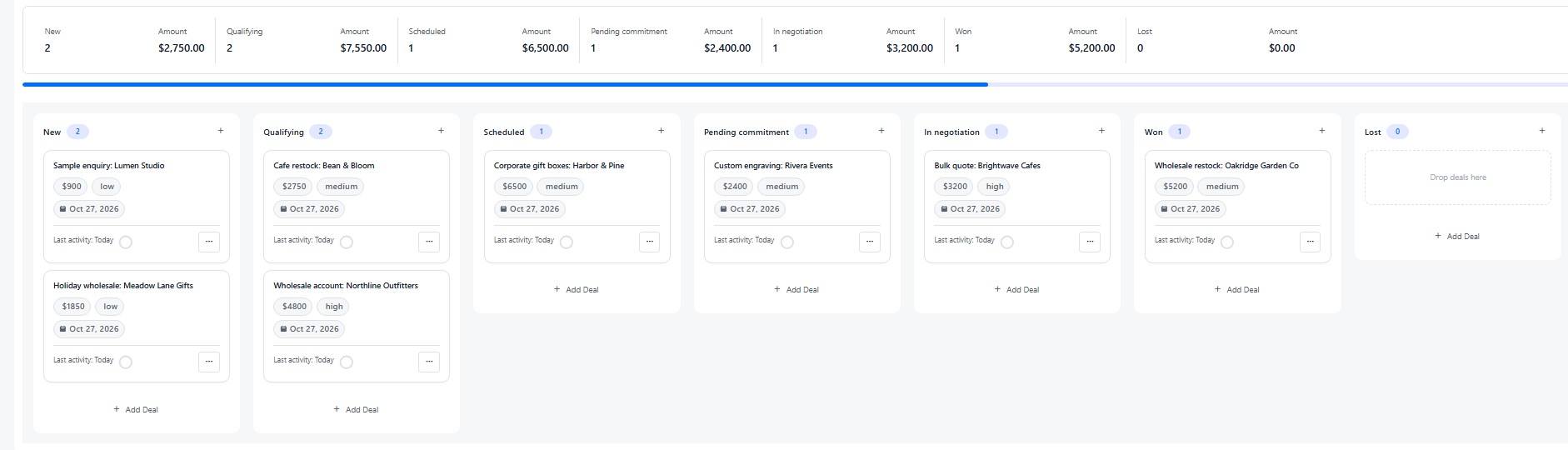
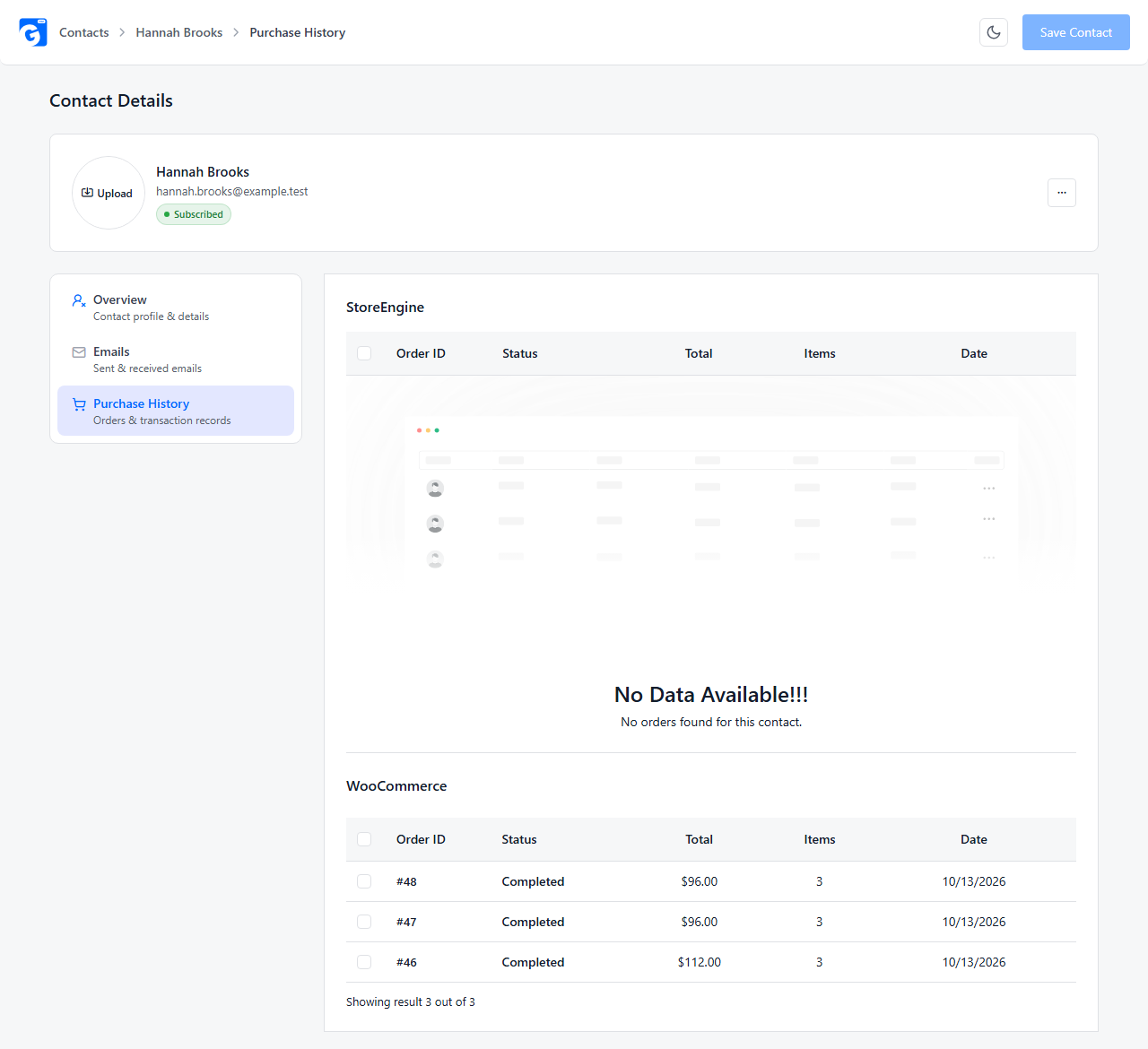
Integrations and setup WooCommerce customers sync into GemCRM through a settings toggle, and purchase history shows on the contact record. Deals are created in the pipeline; we found no documented feature that turns a WooCommerce order into a deal. Automation runs through GemCRM sequences and the free Zaplane companion plugin.
Pricing and plan limitations The core plugin is free. The deal pipeline requires Pro. GemCRM’s pricing page lists Solo (1 site) at $59 per year and Team (10 sites) at $79 per year, or lifetime options, in “$” (currency not named), with an early-bird banner. Pricing is per site, not per user.
Pros and limitations Data stays inside WordPress, and cost does not scale per user. Limits: the pipeline is single, there is no forecasting, and it only works with WordPress.
Verdict Shortlist it if you run WooCommerce and want deals next to purchase history. Pick another tool if you need multiple pipelines, forecasting, or a non-WordPress stack.
4. Zoho CRM
Best for Cost-conscious teams, especially those already using other Zoho apps.
Key pipeline management features Zoho supports multiple sales pipelines tied to layouts, plus Blueprint, which enforces process steps at each stage. Its pricing page places multiple pipelines, workflows, and forecasting on Standard, and Blueprint-style process automation on Professional.
Integrations and setup The Zoho Marketplace lists hundreds of extensions. For WooCommerce, we found WordPress plugins: one listing named “WooCommerce Zoho CRM” (free tier limited to contacts and leads, with deals and orders in Pro) and paid options such as WP Swings. We could not confirm who publishes the first, so treat all as third-party.
Pricing and plan limitations Zoho offers a free plan for up to three users. Paid per-user prices were not retrievable from the page we checked, so see Zoho’s pricing page for current figures.
Pros and limitations Strong feature depth for the price. The interface has more settings than simpler tools, and the free plan is limited.
Verdict Shortlist it if you want depth on a budget. Choose a simpler tool if nobody will maintain the configuration.
5. Freshsales
Best for Small teams that want built-in phone, email, and AI features.
Key pipeline management features Freshsales supports multiple pipelines with per-stage probabilities for weighted forecasts. Per Freshworks’ help center, Growth allows 1 pipeline, Pro 10, and Enterprise 25. That article is dated 2024–2025, so confirm in your account.
Integrations and setup Freshworks publishes an official WooCommerce guide covering customer details, purchase history, and storefront events like abandoned carts. It does not mention deals. Setup requires the Freshmarketer WordPress plugin.
Pricing and plan limitations The pricing page lists Growth at $9, Pro at $39, and Enterprise at $59 per user per month, billed annually, with a 21-day trial. Sales sequences start on Pro; forecasting insights are on Enterprise. A free plan is advertised; check its limits there.
Pros and limitations Low entry price and an official WooCommerce path. Custom pipelines and sequences sit above the cheapest tier.
Verdict Shortlist it if purchase history and events matter to you. Look elsewhere if you need deal-level order sync.
6. Salesforce Sales Cloud
Best for Organizations with complex sales processes or heavy customization needs.
Key pipeline management features Salesforce offers opportunity stages, a sales path, and Kanban movement. Salesforce Help explains how stages map to forecast categories, and says multiple sales processes need Enterprise Edition or above. Edition names differ from the newer Suite names, so confirm the mapping.
Integrations and setup AppExchange is its integration marketplace. For WooCommerce, WooCommerce’s own docs describe a Salesforce integration extension that uses a Connected App, and AppExchange has third-party apps. Expect administrator-level setup.
Pricing and plan limitations Salesforce’s pricing page lists Free Suite at $0, Starter Suite at $25 (monthly or annual), Pro Suite at $100 (annual only), then Core, Advanced, and Max, all per user per month in USD. Which edition includes which feature is easy to miss, so check the comparison table.
Pros and limitations Very customizable and scalable. Setup, admin time, and total cost grow faster than with simpler tools.
Verdict Shortlist it if your process needs approvals, territories, or deep customization. Smaller teams may never use that depth.
7. monday CRM
Best for Teams already managing work in monday.com who want sales on the same platform.
Key pipeline management features monday’s support guide describes a Deals board with deal value, expected close date, close probability, and a forecast-value formula column. The board is highly customizable.
Integrations and setup There is no first-party WooCommerce connector in what we found. Third-party tools connect the two, for example Zapier, and Zapier’s page says WooCommerce access requires a paid extension.
Pricing and plan limitations monday CRM pricing shows Basic at $12 per seat per month billed yearly (higher monthly), with a three-seat minimum and no free plan, only a 14-day trial. Automations are capped monthly by plan (Standard lists 250).
Pros and limitations Flexible and visual. The seat minimum and automation caps affect small teams.
Verdict Shortlist it if your team already lives in monday. Skip it if you need a free plan or just one or two seats.
8. Close
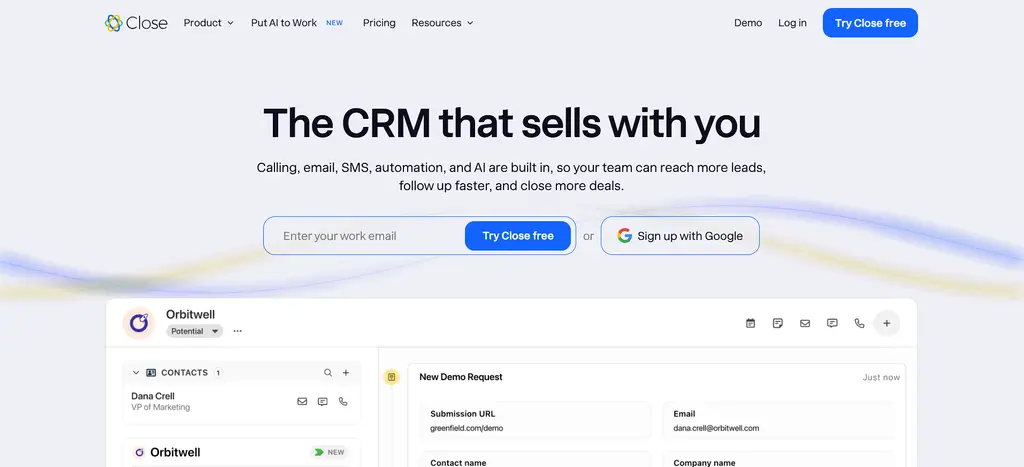
Best for Inside-sales teams that live on calls and email.
Key pipeline management features Close’s help center describes separate opportunity pipelines for different teams or sales motions, with Kanban views and drag-and-drop stages. Its pricing page lists multiple pipelines on all plans.
Integrations and setup Close connects through Zapier and an API. We found no first-party WooCommerce integration. Third-party connectors exist, such as Outfunnel.
Pricing and plan limitations Close offers a 14-day trial and no free plan. Plans run from Solo (one user, up to 10,000 leads) to Scale. Workflows and the power dialer start at Growth. The page shows two prices per plan without clearly labeling billing periods, so verify before budgeting.
Pros and limitations Strong for outreach-heavy selling. It is not designed around ecommerce or order data.
Verdict Shortlist it for calling-heavy teams. Choose another tool for store-driven sales.
How We Evaluated These Sales Pipeline Tools
This comparison is based on public research, not independent lab testing. We reviewed official pricing pages, help centers, and documentation on October 13, 2026, and analyzed twelve pages from live search results for the topic to see which tools and criteria they use. The one product we ran ourselves was GemCRM, in a local test install, for the screenshots.
We looked at pipeline customization, deal tracking and activity history, automation and reminders, reporting and forecasting, integrations, ease of setup, pricing transparency, suitability for small teams, and WooCommerce relevance. We did not assign numeric scores, because that would imply a test we did not run. Some vendor pages did not show every plan detail, and we say so where that applies. GemCRM is our product, so we applied the same criteria and listed its limits.
How to Choose the Right Sales Pipeline Management Software
Start with your team. One owner closing a few deals a month needs a board and reminders. A team of ten needs permissions, reporting, and consistent stages.
Then map your sales process. If every deal follows the same steps, one pipeline works. If you sell wholesale, services, and subscriptions differently, check how many pipelines each plan allows.
Also think about follow-up. The best pipeline is useless if tasks are not created automatically, so find which plan unlocks workflows. For stores, these WooCommerce email automation workflows show what follow-up can look like. In the same way, decide whether you need forecasting or just stage totals.
Check integrations before pricing. A tool that cannot reach your store, email, or forms adds manual work. Keep your CRM leads and deals in the same system when you can, so a lead’s history follows them into the pipeline.
Finally, calculate the full cost. The cheapest plan often omits automation, multiple pipelines, or forecasting, and some vendors add onboarding fees or seat minimums. Multiply by your user count and add maintenance time.
Best Sales Pipeline Management Options for WooCommerce
WooCommerce tracks orders. A CRM pipeline tracks opportunities. A typical order lifecycle (pending, processing, completed) is not a sales pipeline, and not every store needs one.
What you need depends on how you sell:
Syncing purchase data versus managing a deal
Syncing purchase data means copying customers and orders into the CRM. Managing a deal means following one active opportunity through stages with tasks and notes.
Tools connect to WooCommerce in different ways. Freshsales has an official guide, covering customer details, purchase history, and events. HubSpot, Pipedrive, Zoho, Salesforce, monday CRM, and Close rely on third-party plugins or automation tools, and details vary by connector. Custom API work is an option for any of them.
GemCRM syncs WooCommerce customers natively into WordPress and shows orders on each contact. That is purchase data, not a pipeline.
The deal board handles the opportunity side, such as a wholesale quote outside the checkout flow, with tasks, notes, and progress tracked per deal.
If your store sells mostly through checkout, start with synced customer data; our WooCommerce CRM guide covers that setup. Add a pipeline when people begin asking for quotes, and see how to build a sales pipeline inside WordPress if you go that route.
Frequently Asked Questions
What is the best sales pipeline management software?
It depends on your team and budget. HubSpot and Zoho have free plans, Pipedrive and Close focus on selling, Salesforce handles complexity, and GemCRM fits WordPress stores. Trial two options with your real deals.
What is the difference between CRM and sales pipeline software?
A CRM stores contacts, companies, and interactions. Pipeline software tracks deals through stages. Most CRMs include a pipeline, which is why the terms overlap.
Which sales pipeline tools offer a free plan?
Among these eight, HubSpot, Zoho CRM, and Salesforce (Free Suite) list free plans, and Freshsales advertises one. GemCRM’s core plugin is free, but its deal pipeline requires Pro. Pipedrive, monday CRM, and Close offer trials only. Free plans limit features, so check what is included.
What features should sales pipeline software include?
Look for customizable stages, deal values, tasks and reminders, an activity history, basic reporting, and the integrations you use. Forecasting and automation matter as the team grows.
Can WooCommerce integrate with a sales CRM?
Yes. Most CRMs connect through plugins, automation tools, or the API. Check whether the connector syncs only customers and orders or also creates deals.
How much does sales pipeline management software cost?
Entry plans in this list run from about $9 to $25 per user per month, billed annually, but automation or multiple pipelines often cost more, and some add onboarding fees. GemCRM Pro is priced per site.