


A contact form on the blog. A pop-up on the pricing page. A quote form built with a different plugin. Each one collects leads, but the data lands in three places, and half of it never reaches your CRM.
That gap is a lead capture integration problem. Capturing a lead is easy. Getting the lead, with the right fields and the right source, into the system where you follow up is where most setups break.
This article compares nine tools by how they capture leads and how they connect to a CRM or other apps: natively, through webhooks, or through connectors. We read each vendor’s own pricing and documentation pages to check the details. We did not run hands-on tests, and we say so where it matters.
Quick Overview
Quick Comparison of the Best Lead Capture Tools
Prices are the entry paid prices shown on each vendor’s page when we checked (October 2026). Introductory and renewal prices often differ, so confirm before you buy.
|
Tool |
Best for |
Lead capture method |
CRM / app connection |
Webhook / automation |
Entry pricing (verified) |
|
GemCRM |
WordPress sites that want forms and CRM in one place |
Built-in form builder, shortcode embeds, WordPress comments |
Contact created directly in GemCRM; incoming webhook for outside forms |
Incoming and outgoing webhooks, Zaplane |
Free plugin; paid plans from $59/yr |
|
Gravity Forms |
Complex WordPress forms |
Form builder |
HubSpot add-on (all plans); Salesforce add-on (Elite) |
Webhooks add-on (Elite); Zapier add-on (Pro, Elite) |
From $59/yr |
|
WPForms |
Beginners on WordPress |
Form builder |
HubSpot and Salesforce add-ons (Elite) |
Webhooks (Elite); Zapier (Pro, Elite) |
Paid from $49.50/yr (intro) |
|
Fluent Forms |
WordPress users who want webhooks and many integrations |
Form builder |
60+ integrations listed |
Webhooks listed; plan not confirmed on pricing page |
From $63/yr (single site) |
|
Typeform |
Conversational, one-question-at-a-time forms |
Hosted or embedded forms |
HubSpot, Pipedrive, Salesforce, others listed |
“Webhooks & integrations” on paid plans; Zapier |
Plans from $28/mo billed yearly |
|
Jotform |
General-purpose forms with a free start |
Hosted or embedded forms |
Salesforce, HubSpot and Zoho CRM named by third-party reviews |
Integrations and webhooks (plan limits not stated on pricing page) |
Free; Bronze $39/mo |
|
HubSpot |
Teams that want forms and CRM in one platform |
Forms, landing pages, chat |
Native CRM |
Broad API and app ecosystem |
Free tools available; paid tiers vary |
|
OptinMonster |
Pop-ups and on-site campaigns |
Pop-ups, slide-ins, sticky bars |
Marketing and CRM integrations by plan |
Webhooks and Zapier on Pro |
From $9/mo (intro, billed yearly) |
|
Zapier |
Connecting any form to any CRM |
Not a capture tool |
Many apps via triggers and actions (app list not rechecked) |
Webhook connections on paid plans |
Free 100 tasks/mo; Pro from $19.99/mo |
How We Evaluated These Lead Capture Tools
We compared tools on the points that decide whether leads actually reach your CRM:
This is a documentation and pricing review. We checked vendor pricing pages and product docs, and we cross-read other published comparisons. We did not install or test every tool. Where a vendor page did not state a detail, we say so instead of guessing. GemCRM is our product, so we checked its claims against its own site and plugin code, and we list its limits too.
Best Lead Capture Tools for CRM Integration
GemCRM — Best for WordPress Sites That Want Forms and CRM in One Plugin
Overview. GemCRM is a WordPress CRM and email marketing plugin. Its form builder lives inside the CRM, so a submission creates a contact without a connector in between.
Lead capture. The Form Builder is a drag-and-drop editor with text, email, phone, dropdown, checkbox, radio and textarea fields. You embed a form with a shortcode in any post, page or widget. GemCRM can also turn WordPress comments into leads, a capture route most form plugins do not offer.
CRM and app connections. Each form field maps to a contact field or a custom field. After submit, a form can add a tag or list, enroll the contact in a drip sequence, or fire an outgoing webhook. For forms built elsewhere, GemCRM gives each integration its own incoming webhook URL. Payloads from tools such as Typeform, Webflow or ClickFunnels can be mapped to contact fields. The mapper can trim text, lowercase values, split a full name into first and last name, and format dates. Rows can be marked required, and GemCRM logs every payload. For no-code workflows across other apps, it works with Zaplane, a sister product.
Ease of setup. Building a form and embedding it takes minutes. The incoming webhook needs you to copy a URL into the other tool and map fields once.
Advantages.
Limitations.
Pricing. A free version is on WordPress.org. Paid plans start at $59/year (one site) or $139 lifetime, per the current early-bird pricing page.
Who should consider it. WordPress site owners who want forms, contacts, email and a pipeline in one place, and who need a webhook route for the occasional outside form. If you want to see how it fits your site, the features page lists everything it covers.
Gravity Forms — Best for Complex WordPress Forms With Add-On Flexibility
Overview. A long-standing WordPress form plugin known for conditional logic and a large add-on library.
Lead capture. Form builder with an add-on model.
CRM connections. According to the pricing page, the HubSpot add-on is on all plans, Zapier is on Pro and Elite, and both Salesforce and Webhooks are Elite only. The add-ons, not the base plugin, do the CRM work.
Ease of setup. Native add-ons are guided. The Webhooks add-on sends HTTP requests to external services on submission, and it is more technical.
Advantages. Broad add-on coverage, and the Gravity Forms webhook is flexible when a CRM has an open API.
Limitations. Salesforce and webhooks sit at the top tier. Prices are per year, and sites are limited on lower plans (1 site on Basic, 3 on Pro).
Pricing. Basic $59/yr, Pro $159/yr, Elite $259/yr (list prices on the pricing page).
Who should consider it. Teams that need advanced form logic and are comfortable paying for Elite if they need Salesforce or webhooks.
WPForms — Best for Beginners Who Need a Simple Form Builder
Overview. A beginner-friendly WordPress form builder with a free Lite version.
CRM connections. The pricing page shows Webhooks, Salesforce, HubSpot and Pipedrive as Elite features, and Zapier as Pro and Elite. WPForms’ Webhooks documentation says the addon needs an Elite license, sends JSON or form-encoded data, and maps each form field to a request key without Zapier.
Ease of setup. Easy for forms; webhooks are described in its own docs as better for advanced users.
Advantages. Simple builder, plus a no-connector webhook route.
Limitations. CRM links are gated behind the highest tier. Listed prices are introductory; renewals are charged at the regular price.
Pricing. Basic $49.50, Plus $99.50, Pro $199.50, Elite $299.50 per year (intro rates).
Who should consider it. Small sites that mostly need contact and quote forms, or those using Zapier on the Pro plan.
Fluent Forms — Best for Many Integrations at a Lower Entry Price
Overview. A WordPress form plugin with a free version and a paid license that covers its larger feature set.
CRM connections. The pricing page advertises “60+ third-party integrations” and lists webhooks under advanced configuration, but it does not say which tier gets which integration. Fluent Forms’ own docs describe webhooks as a premium feature. Check the integration docs for the specific CRM you use.
Advantages. Every paid tier lists all features, so the cost is tied to site count, not feature gating. Lifetime licenses exist.
Limitations. The free-versus-paid split is not clear from the pricing page alone.
Pricing. Single site $63/yr or $279 lifetime; five sites $127/yr; unlimited sites $239/yr.
Who should consider it. Agencies and multi-site owners who want one license across many sites.
Typeform — Best for Conversational Forms That Feel Like a Chat
Overview. A hosted form tool that asks one question at a time. It suits qualification forms where completion rate matters.
CRM connections. The pricing page lists HubSpot, Pipedrive, Salesforce, Mailchimp, Google Sheets, Slack and Zapier, and shows “Webhooks & integrations” on the Basic plan and up. Salesforce is called out on the Growth Flow plan. It does not give a full plan-by-plan integration table.
Limitations. Response caps matter: 100 responses a month on Basic, 1,000 on Plus, 10,000 on Business. The pricing page also shows conflicting prices between its cards and comparison table, so verify at checkout.
Pricing. Basic $28/mo billed yearly ($39 monthly), Plus $56, Business $91 per month billed yearly.
Who should consider it. Marketers who want high-completion, designed forms and a native HubSpot or Salesforce link. It is less suited to high submission volume on a tight budget.
Jotform — Best Free Starting Point for General Forms
Overview. A hosted form builder with a free plan.
CRM connections. Third-party reviews name Salesforce, HubSpot and Zoho CRM. Jotform’s pricing page does not list integrations or webhooks by plan, so we cannot confirm plan gating from that page.
Limitations. Submission limits drive the plan: 100 a month on the free Starter plan, 1,000 on Bronze, 2,500 on Silver. The free plan carries Jotform branding.
Pricing. Free; Bronze $39/mo ($34 effective yearly); Silver $49/mo; Gold $129/mo.
Who should consider it. Small teams that want to test form-to-CRM flow before paying.
HubSpot — Best When You Want Forms and CRM From One Vendor
Overview. HubSpot builds forms, landing pages and chat directly on top of its own CRM.
Lead capture. HubSpot’s forms documentation says forms can sit on a HubSpot page, be embedded on an external page, or be shared by link. By default the email field is required to create a contact, and a matching email updates the existing record instead of duplicating it.
CRM connections. Contact creation is native. Some form features need Marketing Hub Professional or Enterprise, such as raw HTML forms and campaign association.
Limitations. Its docs cover forms built in HubSpot, not how to send submissions from outside forms. We did not confirm current paid-tier prices from HubSpot’s pages, and third-party roundups say costs rise with contacts and seats.
Who should consider it. Teams already on HubSpot, or those that want one vendor for forms, CRM and email and can accept paid-tier growth.
OptinMonster — Best for Pop-Ups and On-Site Campaigns
Overview. A conversion tool for pop-ups, slide-ins and sticky bars rather than a form plugin.
CRM connections. The pricing page lists basic marketing integrations on Basic, advanced on Plus, and Pro integrations plus Zapier, Uncanny Automator and webhooks on Pro. Plans are limited by site count and impressions.
Limitations. Webhooks and Zapier require Pro. Introductory prices renew higher: Basic is $108 in year one and $210 on renewal.
Pricing. Basic $9, Plus $27, Pro $37, Growth $67 per month on introductory annual billing.
Who should consider it. Sites with traffic that need exit-intent or timed campaigns feeding an email tool or CRM.
Zapier — Best Connector When No Native Integration Exists
Overview. Zapier does not capture leads. It moves them from a form to a CRM, and to other apps along the way.
Connection. The pricing page lists a free plan with 100 tasks a month and paid plans from $19.99/month billed annually (750 tasks). “Connections via webhooks” is not included on the free plan.
Limitations. It bills by task, so volume adds cost. It also adds another system to maintain.
Who should consider it. Anyone whose form tool and CRM have no native link. If your CRM is GemCRM, Zaplane fills a similar role inside WordPress.
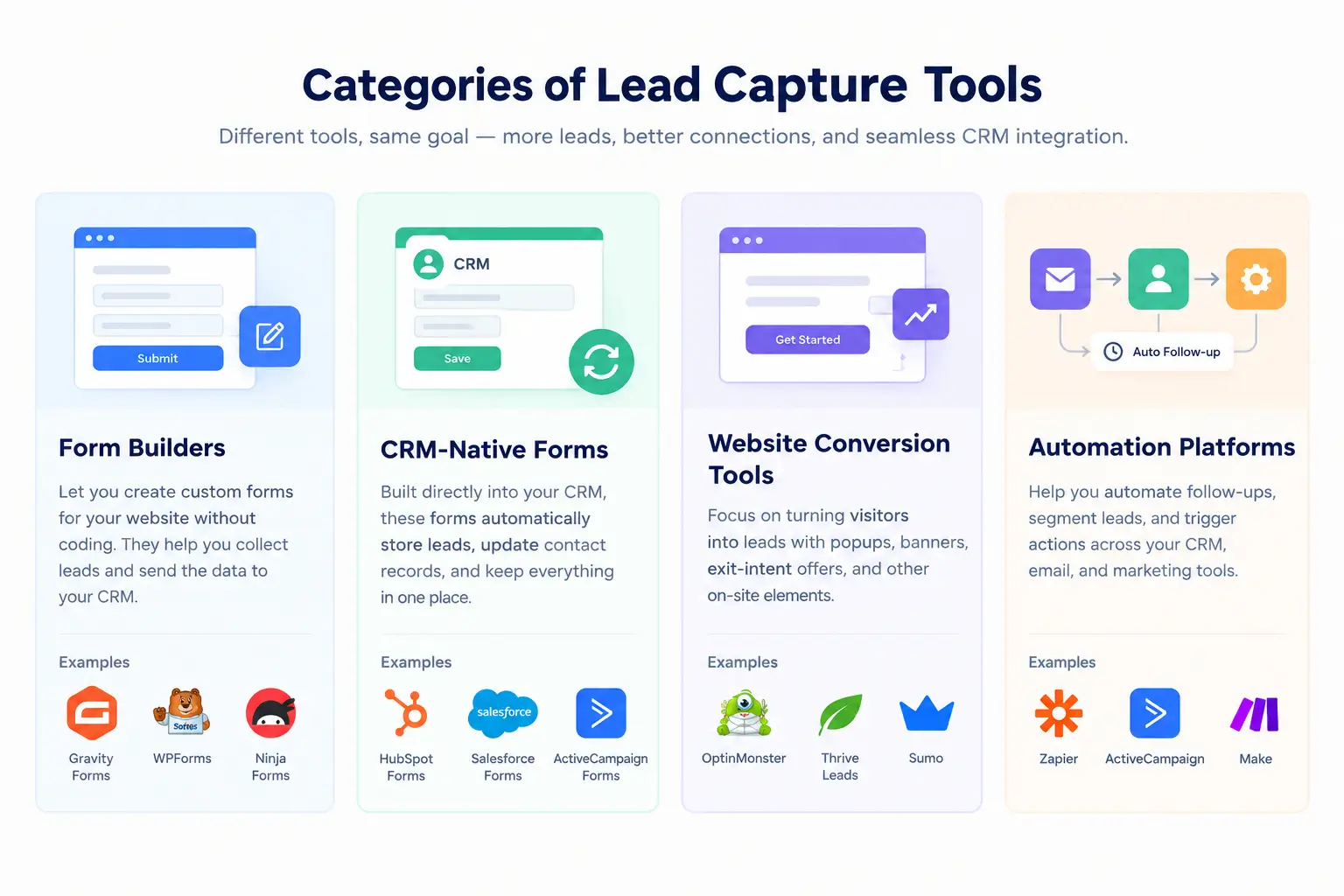
Compare Lead Capture Tools by Category
Best Form Builders for CRM Integration
Gravity Forms, WPForms and Fluent Forms run inside WordPress. Typeform and Jotform are hosted. The practical difference is where integrations are gated: Gravity Forms and WPForms hold webhooks and Salesforce for their top tiers. If you need a webhook on a budget, check the exact plan first.
Best CRM-Native Lead Capture Options
HubSpot and GemCRM remove the sync step: the form and CRM are the same system. HubSpot is a hosted platform with a broad feature set. GemCRM is a self-hosted WordPress plugin with a narrower, form-based scope. Choose by where your site lives and how much you want to manage.
Best Tools for Website Conversion and Lead Capture
OptinMonster is the clearest pop-up specialist here. It increases how many visitors become leads. It is not a CRM, so pair it with a form tool or email list. GemCRM does not offer pop-ups, so a WordPress site that needs them would combine the two.
Best Integration and Automation Platforms
Zapier is the most widely known. Others in the category, such as Make, work on the same idea: catch a form submission, then create or update a CRM record. Per-task pricing is the main trade-off. On WordPress, a built-in alternative like Zaplane avoids per-task billing for GemCRM users.
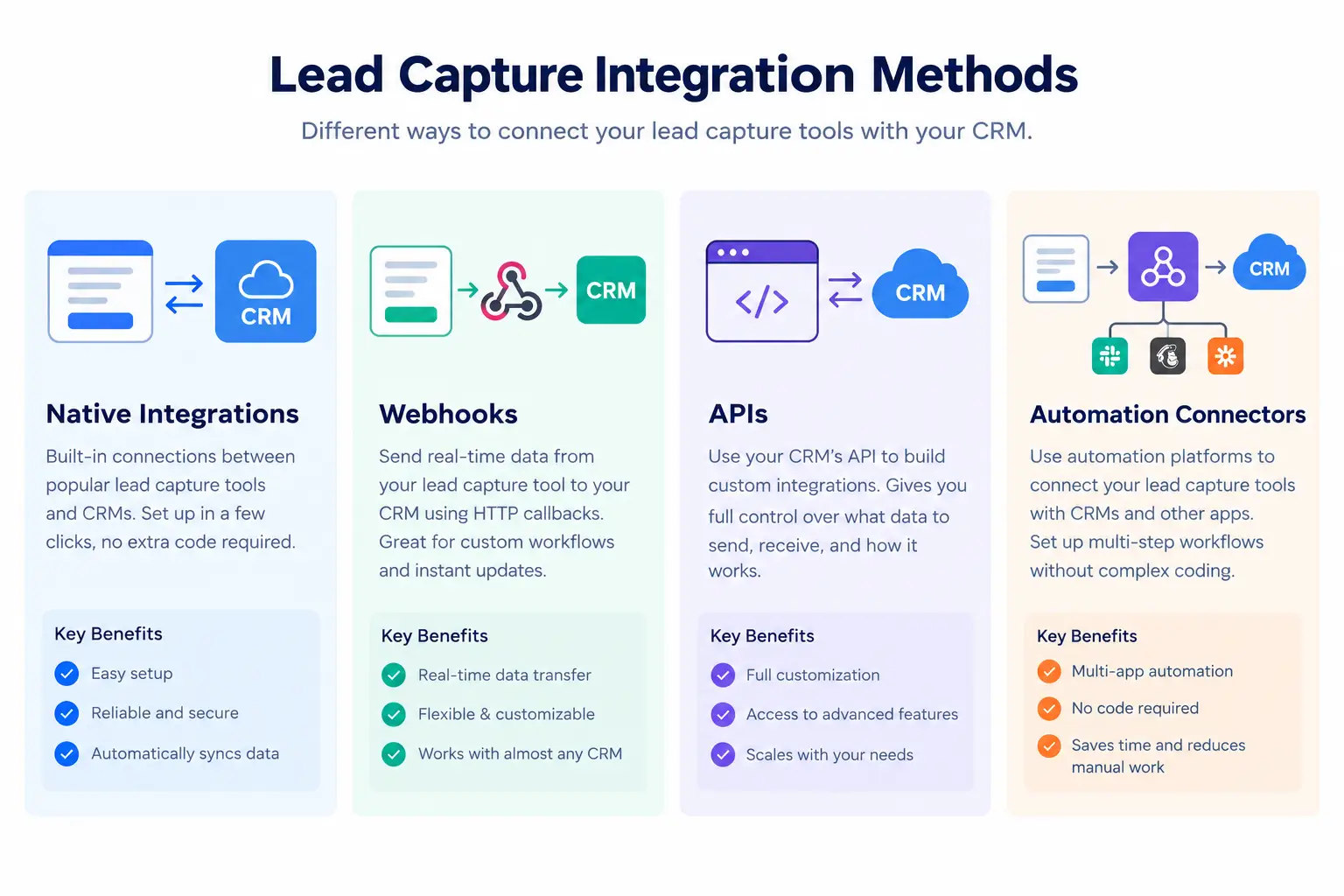
Native Integration vs Webhooks vs APIs
|
Method |
Setup difficulty |
Flexibility |
Technical need |
Best for |
|
Native integration |
Low |
Limited to what the vendor built |
None |
Common pairings like form tool + HubSpot |
|
Webhook integration |
Medium |
High: any URL that accepts a request |
Basic: payload format and field names |
Tools without a native link, as with a Gravity Forms webhook |
|
CRM integration API |
High |
Highest |
Developer time, authentication, error handling |
Custom sync, two-way updates |
|
Third-party connector |
Low to medium |
High |
None, but another account |
Teams without a developer |
A native integration is the easiest path. A webhook sends form data to a URL and works with any CRM that can receive it. A CRM integration API gives the deepest control but needs development. A connector service sits in the middle and costs per task.
An API alone does not mean a tool supports your CRM. The vendor still has to build the connection, or you have to.
How to Choose the Right Lead Capture Tool
Before committing, test with your real fields. Check whether custom fields, tags and source information arrive in the CRM. A broader overview of lead capture on WordPress is in how to generate leads from your WordPress website, and passive capture is covered in turning WordPress comments into leads.
Frequently Questions About
What is lead capture integration?
It is the connection between where a lead is collected (a form, pop-up or chat) and where you manage it (a CRM or email tool), so data moves without manual copying.
Which lead capture tools integrate with CRMs?
Most do, in different ways. HubSpot and GemCRM are CRM-native. Typeform and Jotform connect to several CRMs. Gravity Forms and WPForms connect through add-ons. Zapier fills the gaps.
What is the difference between a form builder and a CRM-native form?
A form builder collects data and then sends it to a CRM. A CRM-native form writes straight into the CRM’s contact record, so there is nothing to sync.
When should I use a webhook instead of a native integration?
Use a webhook when no native integration exists, or when the native one does not map the fields you need.
Do lead capture tools need an API to connect to a CRM?
Not always. Native integrations, webhooks and connectors handle most cases. A CRM integration API is for custom or two-way work.
Can Gravity Forms send leads to a CRM through a webhook?
Yes, with the Webhooks add-on, which the pricing page lists under the Elite plan. It sends the submission to any URL that accepts the request.
Final Thoughts
The right tool depends on your CRM, your website platform and the plan you can afford. For lead capture integration, check three things before you buy: whether a native link exists, which plan unlocks webhooks, and how source and custom fields arrive. A short test with your own form will answer most of it.