



Most WordPress site owners check their comment section for spam, approve a few replies, and move on. Meanwhile, dozens of warm, engaged visitors just handed over their name and email address — and walked away without ever entering a marketing funnel.
That’s a costly habit to keep.
This guide breaks down exactly how to convert WordPress comment activity into an automated lead pipeline. No paid ads. No extra traffic. Just smarter use of the engagement you’re already getting.
Why Comment Sections Are an Overlooked Lead Source
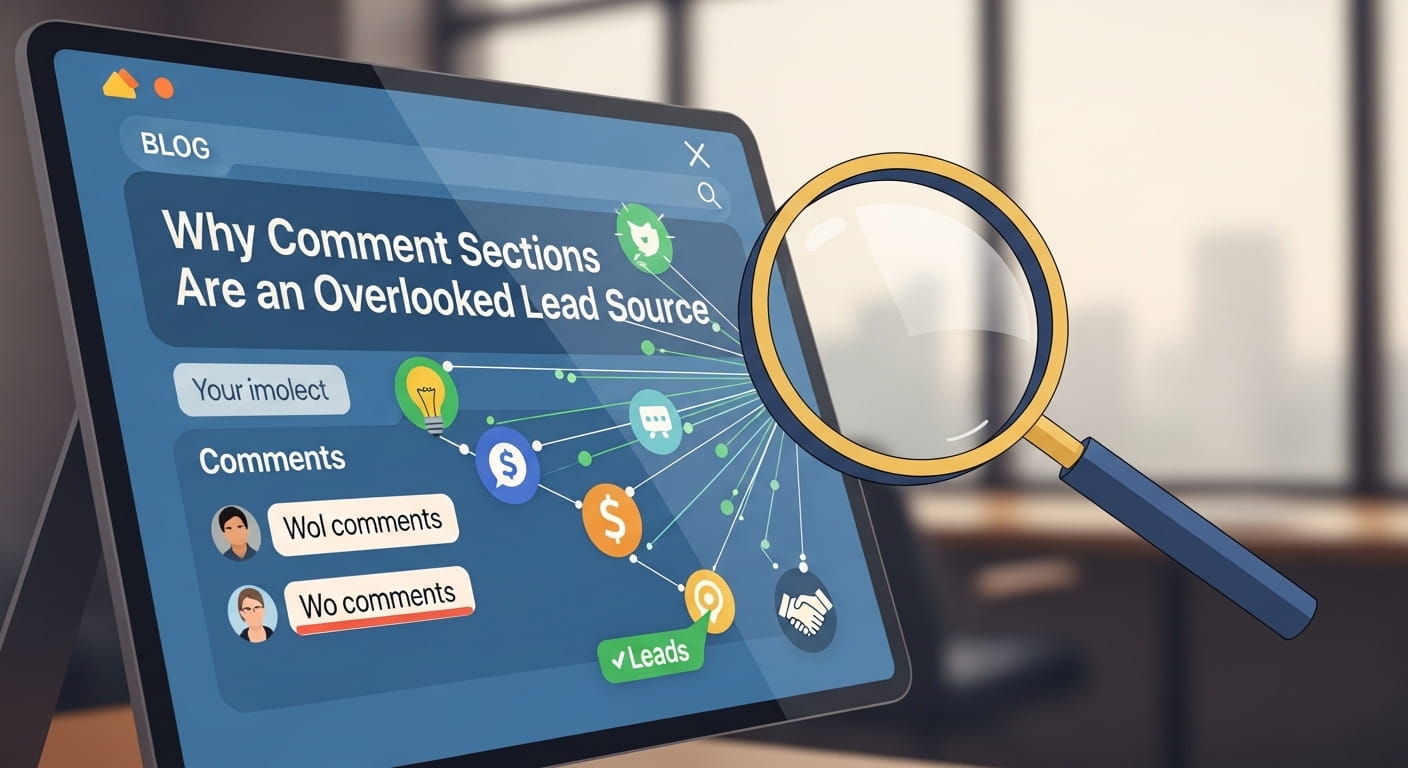
Think about what a comment actually represents. Someone read your content long enough to form an opinion, typed it out, filled in their name and email, and hit submit. That’s not passive browsing behavior. That’s active engagement — and it’s significantly more valuable than a bounce.
According to HubSpot, businesses that excel at lead nurturing generate 50% more sales-ready leads at 33% lower cost compared to those that don’t nurture at all. Commenters are already at the top of your funnel. The problem is that WordPress’s default behavior does nothing to keep them there.
When a comment is submitted, WordPress stores the name, email, website, and comment text in its database. And there it sits — completely disconnected from your email list, your CRM, or any follow-up system. You have warm prospects voluntarily sharing their contact details, but no system in place to act on them.
That’s the gap this entire strategy is designed to close.
The Mindset Shift: Comments as Micro Conversions

Before building anything technical, it helps to reframe how you think about your comment section.
A contact form submission is a conversion. A checkout is a conversion. But a blog comment? Most people don’t count it as one, even though the visitor has already demonstrated more intent than 90% of your traffic.
Treat every approved comment as a micro conversion: a signal that this person is worth following up with. Not aggressively, not immediately with a sales pitch, but with a relevant, value-driven touchpoint that keeps the relationship alive.
This mindset shift is what separates blogs that build audiences from blogs that just attract readers.
Step-by-Step: Turning Comments into Leads Automatically
Step 1: Enable Comment Capture in GemCRM
- Go to General Settings → Comment Form Subscription Settings
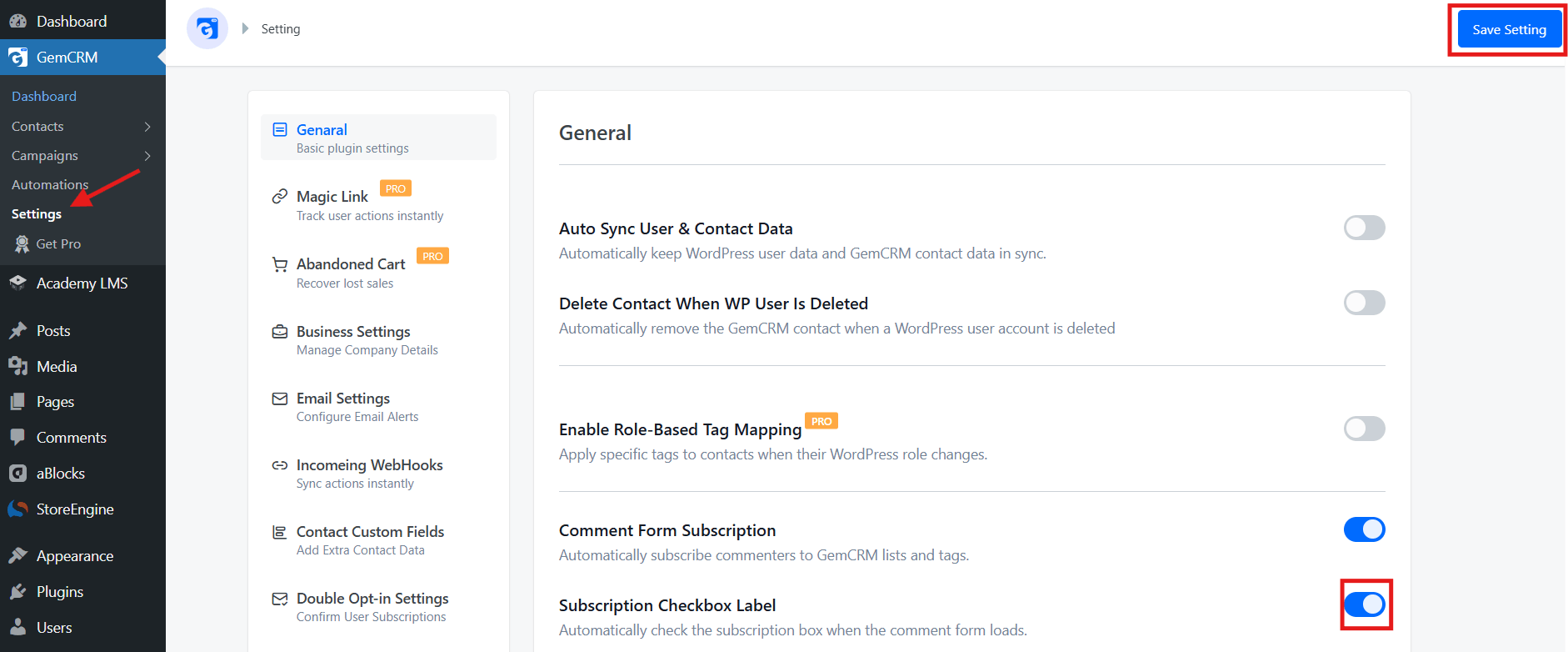
- Turn on: “Create new contacts in GemCRM when a visitor adds a comment.”
- A checkbox will automatically appear below your comment form
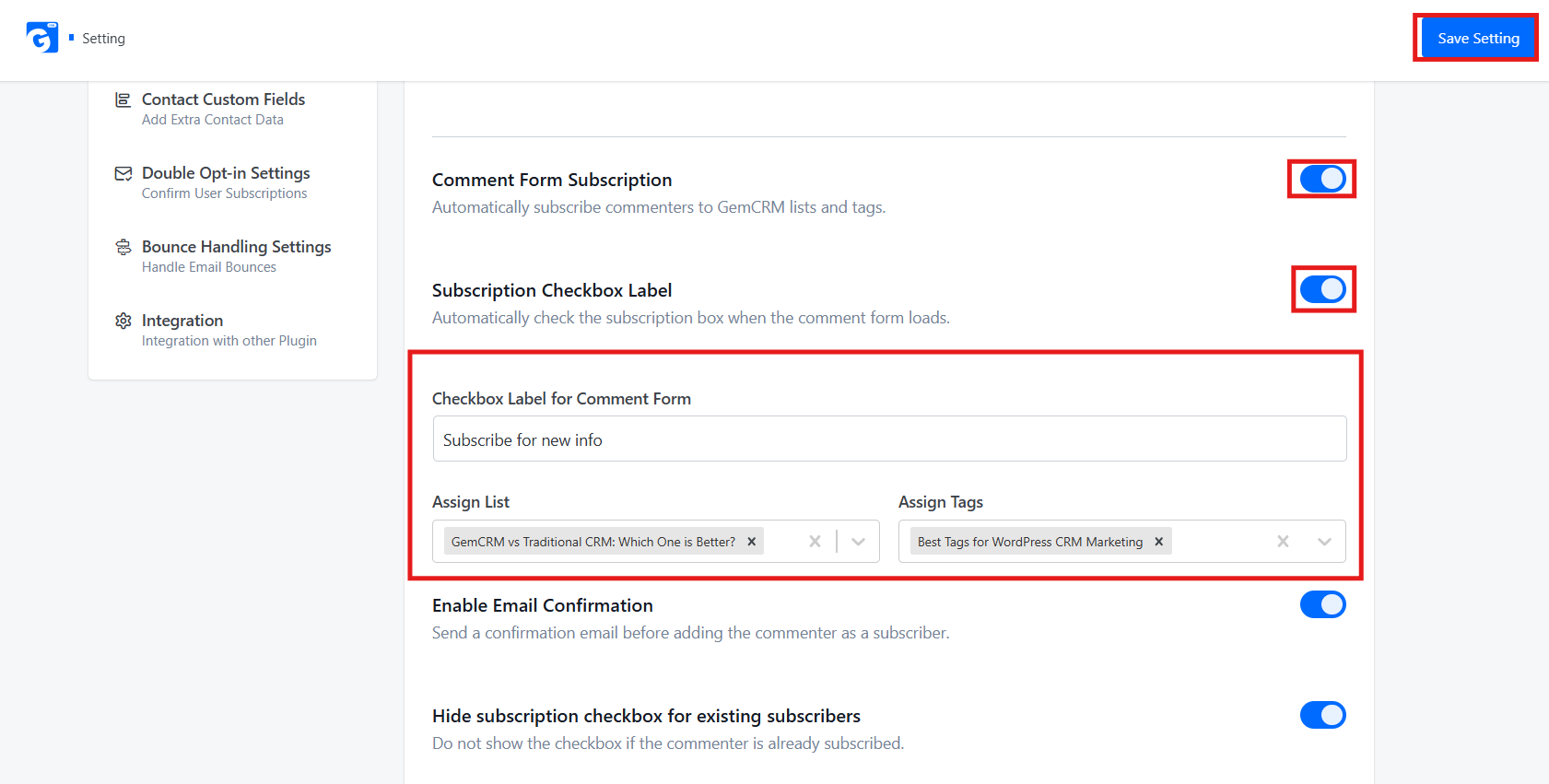
- When a visitor opts in, their name, email, and post context are instantly saved in GemCRM
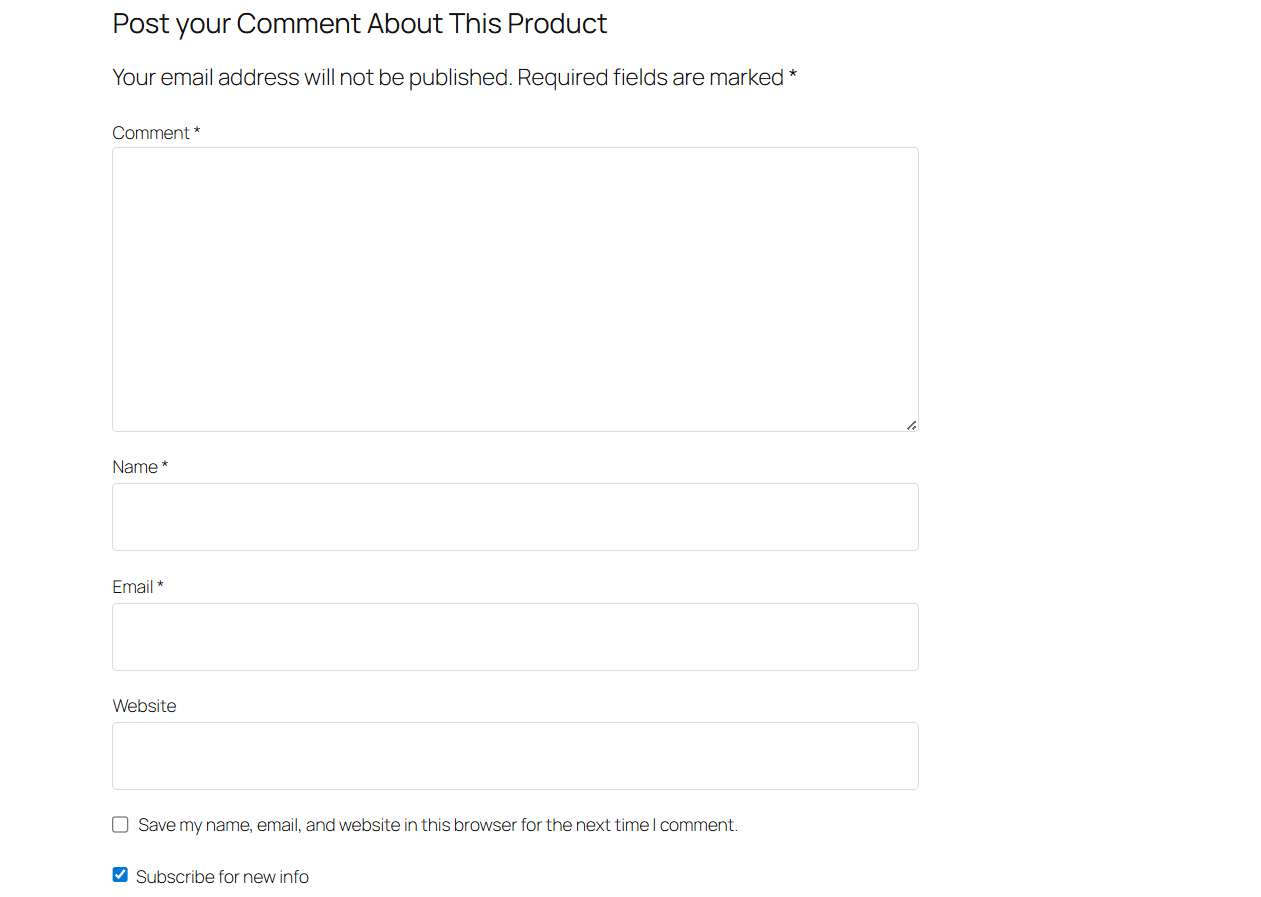
- You can also assign them to specific lists and tags right at the point of capture
Step 2: Control the Opt-in Behavior
- Edit the checkbox label to something clear — e.g., “I agree to receive updates related to this topic.”
- Keep the checkbox unchecked by default (best practice)
- Use topic-specific wording to stay GDPR compliant
- This also improves lead quality — only genuinely interested people opt in
Step 3: Segment Comment Leads Automatically
- Never dump all commenters into one generic list
- Segment them by post category, topic tags, or behavior (opens, clicks)
- Examples:
- Comment on an SEO article → Tag: topic-seo
- Comment on a StoreEngine post → Tag: topic-ecommerce
- Segmented campaigns get 14.31% higher open rates and 100.95% more clicks (Mailchimp data)
Step 4: Set Up an Automated 3-Email Follow-up Sequence
- Email 1 — Immediately: Thank them, reference the exact post, and share a related free resource. No selling yet.
- Email 2 — Day 2-3: Go deeper into the topic. Share your best guide, case study, or practical tip.
- Email 3 — Day 5-7: Softly introduce a product, service, or call-to-action relevant to their interest.
Set it up once — it runs automatically forever.
Step 5: Track Engagement and Spot Hot Leads
- GemCRM tracks opens, clicks, replies, and return visits
- Watch for these buying signals:
- Clicks on pricing pages
- Replies to automated emails (respond within 24 hours)
- Repeated site visits via email links
- Hot leads can be automatically flagged and moved to a high-priority segment for direct outreach
Step 6: Use Comment Data to Improve Your Content Strategy
- Which topics get the most comments? → Your audience cares about those most
- What questions keep repeating? → Turn them into FAQs for landing pages
- What frustrations or objections appear? → Use that exact language in your emails and sales copy
How to Write a Welcome Email That Actually Gets Opened
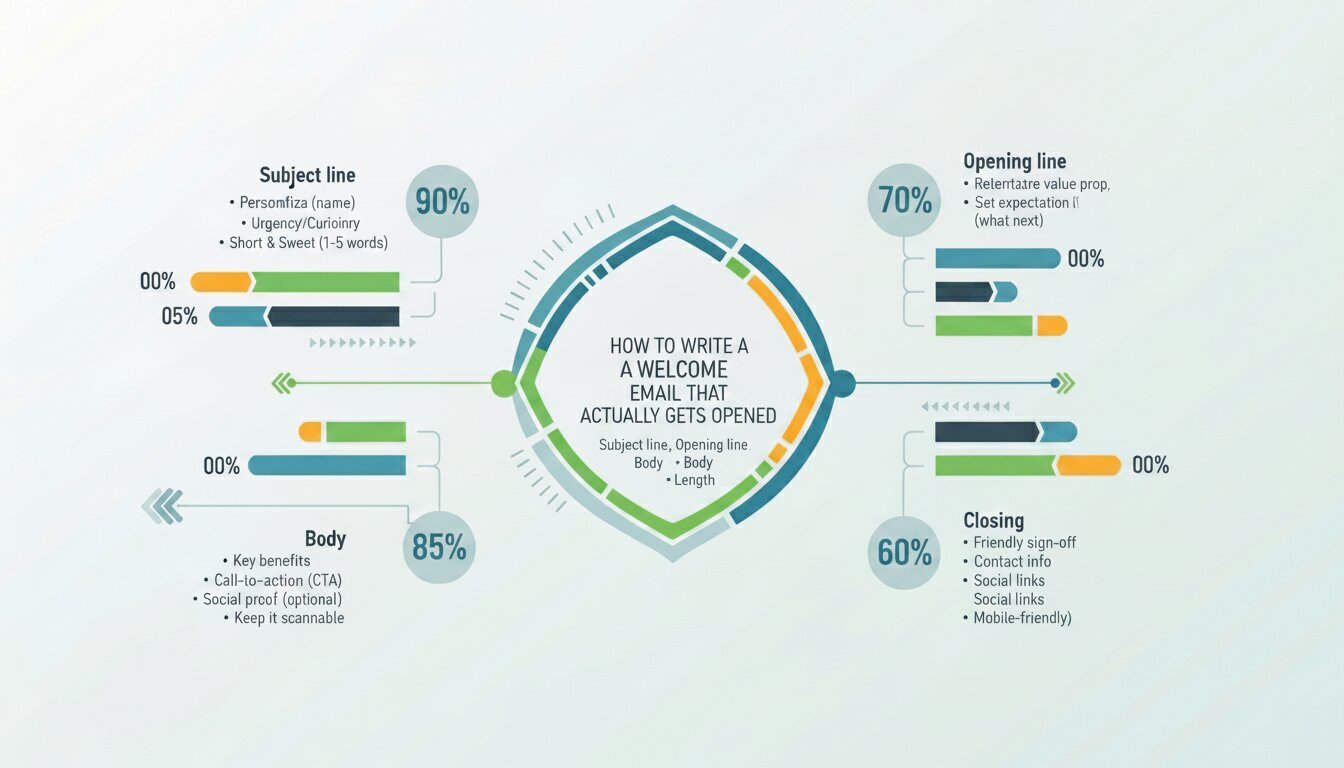
The first email is the most important one you’ll send to a comment-captured lead. It arrives when they still remember your article, still feel good about the interaction, and haven’t yet been distracted by the rest of their inbox. Waste that moment, and the relationship never fully starts.
Subject line: Reference the topic, not your brand. “Quick follow-up on [post topic]” or “Since you’re thinking about [topic]…” consistently outperforms generic subject lines like “Welcome to our newsletter.” According to Campaign Monitor, personalized subject lines deliver 26% higher open rates than non-personalized ones.
Opening line: Connect directly back to the comment context. Something like: “You recently commented on our article about [topic] — here’s something that goes a bit deeper.” This tells the reader immediately why they’re receiving the email and anchors it to something they remember.
Body: One idea. One resource. No more. A link to your best related article, a short checklist, or a useful tip they can apply today. Resist the urge to include your full product catalogue or three CTAs.
Closing: A soft question works better than a hard CTA at this stage. “Does this match what you were trying to figure out?” or “Hit reply if you have questions — I read every one.” This invites a reply, which signals genuine engagement with your email platform and improves deliverability.
Length: Under 150 words. People who have just discovered you are not ready to read an essay. Earn longer reads after you’ve built some trust.
Common Mistakes That Break the Comment-to-Lead Pipeline
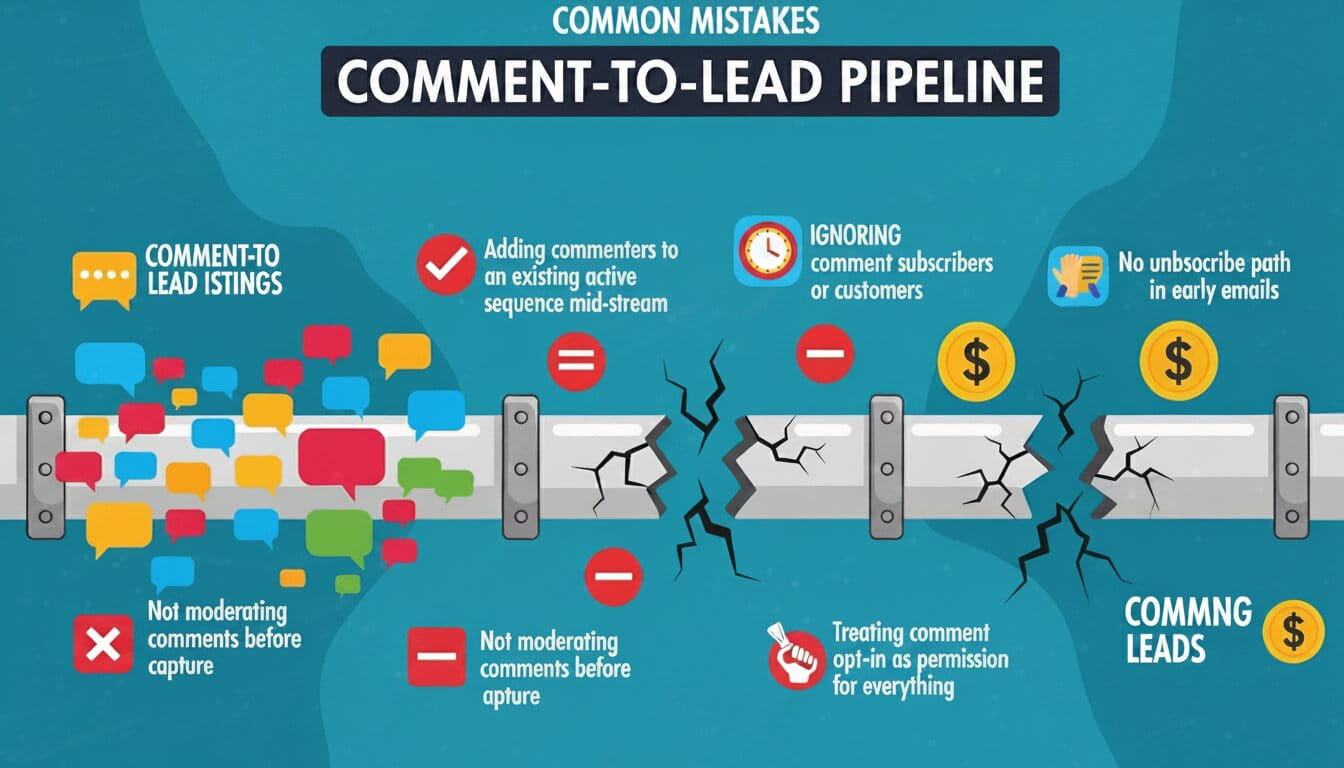
Even with the right tools in place, small oversights can quietly drain the value out of this entire strategy.
1. Not moderating comments before capture: If your comment form auto-approves submissions, bots, and low-quality entries hit your list before you see them. Always require manual approval, or at a minimum, run submissions through Akismet, before any data enters your marketing system. Garbage in, garbage out.
2. Adding commenters to an existing active sequence mid-stream: If you already have a 10-email drip sequence running, dropping a new commenter in at email #4 because “that’s where it is this week” destroys context. Comment-captured contacts need their own entry-point sequence that starts from the beginning, and explains why they’re hearing from you.
3. Ignoring comment timestamp context: Someone who comments on a post published three years ago is in a different mindset than someone who comments on something you published yesterday. The older the post, the more likely they are to have found it via search — meaning they have a specific problem to solve right now. Tag these contacts differently and use more direct, problem-focused follow-up language.
4. Not excluding existing subscribers or customers: If someone who’s already on your list — or already a customer — comments on a post and your system auto-adds them again, they’ll start receiving duplicate emails from a different sequence. Always check for existing contact records before adding a new one. Tools that live inside WordPress, like GemCRM, handle this automatically by matching on email address before creating any new contact record — a small but important safeguard at scale.
5. Treating comment opt-in as permission for everything: Someone who checked “send me updates about this topic” has consented to topic-relevant communication. Sending them a completely unrelated product promotion three days later breaks the implied agreement. Stay on-topic, especially in the first 30 days of the relationship.
6. No unsubscribe path in early emails: Every marketing email — including welcome emails — must contain an unsubscribe link. This is a legal requirement under CAN-SPAM, GDPR, and most other email regulations, regardless of how the contact was acquired. Email platforms handle this automatically, but if you’re building custom sequences, make sure it’s always present.
Final Thoughts
Your comment section is already doing the hard part — attracting engaged, interested people who voluntarily share their contact details. The only thing missing is a system that catches them.
You don’t need a big budget or a developer to build it. A checkbox, a welcome email, and basic topic segmentation are enough to start. The leads are already showing up. The automation just makes sure none of them slip away quietly.
Set it up once. Let it run. Your comment section stops being a moderation task and starts being a pipeline.
Frequently Asked Questions
A commenter used a fake or disposable email. Does that damage my list?
Double opt-in handles this automatically — fake addresses won’t confirm and never enter your sequences. Also, install Akismet to block spam bots before they reach your capture system.
My comments are mostly “great post!” with no substance. Worth capturing?
Yes, with realistic expectations. Even generic commenters are more engaged than average visitors. Put them on a low-frequency nurture list, not a high-intent sales sequence.
How do I stay compliant with GDPR, CASL, and similar laws?
Use an unchecked opt-in checkbox with clear wording — “I’d like to receive email updates on this topic.” Don’t pre-check it. Anyone who leaves it unchecked simply isn’t added to your marketing list.