



Every WordPress business owner hits the same wall eventually. The CRM they signed up for two years ago now costs twice as much, caps their contact list, and stores customer data on servers they don’t control. The math is quietly brutal — and it gets worse every year.
In 2026, a smarter alternative is gaining serious traction: WordPress-native CRMs with lifetime licensing. One payment, unlimited contacts, and full data ownership inside your own installation. This guide breaks down why that model is winning, what the real numbers look like, and how to decide if it’s the right move for your business.
The Real Cost of SaaS CRM Is Not What It Appears to Be
Most SaaS CRM pricing looks harmless at the entry level — a small monthly fee, a free tier, maybe a generous trial. The true cost only becomes visible over a 3–5 year horizon, and by then, most businesses are already too embedded to leave.
According to WebFX’s 2026 CRM pricing breakdown, the average business today pays anywhere from $12 to $200 per user per month for CRM software — before factoring in contact-limit overages, add-on integrations, or the annual price hikes that have become standard practice.
At the enterprise end, the inflation is even sharper. Salesforce CRM pricing has reached $500 per seat per month at top tiers — up from roughly half that just five years ago. Their growth model is now built on extracting more from existing customers rather than winning new ones. HubSpot followed a similar path, with customers facing approximately 5% increases at renewal and the platform auto-upgrading users whose AI usage exceeds credit limits without warning.
A mid-tier plan for a 5-person team now runs $150 to $400 per month. Over five years, that’s between $9,000 and $24,000 — for a tool that still doesn’t let you fully own your own data.
Contact-based pricing is its own trap. The moment your list grows, your invoice grows with it. You’re essentially paying a tax on your own marketing success.
Why Data Ownership Is Becoming Non-Negotiable
The cost argument alone is compelling; there’s a second — arguably more important — reason to question cloud-based CRMs: you don’t own the data stored there.
When your contacts, campaign history, behavioral triggers, and automation logic live on a third-party server, that vendor holds significant leverage over your business. If they raise prices, alter terms, get acquired, or sunset the product, your years of accumulated subscriber relationships are exposed.
This is no longer a theoretical concern. Data privacy regulations —GDPR in Europe, CCPA in California, and a growing number of regional equivalents in Asia and Latin America — are pushing businesses toward architectures that keep customer data on infrastructure they actually control.
According to Zylo’s 2026 SaaS Management Index, 91% of companies with 10 or more employees use CRM software, yet only 31% of marketing organizations report that their martech stack is well integrated. The gap between adoption and actual data control is wide — and it’s where much of the silent risk accumulates.
A WordPress-native, self-hosted CRM eliminates this risk. All contact data, campaign history, and automation rules live inside your own WordPress database, behind your own security layers, subject only to your own policies.
What WordPress Lifetime CRM Actually Means in Practice
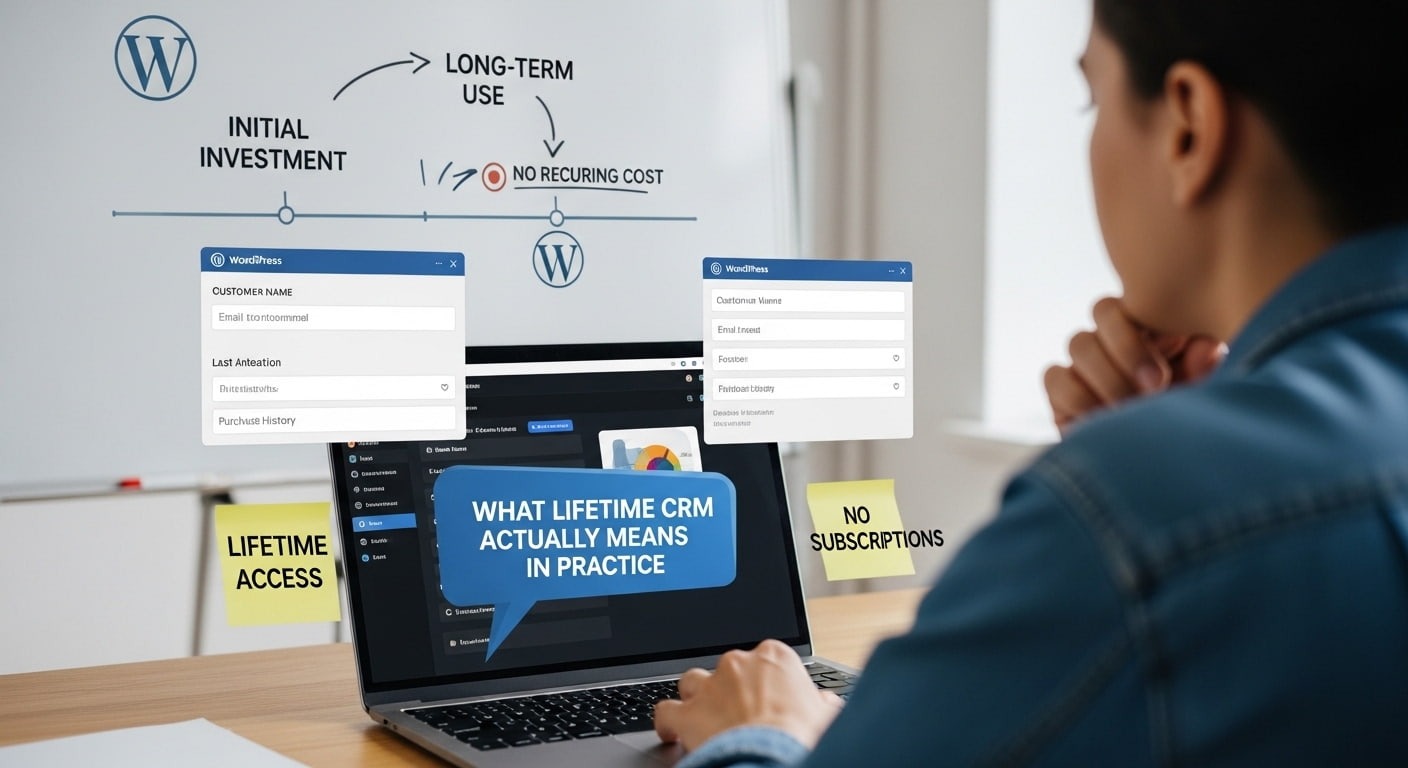
A WordPress CRM with a lifetime license is a plugin you purchase once and run indefinitely on your own hosting. No monthly invoice. No per-seat charges. No contact limits that trigger billing thresholds. The data lives in your WordPress database — not on a vendor’s cloud.
Key capabilities you should expect from any serious WordPress CRM in this category:
- Contact and subscriber management — Import existing lists, organize with tags, sync with WordPress user roles
- Email campaigns and drip sequences — Broadcast emails and automated follow-up sequences triggered by user actions
- Segmentation and targeting — Segment by tags, lists, user roles, purchase status, or behavioral conditions
- WordPress-native triggers — Direct hooks into WordPress events like user registration, course enrollment, and purchase completion — no middleware needed
- eCommerce integration — Native connections to WooCommerce or StoreEngine to automate post-purchase sequences
- Deliverability setup — SMTP integration with Amazon SES, SendGrid, or Mailgun for reliable inbox placement
GemCRM: A WordPress-Native CRM Built for Real Ownership
As data privacy regulations — GDPR, CCPA, and growing regional equivalents across Asia and Latin America — push businesses toward infrastructure they actually control, the case for a self-hosted CRM has never been stronger. A WordPress CRM with a lifetime license answers that need directly: purchase once, run indefinitely on your own hosting, with all contact data, campaign history, and automation rules living inside your own WordPress database — not on a vendor’s cloud.
GemCRM is a WordPress-native CRM plugin engineered specifically for the lifetime licensing model. Rather than building around subscription monetization — where the roadmap is shaped by what keeps users paying — GemCRM’s development is funded by one-time purchases, meaning feature priorities are aligned with what actually improves marketing performance.
What Sets GemCRM Apart
No contact caps, ever. Whether your list has 500 contacts or 500,000, the plan cost doesn’t change. The moment you stop worrying about what a new subscriber costs you, your list-building strategy changes entirely.
Marketer-first interface. The dashboard is built around tasks real marketers do every day — create a campaign, build a segment, set up a drip sequence, check deliverability stats. No developer configuration required. Most users have their first campaign live within the first session.
Deep WordPress integration. Because GemCRM runs inside WordPress rather than alongside it, it has native access to every WordPress event as an automation trigger — WooCommerce order completion, course enrollment via Academy LMS or LearnDash, comment submission — all without third-party connectors or Zapier dependencies.
Unified contact timeline. Every contact record maintains a complete chronological activity log — emails sent, links clicked, forms submitted, purchases made, tags applied. This makes behavioral segmentation precise and avoids the fragmented data problem that plagues CRMs stitched together from external sources.
Full data portability. Since GemCRM stores everything in standard WordPress database tables, your contact data, campaign history, and automation rules migrate with your site. No vendor export process, no API dependency, no data held hostage.
GemCRM’s Core Feature Set at a Glance
|
Feature |
GemCRM |
|
Contact Management |
✅ Unlimited contacts, tags, lists, activity history |
|
Broadcast Campaigns |
✅ Included on all plans |
|
Drip / Automation Sequences |
✅ Included on all plans |
|
WordPress Trigger Hooks |
✅ Native — no middleware required |
|
WooCommerce Integration |
✅ Native purchase event triggers |
|
Academy LMS / LearnDash |
✅ Enrollment and completion triggers |
|
SMTP / Email Provider Support |
✅ SES, SendGrid, Mailgun, Postmark |
|
Contact Segmentation |
✅ Tags, lists, user roles, behavior |
|
Campaign Scheduling |
✅ One-time and recurring |
|
Data Ownership |
✅ All data in your WordPress DB |
|
Monthly / Annual Fees |
❌ None — one-time purchase |
|
Contact Caps |
❌ None across all plans |
GemCRM Pricing: What You Pay Once
GemCRM offers three lifetime license tiers. All tiers include unlimited contacts, unlimited campaigns, and the full core feature set.
|
Plan |
Price (One-time) |
Sites |
Contacts |
Support |
|
Starter |
$119 |
1 Site |
Unlimited |
Standard |
|
Pro |
$149 |
10 Sites |
Unlimited |
Priority |
|
Agency |
$199 |
100 Sites |
Unlimited |
Dedicated |
|
Enterprise |
$299 |
Unlimited |
Unlimited |
Premium / Dedicated |
All plans include lifetime updates at no additional cost.
The Real Numbers: Lifetime vs. Recurring
Single Site Scenario
A content publisher with one WordPress site and a list growing from 2,000 to 8,000 contacts over three years:
|
Tool |
Year 1 |
Year 2 |
Year 3 |
3-Year Total |
|
Mailchimp |
~$360 |
~$540 |
~$840 |
~$1,740 |
|
ConvertKit |
~$468 |
~$708 |
~$1,188 |
~$2,364 |
|
FluentCRM (Annual) |
$129 |
$129 |
$129 |
$387 |
|
GemCRM Starter (LTD) |
$119 |
$0 |
$0 |
$119 |
At three years, GemCRM Starter costs 93% less than Mailchimp and 69% less than FluentCRM’s annual renewal model.
Five-Site Agency Scenario
A small agency managing five client sites with lists averaging 3,000–5,000 contacts each:
At five years, GemCRM Agency costs 98% less than a comparable Mailchimp deployment.
|
Tool |
Year 5 |
5-Year Total |
|
Mailchimp (Standard Plan) |
~$2,400 |
~$12,000 |
|
FluentCRM (50-site annual) |
$499 |
$2,495 |
|
GemCRM Agency (100-site LTD) |
$0 |
$199 |
The Hidden Value: No List-Size Tax
There’s a compounding benefit that doesn’t appear in any table. With SaaS CRMs, the cost of a growing list acts as a quiet ceiling on marketing ambition. Every decision to run a list-building campaign, add a lead magnet, or launch a referral program comes with an unspoken calculation: what will this cost when 500 more people opt in?
GemCRM eliminates that calculation. When the marginal cost of a new subscriber is zero, you can optimize purely for growth rather than managing against a billing threshold. Over time, this behavioral shift is arguably worth more than the direct subscription savings.
Who Actually Benefits Most From Lifetime WordPress CRMs
Course creators and educators running their businesses on WordPress — especially on platforms like Academy LMS or LearnDash — benefit from having CRM and email automation in the same environment as enrollment and student data. Pre-enrollment nurture sequences, post-completion follow-ups, and re-engagement campaigns for inactive students can all be managed without leaving WordPress or paying per-student fees.
Digital agencies managing multiple client sites face compounding subscription costs with every new account they onboard. A lifetime license, available on a per-site or multi-site basis, converts that recurring overhead into a one-time cost, improving project margins and making proposals more straightforward.
Content publishers and niche bloggers building subscriber lists from organic traffic need simple, reliable email capture and campaign tools without paying Mailchimp or ConvertKit rates that scale with list growth. A lifetime WordPress CRM keeps the cost flat regardless of audience growth.
Small eCommerce businesses on StoreEngine or WooCommerce need follow-up automation tied to purchase events — order confirmations, re-engagement sequences, cart follow-ups — without adding another SaaS subscription. Native WooCommerce integration inside WordPress handles this more reliably than external platforms that pull data through API connectors.
Lean startup teams moving fast with limited budgets benefit from the predictability — no surprise invoices at renewal, no pricing tier changes mid-campaign, just a fixed cost with a clear feature set.
Roadmap Features Worth Watching
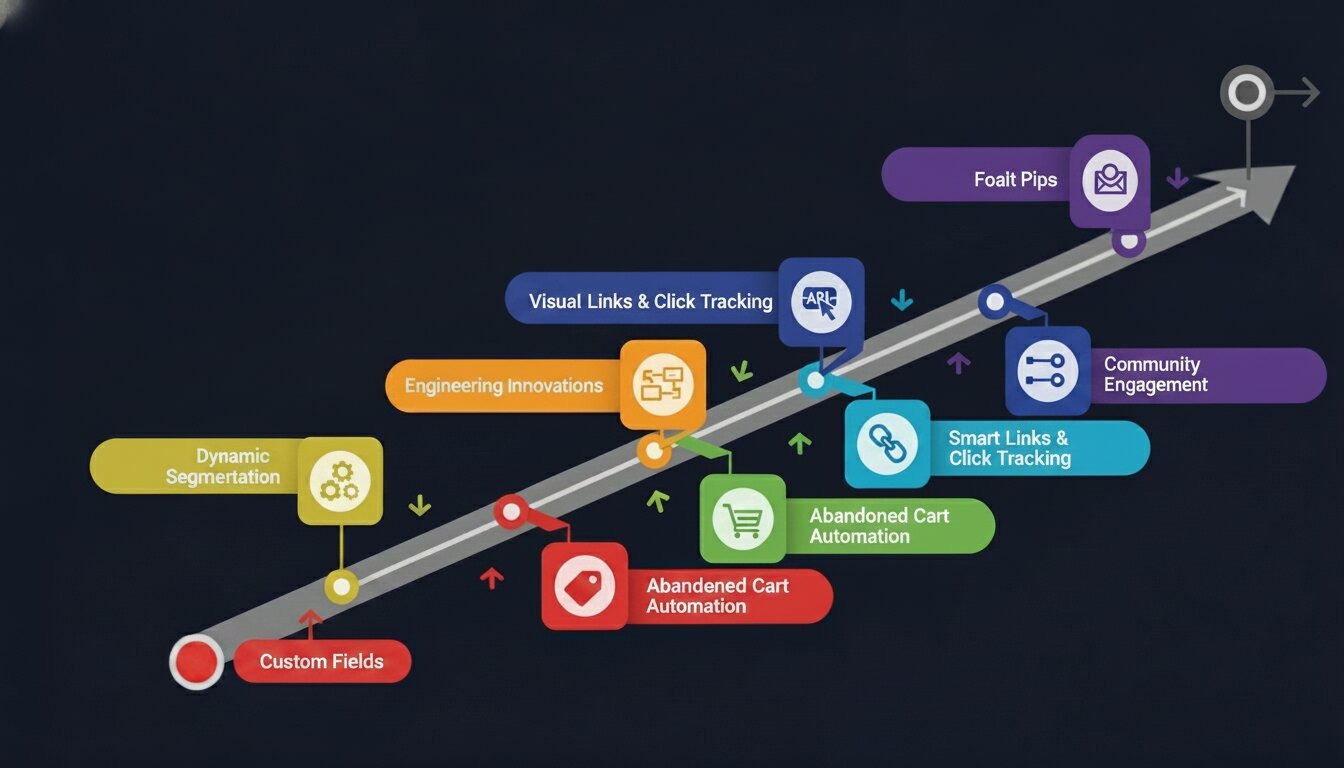
Any WordPress CRM in the lifetime license space should be evaluated not just on current features but on the direction of development. The best candidates are transparent about what’s coming and when.
For context on the category, features currently in active development across leading self-hosted CRM plugins include:
- Dynamic Segmentation — contact lists that auto-update based on real-time behavioral criteria rather than static tag assignments
- Visual Automation Workflows — drag-and-drop canvas builders for multi-branch logic with conditional splits and time delays
- Abandoned Cart Automation — triggered sequences for WooCommerce and StoreEngine when a user leaves without completing a purchase
- Smart Links & Click Tracking — link-level engagement data to power more precise segmentation
- Webhook Automation — incoming and outgoing webhooks for integrating with external services and custom workflows
- Custom Fields — flexible contact data fields beyond the default set
Early adopters who lock in lifetime pricing before these features ship typically get access to all of them as part of their existing plan, which is one of the structural advantages of buying into a growing platform during its development phase.
Final Thoughts
SaaS CRMs made sense when there were no serious alternatives. That’s no longer the case. For most WordPress businesses — agencies, course creators, small stores, publishers — the recurring fee model charges more as you grow, restricts data ownership, and hands pricing leverage to the vendor at every renewal.
A lifetime WordPress CRM flips that equation: fixed cost, unlimited contacts, and full control of your own data. GemCRM makes that case concretely: the Starter plan at $99 pays for itself within the first two months compared to any mid-tier SaaS alternative, and the Agency plan at $199 eliminates recurring CRM costs across an entire client portfolio indefinitely.
The math is straightforward, and the tipping point arrives sooner than most people expect. If you’re already paying annually for a CRM, you’re likely one renewal away from the crossover point.
FAQs
I run a coaching business with a 3,000-person email list. Is a self-hosted WordPress CRM reliable enough?
Yes. Self-hosted CRMs store contacts in custom database tables separate from WordPress core, so lists this size run without performance issues. Just pair it with a transactional email service like Amazon SES or Mailgun for reliable deliverability.
I’m an agency managing 12 WordPress client sites. Does a lifetime license cover all of them?
Most lifetime licenses are structured per site or in multi-site tiers — check the plan details before purchasing. Even so, a multi-site lifetime tier typically pays for itself within one to two annual renewal cycles.
We use WooCommerce. Can a WordPress CRM trigger automations from purchase events?
Yes, and this is a core advantage over external platforms. Since the plugin runs inside the same WordPress instance as WooCommerce, it hooks directly into purchase and order events without any API connectors or middleware.
What happens to my data if I switch hosting providers?
Everything migrates with your WordPress site — export the database, move the files, and import on the new host. Contacts, campaigns, tags, and automation rules all carry over, unlike SaaS CRMs, where portability depends on vendor-controlled export tools.