



In 2026, more WordPress users are shifting to self-hosted CRM solutions instead of paying for SaaS platforms like Mailchimp or HubSpot. The reason is simple: better data control, lower long-term cost, and full ownership of your customer list.
Two plugins worth comparing are GemCRM and FluentCRM. Both run inside WordPress and handle email marketing automation, but they differ significantly in pricing philosophy, maturity, and scalability. One focuses on simplicity and long-term affordability; the other prioritizes advanced automation and integrations.
Here’s an honest breakdown to help you decide.
Why Self-Hosted WordPress CRMs Matter in 2026
The question is no longer “do I need a CRM?” — it’s “why am I still sending my customer data to a third-party server and paying monthly for it?”
As SaaS subscription fees keep climbing and data privacy regulations tighten, self-hosted CRMs have gone from a fringe choice to the default strategy for many WordPress businesses.
This shift is not simply about saving money — it reflects a broader change in how businesses think about digital infrastructure. Owning your CRM stack means you are no longer at the mercy of a vendor’s pricing decisions, feature roadmap, or acquisition by a larger company. The businesses that made the switch earliest are now operating with stability and predictability that their SaaS-dependent competitors simply cannot match.
WordPress, in particular, has become the natural home for this transition. With its mature plugin ecosystem, active developer community, and near-universal hosting support, it offers a self-hosted CRM experience that requires minimal technical overhead while delivering enterprise-grade functionality. For businesses already running their website on WordPress, adding a self-hosted CRM is less a migration and more a natural extension of the infrastructure they already own and control.
According to Bluehost’s 2026 guide on WordPress CRM plugins, businesses using CRM systems have seen up to a 27% increase in customer retention and an average 29% increase in sales. With over 85% of modern CRM plugins integrating seamlessly with popular marketing tools, which plugin you pick has become one of the most consequential technical decisions for any WordPress-powered business.
GemCRM: The New Challenger
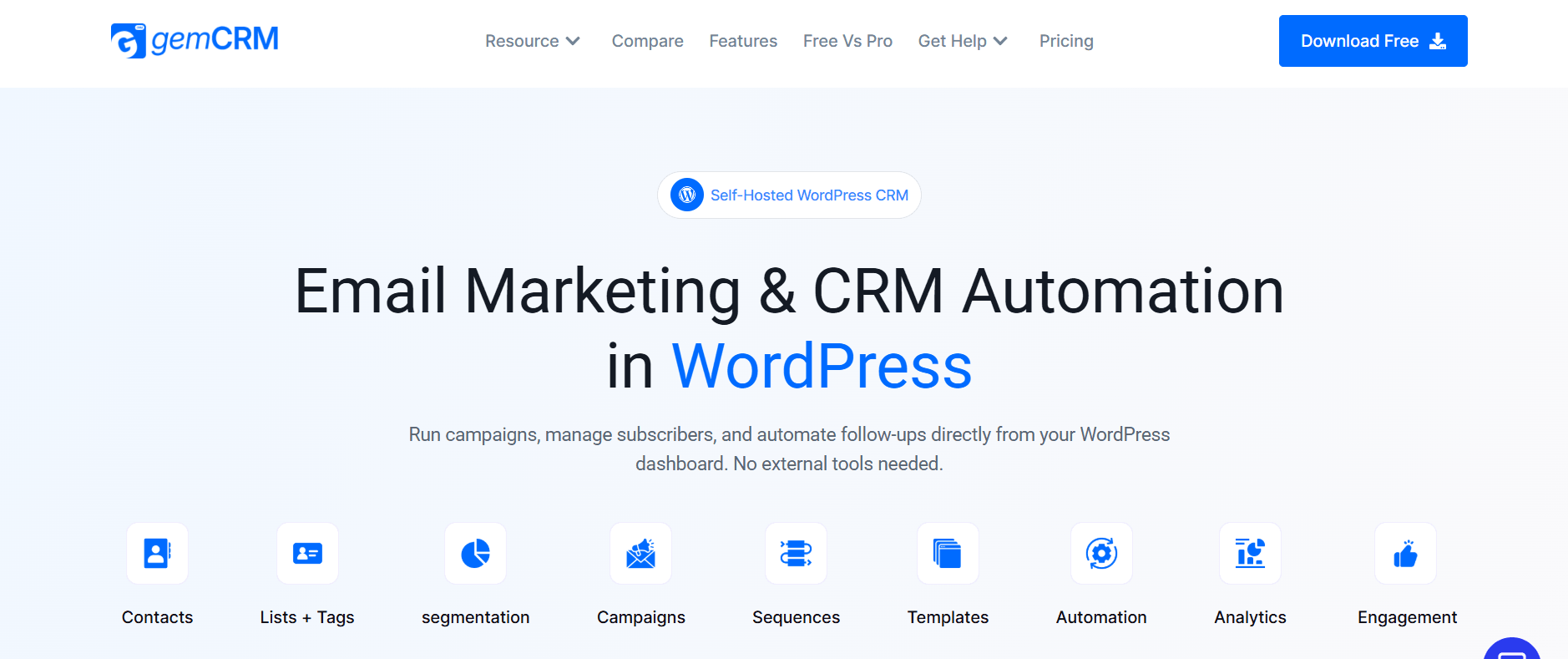
GemCRM is a newer WordPress-native CRM plugin built by the Academy LMS team. Its premise is simple: manage your entire subscriber base, email campaigns, and automate follow-ups from inside your WordPress dashboard — without paying recurring fees or relying on external services.
It takes a “WordPress-first” approach seriously. The plugin auto-syncs with WordPress user roles, captures leads directly from comment submissions, and automatically maps user roles to subscriber tags automatically. For publishers, course creators, and content-heavy sites, these native hooks remove meaningful manual overhead without requiring additional plugins.
What distinguishes it most sharply from the competition is not a single feature — it is the lifetime license model. Every plan includes unlimited contacts, unlimited campaigns, automation, and integrations with no hidden fees.
This kind of pricing transparency is increasingly rare in the CRM space. Most competitors quietly cap contacts, throttle sending limits, or lock core features behind higher tiers — making the true cost of ownership difficult to calculate until you are already deeply embedded in the platform. GemCRM’s flat structure removes that ambiguity entirely, letting businesses plan their budgets with confidence from day one.
For growing businesses, especially, the unlimited contacts provision is worth examining closely. Contact-based pricing is one of the most common pressure points in SaaS CRM billing — the moment your list scales, your monthly invoice scales with it. Eliminating that variable goes well beyond convenience — for high-volume publishers and e‑commerce operators, it can add up to thousands of dollars in annual cost savings.
For agencies managing multiple client sites over a five-year horizon, this pricing structure alone represents a fundamentally different value calculation than anything else in this category.
Consider what that horizon actually looks like in practice. A typical agency running five client sites on a per-seat, per-contact SaaS CRM could easily accumulate $15,000 or more in subscription costs over five years — before accounting for price increases, which have become an industry norm. A single lifetime license changes that math dramatically, converting an open-ended liability into a fixed, predictable cost.
It also changes the agency-client relationship in subtle but important ways. When a client’s CRM costs are no longer tied to usage volume, agencies can recommend aggressive list-building and campaign strategies without triggering billing anxiety. The result is a more transparent advisory relationship — where the recommendation is based on what’s actually best, not merely what fits within a constrained pricing tier.
That said, the plugin is still maturing, with a growing feature set and ecosystem. Early adopters get the best price, but they accept some gaps in the current feature set.
FluentCRM: The Established Leader
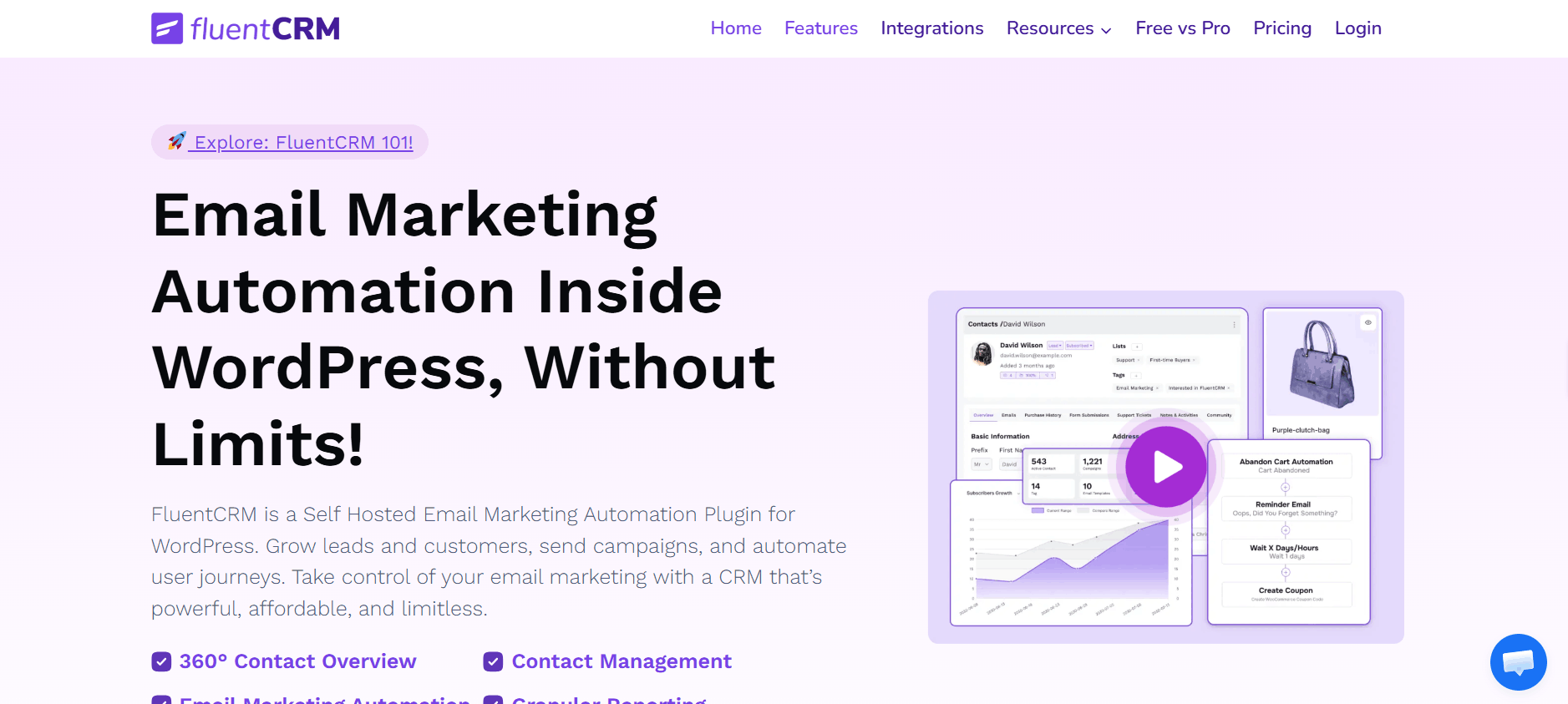
FluentCRM, developed by WPManageNinja, is the most widely deployed self-hosted CRM plugin for WordPress today. It powers over 25,000 businesses and has earned that trust through consistent development, deep WooCommerce integration, and a visual automation builder that competes seriously with dedicated email platforms.
Its free tier is genuinely useful — unlimited contacts, basic campaign management, and WPManageNinja product integrations at no cost. The Pro tier, starting at $129 per year for a single site, unlocks 45+ integrations, advanced segmentation, A/B testing, dynamic segments, and email sequencing. For businesses already running WooCommerce, LearnDash, AffiliateWP, or MemberPress, those native integrations make the Pro price easy to justify.
That maturity also shows up in quieter but critical areas: comprehensive documentation, an active community, responsive support, and years of dealing with real-world edge cases. When something breaks before a campaign launch, that institutional depth matters.
Feature-by-Feature Comparison
The table below compares both plugins across every major capability. Winner badges reflect current functionality, not roadmap promises.
|
Feature |
GemCRM |
FluentCRM |
|
WordPress-native CRM |
✅ Yes |
✅ Yes |
|
Contact management |
✅ Simple & clean |
✅ Advanced |
|
Lists & tags |
✅ Yes |
✅ Yes |
|
WordPress user sync |
✅ Automatic |
✅ Available |
|
Create a contact from comments |
✅ Yes |
❌ No |
|
Email campaigns |
✅ Yes |
✅ Yes |
|
Recurring campaigns |
✅ Built-in (Pro) |
❌ Manual workaround |
|
Email sequences (drip) |
✅ Pro |
✅ Pro |
|
Role-based tag mapping |
✅ Pro |
⚠️ Limited |
|
Automation workflows |
✅ Available |
✅ Available |
|
UI simplicity |
⭐⭐⭐⭐⭐ |
⭐⭐⭐ |
|
Beginner-friendly |
✅ Very |
⚠️ Moderate |
|
Performance-focused |
✅ Lightweight |
⚠️ Heavier |
Pricing: The Real Long-Term Cost
Sticker price comparisons miss the point. What matters is the total cost of ownership over three to five years — especially if you manage more than one site.
Based on the pricing published on FluentCRM’s official pricing page, Pro starts at $129/year for a single site, $199/year for five sites, and $499/year for 50 sites. Run that over five years:
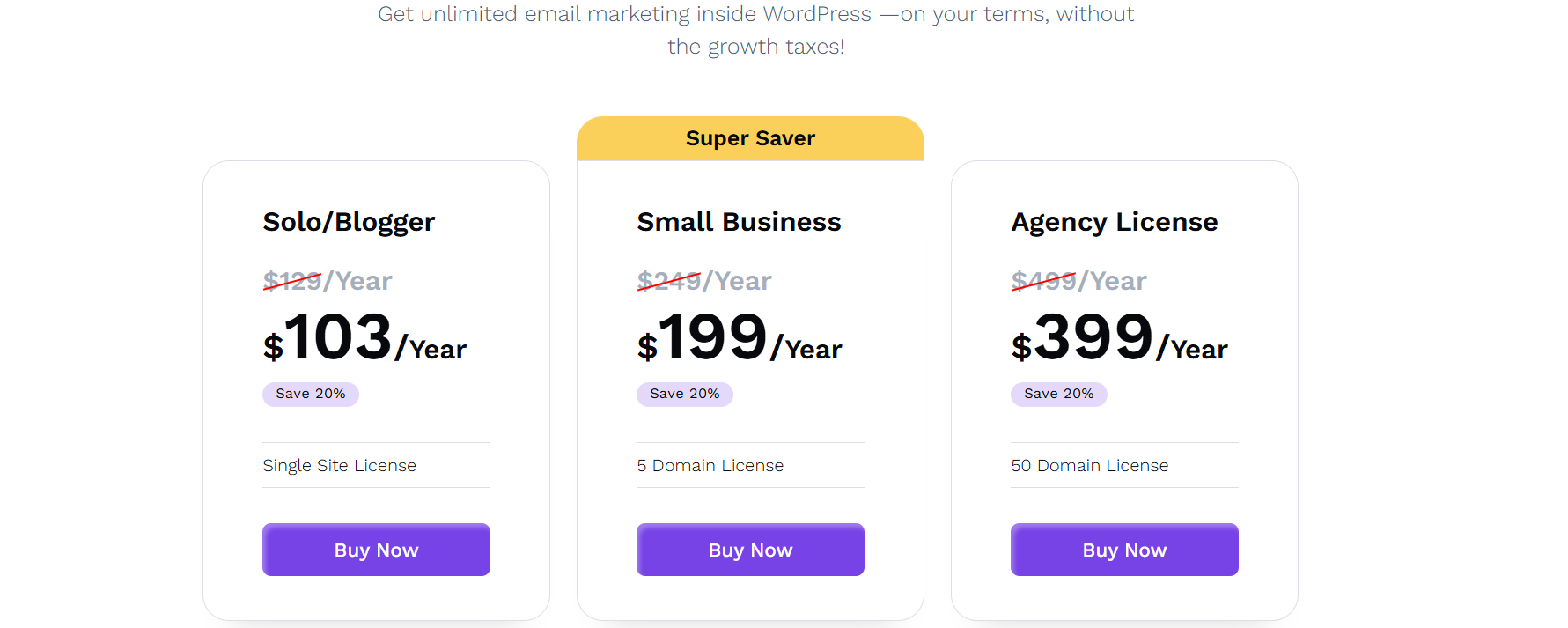
- Single site: $645+
- 50-site agency plan: $2,495+ — before any future price increases
This is genuinely affordable compared to Mailchimp’s $20/month for just 500 contacts, but it’s still a recurring cost that compounds.
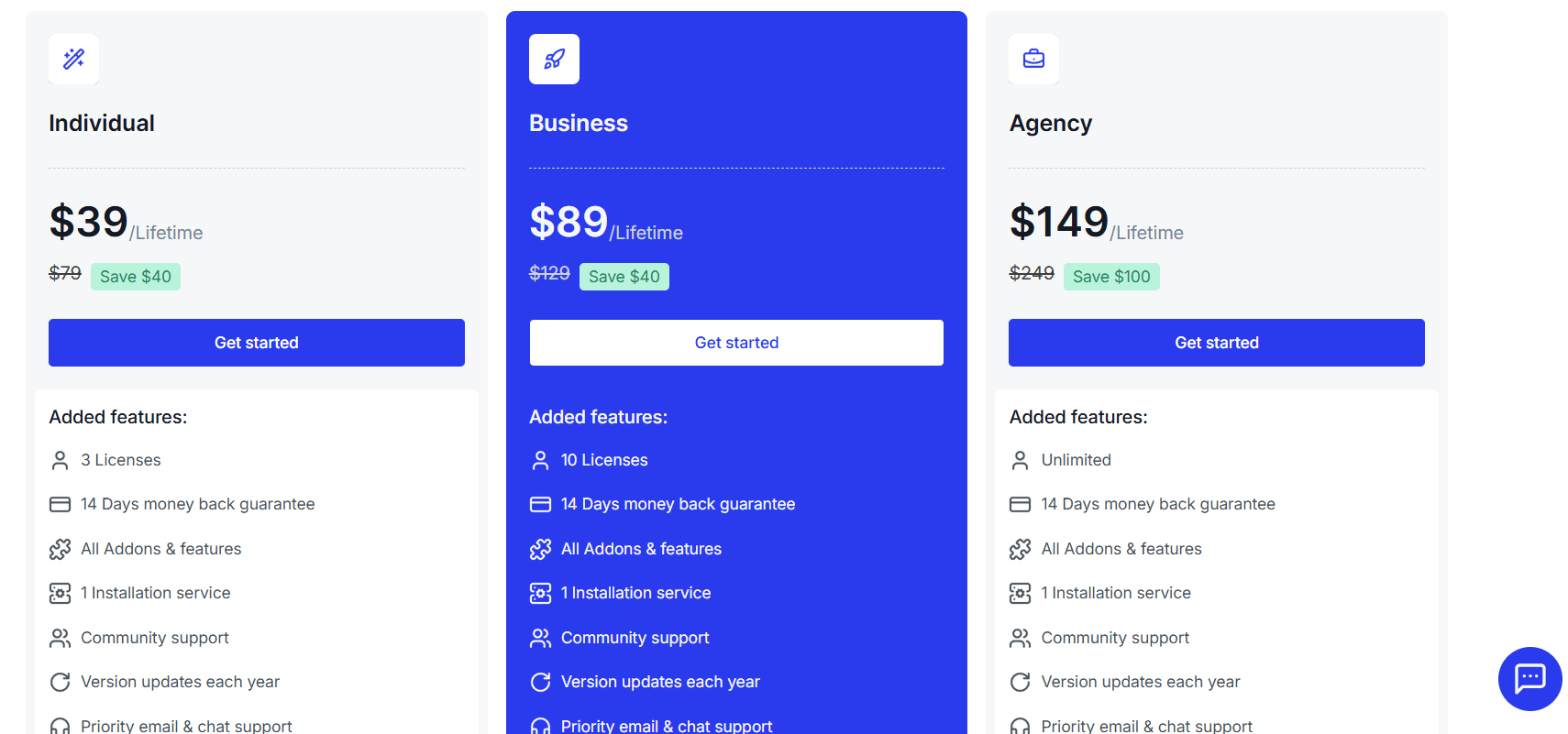
GemCRM uses a one-time lifetime fee covering unlimited contacts, campaigns, and integrations — no annual renewal, no hidden fees. For long-term site owners and agencies, the math is straightforward: the lifetime model pays for itself within two renewal cycles. The window to lock in the best rate is typically before the product exits beta.
Automation & Segmentation
FluentCRM’s automation builder is its most mature feature. The visual drag-and-drop canvas lets you build multi-branch workflows with triggers, conditional splits, time delays, and action blocks. It fires automations from real behavioral events — email opens, link clicks, WooCommerce purchases, course enrollments — and chains them into sequences that run entirely on their own.
GemCRM covers the fundamentals of marketing automation with email drip sequences, recurring campaigns, role-based tag mapping, and dynamic segmentation with advanced filters. Its automation workflows are now available, giving businesses more flexibility to create and manage automated customer journeys. FluentCRM still offers a more mature visual automation experience for businesses that need complex branching workflows and advanced behavioral triggers.
FluentCRM’s dynamic segments are powerful for businesses that need advanced behavioral targeting. GemCRM now also supports dynamic segments and advanced filters, allowing businesses to target contacts based on contact fields and other criteria that update live. FluentCRM may still offer more advanced segmentation options for complex marketing workflows.
Pros & Cons at a Glance
GemCRM ✅ Strengths:
- Lifetime pricing — no annual renewal pressure
- Unlimited contacts, campaigns, and sequences on all plans
- Native WordPress user sync with auto-removal of deleted users
- Lead capture from comments without extra plugins
- No bulk action cap
GemCRM ❌ Weaknesses:
- Fewer third-party integrations
- Still a relatively new platform with a smaller ecosystem
FluentCRM ✅ Strengths:
- Mature, battle-tested platform with 25,000+ businesses
- Visual drag-and-drop automation canvas
- 45+ native integrations, including WooCommerce
- Dynamic segments and A/B testing in Pro
- Large community and rich documentation
FluentCRM ❌ Weaknesses:
- Annual renewal cost compounds over time
- Most powerful features locked behind the Pro paywall
- Bulk contact actions capped at 600
- Requires a separate SMTP plugin for delivery
Who Should Use Each?
Choose GemCRM if:
- You’re an agency managing multiple WordPress sites long-term
- You run an online course or education business
- You want to eliminate annual renewal fees permanently
- You want built-in marketing automation with email sequences, recurring campaigns, and dynamic segmentation
- You’re comfortable using a tool that’s still maturing
Choose FluentCRM if:
- Your store runs on WooCommerce, and you need deep commerce triggers
- You need highly advanced, multi-branch automation workflows and more complex behavioral logic
- A/B testing and dynamic segments are non-negotiable right now
- You rely on AffiliateWP, MemberPress, or LearnDash
- You prefer a stable, well-documented platform with a large community
Final Verdict
FluentCRM is the right choice if you need advanced automation, deep WooCommerce integration, and a proven ecosystem today. It’s mature, stable, and powerful — but the annual renewal cost adds up meaningfully over time.
GemCRM is the better pick if you prioritize long-term budget control, data ownership, and marketing automation with flexible workflow capabilities for content sites, course businesses, and agencies. Its lifetime pricing and WordPress-first design make it especially compelling over a 3–5 year horizon.
Start with FluentCRM’s free tier if it already covers your needs. Otherwise, calculate your total cost of ownership honestly — and only pay for the complexity you’ll actually use.
FAQ
Do I actually need a separate SMTP plugin with either of these?
Yes. Both GemCRM and FluentCRM still need a separate SMTP plugin and a connected email service.
Can I import my existing contacts without rebuilding everything from scratch?
Yes. Both GemCRM and FluentCRM let you import existing contacts via CSV, apply tags or lists on import, and keep using your list without starting over. However, automation workflows themselves don’t transfer between tools—you’ll need to recreate them manually in the new CRM.
I’m a blogger with under 1,000 subscribers. Where should I start?
With under 1,000 subscribers, start with FluentCRM’s free tier for basic newsletters and list management. When you’re ready for sequences and automation (and plan to use them for 2–3+ years), compare FluentCRM Pro’s recurring cost against GemCRM’s lifetime pricing before upgrading.