



Running a WordPress website without automating your email marketing in 2026 is like owning a shop and forgetting to follow up with your customers. Every form submission, purchase, course enrollment, or blog comment is a lead — and without the right system in place, those leads quietly disappear.
The good news? You don’t need expensive SaaS subscriptions or complex third-party integrations. With a WordPress-native CRM plugin, you can build powerful automated email sequences, manage subscribers, and send targeted campaigns — all from your WordPress dashboard.
Why Automate Email Marketing in WordPress?
Before diving into the “how,” let’s talk about the “why.”
Email marketing remains the highest-ROI digital marketing channel. According to Litmus’s 2024 State of Email Report, businesses earn an average of $36 for every $1 spent on email marketing. But manually sending emails to every subscriber is unsustainable as your audience grows.
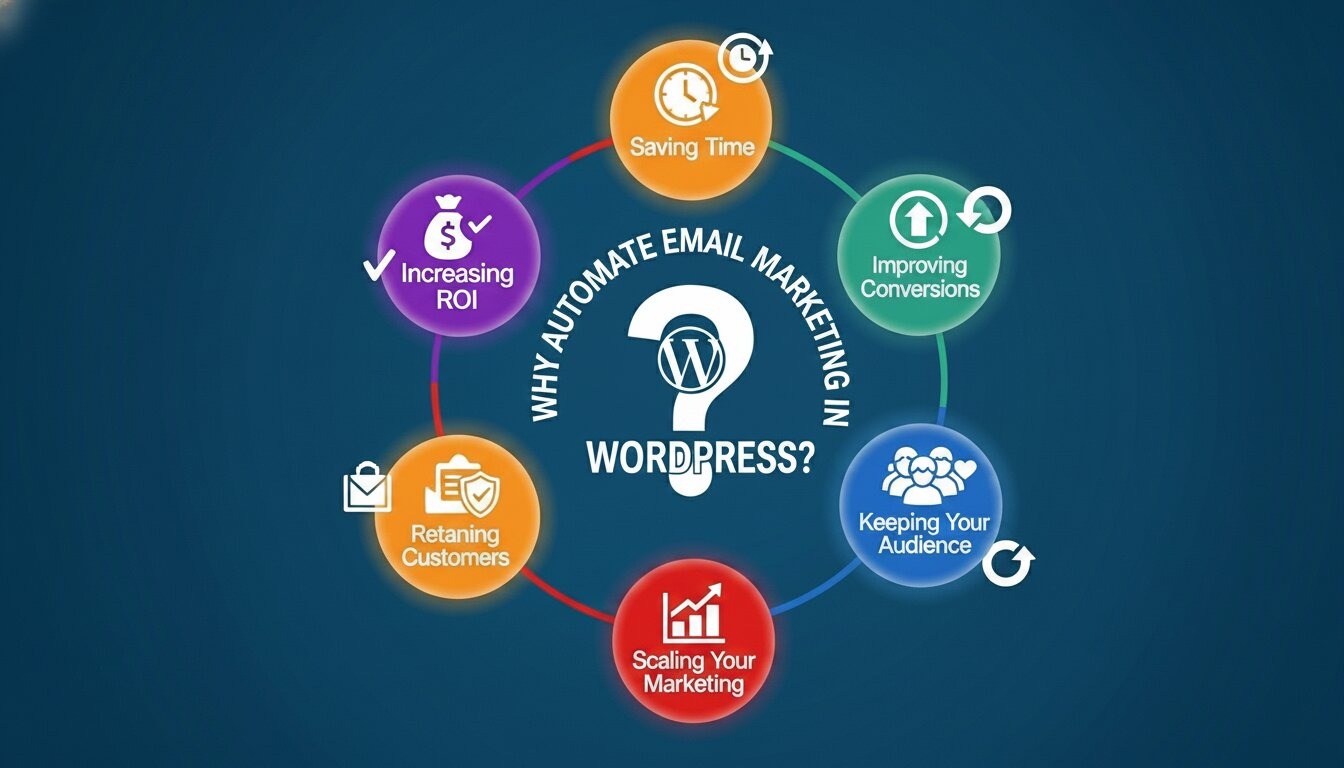
Email marketing automation solves this by:
- Saving time by eliminating repetitive manual tasks
- Improving conversions with timely, personalized follow-ups
- Keeping your audience organized through segmentation and tagging
- Scaling your marketing without scaling your workload
- Retaining customers with consistent, behavior-triggered communication
When you automate inside WordPress itself — rather than using an external SaaS tool — you also gain full ownership of your data, lower long-term costs, and a tighter connection between your website activity and your email strategy.
What’s Changed in Email Marketing?
Before choosing a tool, it helps to understand where email marketing stands today.
Gmail and Apple Mail privacy protections are now mainstream: Apple’s Mail Privacy Protection (MPP), introduced in 2021, is widely adopted today, which means open rate data is far less reliable than it once was. Many senders report inflated open rates as Apple pre-fetches emails in the background. Smart marketers now prioritize click-through rates and conversions as their primary engagement metrics, rather than relying solely on opens.
AI-generated email copy is everywhere: As a result, audiences are growing more sensitive to generic, automated-sounding emails. Personalization — using real subscriber data like first name, location, and past behavior — is now more critical than ever for standing out in crowded inboxes.
Stricter sender requirements from Google and Yahoo: Google and Yahoo now require bulk senders to authenticate their email with SPF, DKIM, and DMARC records, maintain a spam complaint rate below 0.1%, and provide easy one-click unsubscribe links. These are not optional — failing to comply leads to deliverability issues or outright blocking. Any email automation setup you build today must account for proper authentication from day one.
GDPR enforcement is increasing globally: The EU’s General Data Protection Regulation is being applied more aggressively, with fines reaching into the millions for organizations that fail to comply. Even small website owners are expected to obtain clear consent before sending marketing emails.
Choosing the Right WordPress Email Automation Plugin
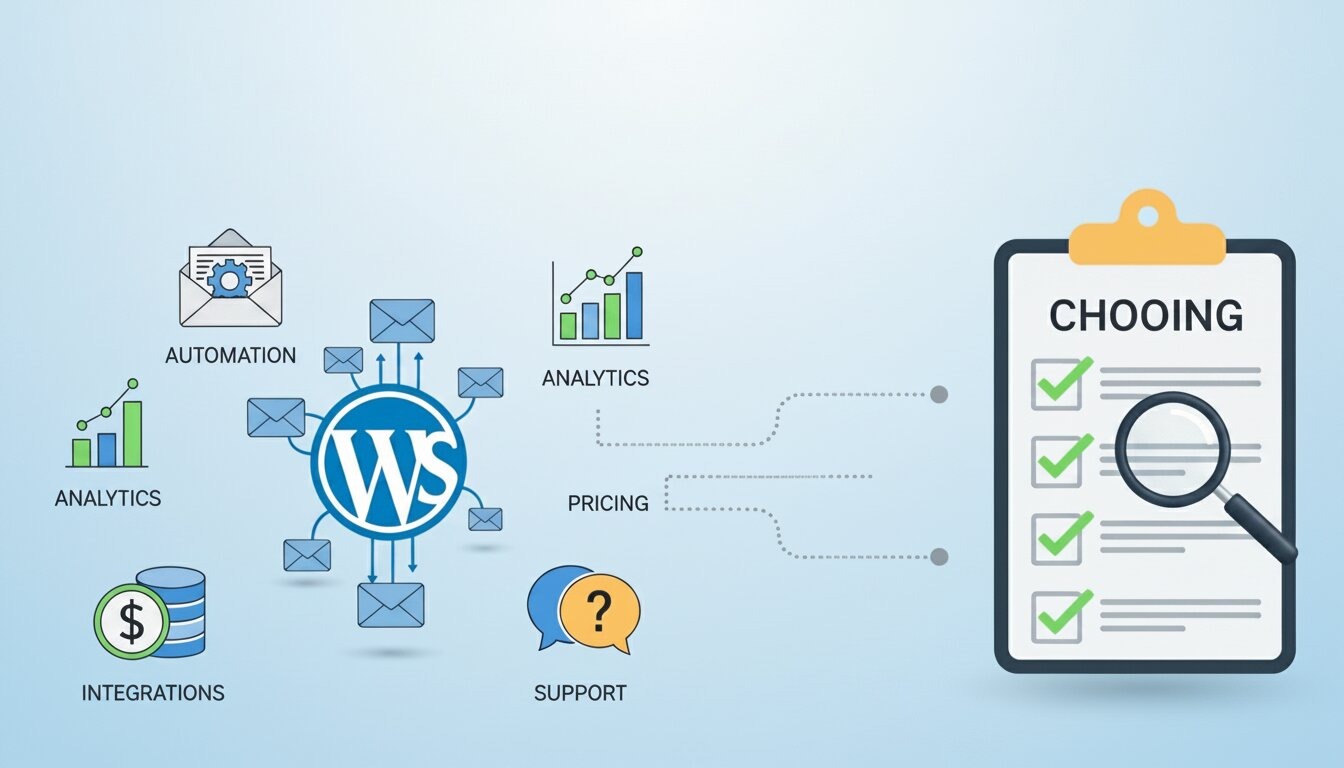
Not all WordPress email plugins are built the same. There are two broad categories:
External SaaS integrations
(Mailchimp, ActiveCampaign, ConvertKit) Sync your WordPress data to a third-party server. These are polished tools with large feature sets, but they come with monthly fees that scale with your subscriber count, and your contact data lives on someone else’s servers.
WordPress-native plugins
Like GemCRM, FluentCRM stores everything directly inside your own WordPress installation. Your contact data never leaves your hosting environment, costs stay predictable, and your email workflows connect directly to your site activity — user registrations, purchases, course enrollments, and more.
For most small to mid-sized websites, a WordPress-native approach is the smarter long-term investment, especially if you’re already managing your site, store, or courses inside WordPress.
Step-by-Step: How to Set Up Email Marketing Automation in WordPress with GemCRM + Zaplane
Whether you’re building a general email marketing system or automating course enrollment for Academy LMS students, the setup follows the same foundation. These steps cover both scenarios — starting with core GemCRM configuration, then extending into course-specific automation via Zaplane.
What You Need Before You Start
Make sure these plugins are installed and active:
- GemCRM — Your CRM, contact management, and email marketing hub
- Academy LMS — Required only for course enrollment automation
- Zaplane — Automation engine (developed by the same Kodezen team)
Note: Zaplane can be installed directly from the GemCRM → Automation tab.
Step 1: Install and Activate GemCRM
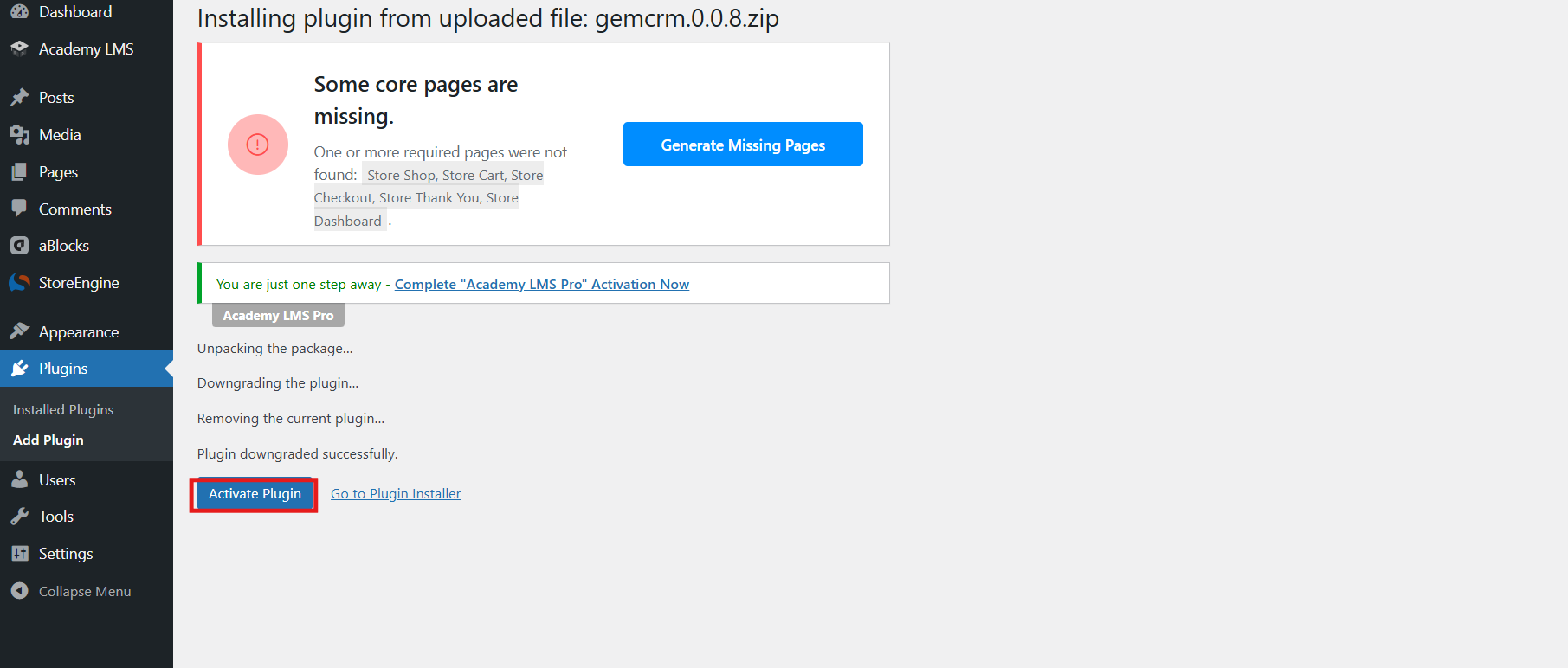
- Go to WordPress Dashboard → Plugins → Add New
- Upload the plugin ZIP file → Install Now → Activate
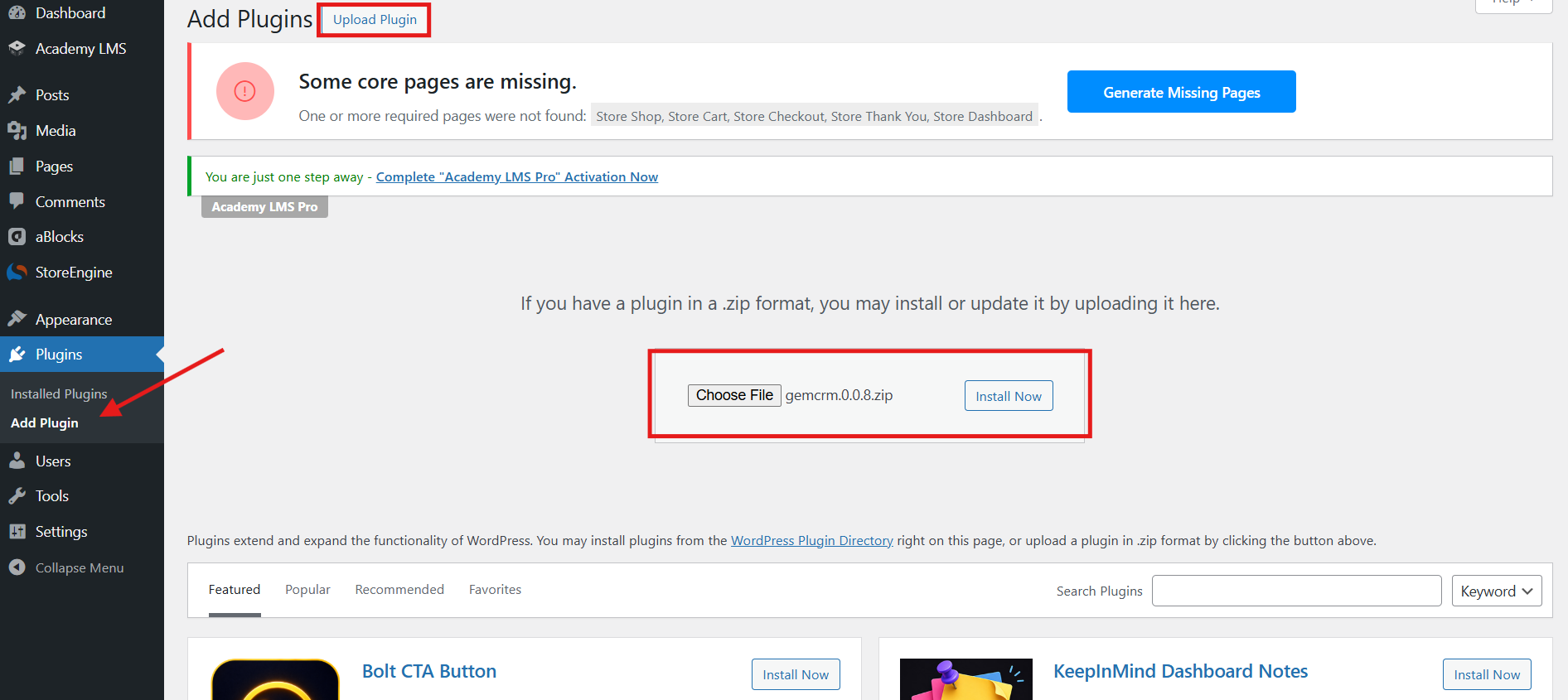
3. Upload the plugin ZIP file → Install Now → Activate
Step 2: Configure Sender Settings
Navigate to GemCRM settings and set:
- Sender Name (what subscribers see in their inbox)
- Reply-To Email Address
- Default email behavior (timing, throttling, fallback rules)
These global settings apply to all automated emails — welcome sequences, onboarding, re-engagement, and post-purchase flows.
Step 3: Build Segmented Lists & Tags
Create targeted lists:
- Cold Leads
- Active Subscribers
- Paying Customers
- Course Students
Tags power your automation. Examples:
- downloaded-guide → Lead nurture sequence
- completed-onboarding → Upsell sequence
- course-enrolled → Student onboarding
- no-click-60-days → Re-engagement campaign
Step 4: Enable Double Opt-In
- Turn on double opt-in for new subscribers
- Use email confirmation as the trigger for your welcome series (3–5 emails)
- Deliver your lead magnet, introduce your brand, and guide them toward conversion
This keeps your list clean and protects deliverability.
Step 5: Create Your First Email Campaign
In the campaign builder:
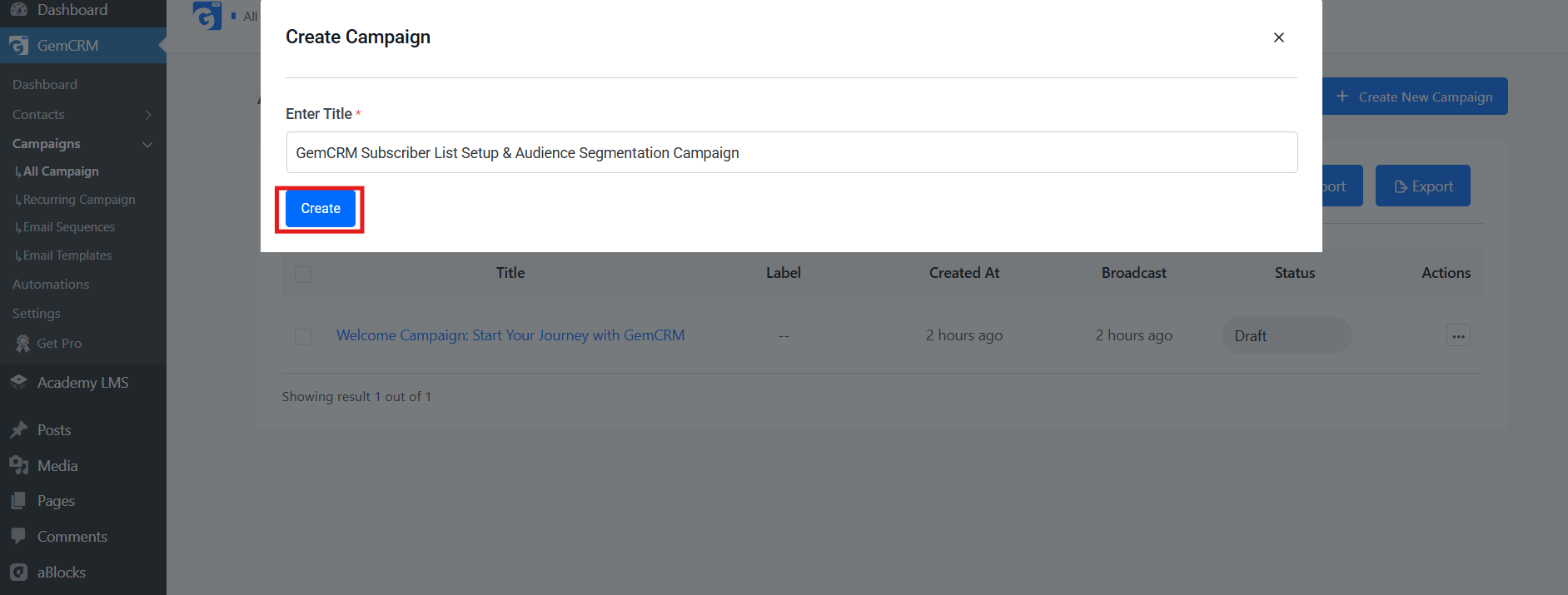
- Choose one-time broadcast or recurring
- Select target list + tag filters
- Pick or design a template
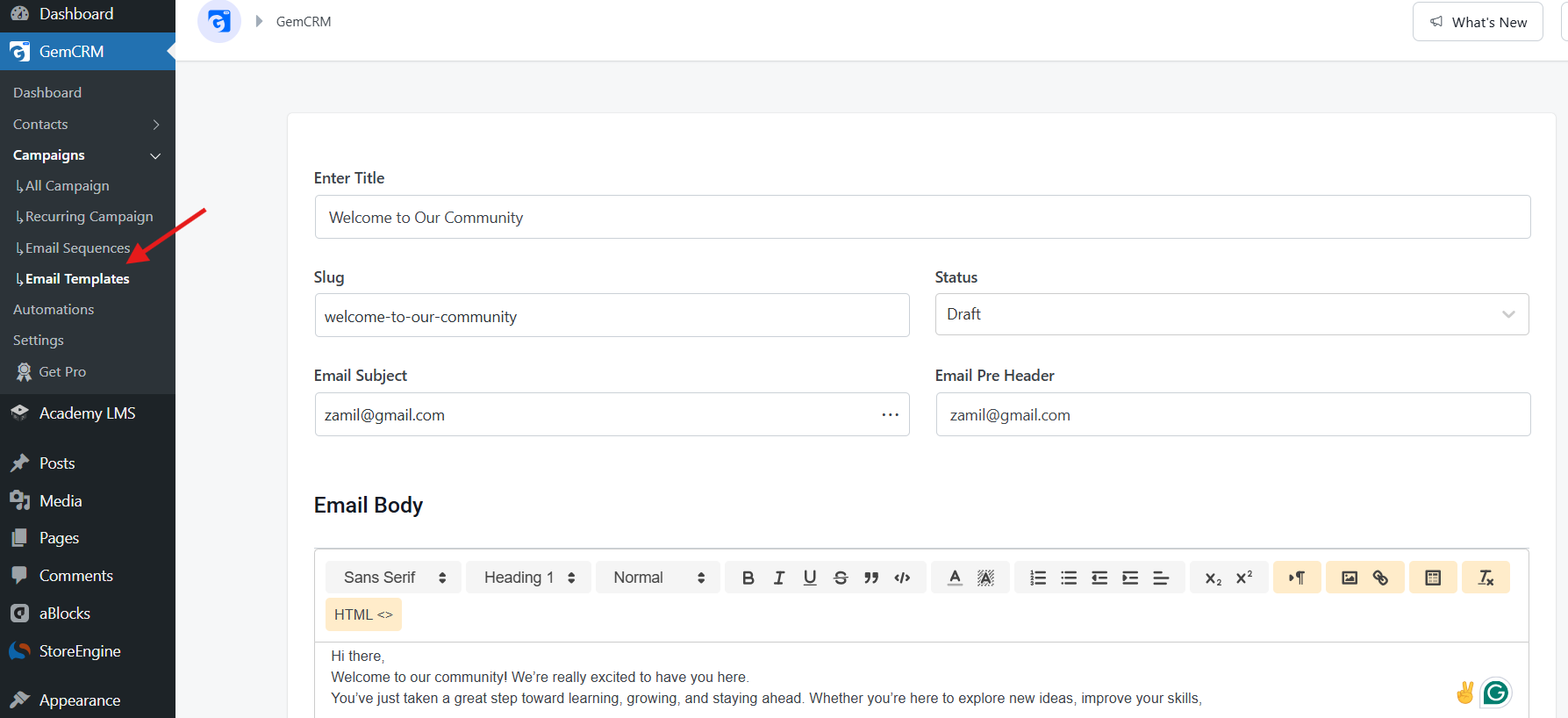
- Write subject line + preview text
- Schedule or send immediately
Use personalization (e.g., first name) to boost engagement.
Step 6: Set Up Email Sequences (Drip Automation)
Build automated sequences that trigger on signup. Recommended starter framework:
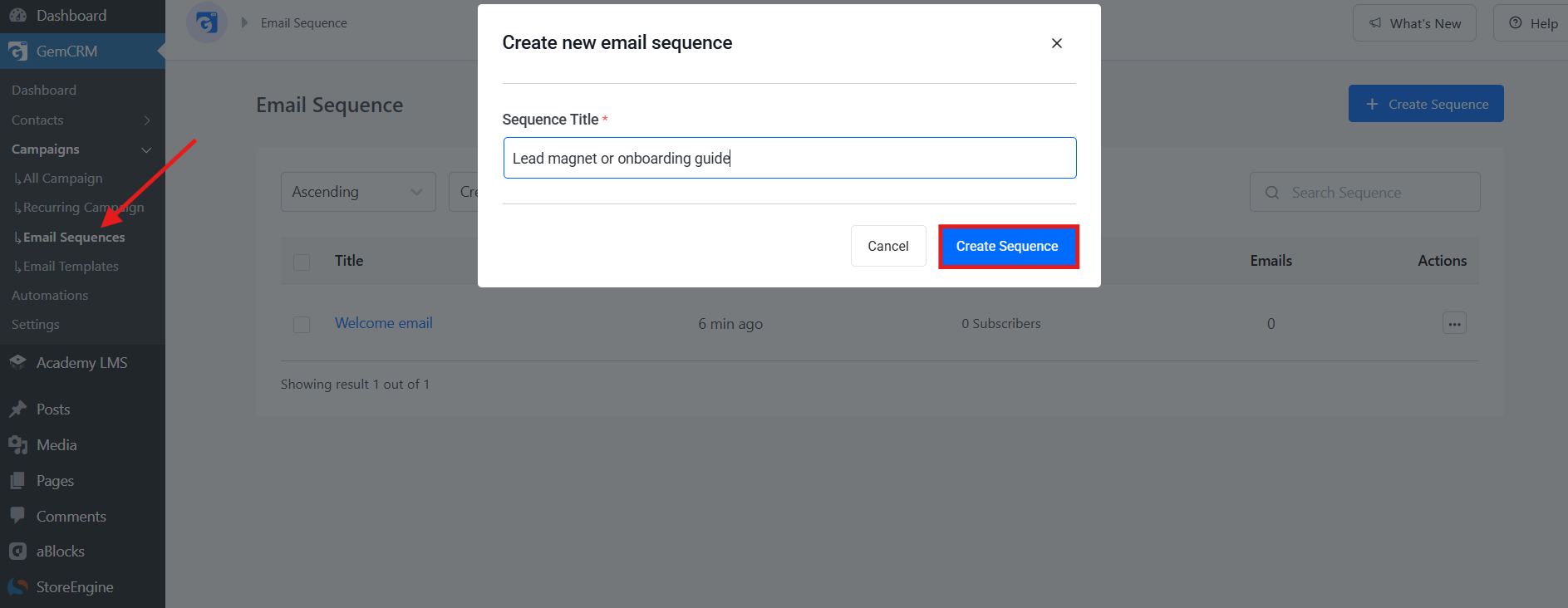
- Day 0: Welcome + set expectations
- Day 2: Lead magnet or onboarding guide
- Day 5: Best content or product intro
- Day 10: Testimonials/case studies
- Day 14: Soft offer + clear CTA
Step 7: Set Up Course Enrollment Automation with Zaplane
- Go to GemCRM → Automation → Create New Workflow
- Select Trigger: Academy LMS → Course Enrolled
- Choose specific course(s) or apply to all courses
- Add Action 1: Create/Update Contact in GemCRM:
- Map student data (email, name, etc.)
- Add to “Course Students” list
- Apply relevant tags
- Add Action 2: Enroll in Sequence → Select your course onboarding sequence
Recommended Course Onboarding Schedule:
- Day 0: Welcome + course expectations
- Day 2: Getting started guide + course structure
- Day 5: Highlight important lesson or module
- Day 10: Progress check-in + motivation
- Day 14: Completion encouragement + next steps
Publish the workflow. It will run automatically for every new enrollment.
Step 8: Advanced Workflows & Segmentation
Add more automations as you grow:
- Abandoned cart recovery (WooCommerce)
- Course completion → upsell next course
- Inactive student re-engagement
- Post-purchase thank you & onboarding
- Topic-based automated newsletters
Step 9: Monitor and Optimize
Use the GemCRM dashboard to track:
- Click-through rates (most important)
- Open rates
- Subscriber growth
- Sequence performance & drop-off points
Regularly test subject lines, clean inactive contacts, and improve low-performing emails.
Comparing Your Options
|
Feature |
GemCRM |
FluentCRM |
Mailchimp |
|
Self-hosted |
Yes |
Yes |
No (Cloud SaaS) |
|
Unlimited contacts |
Yes (All plans) |
Yes (Free + Pro) |
No – Tiered by contact count |
|
Email sequences |
Included |
Pro only |
Paid plans |
|
Lifetime pricing |
Yes (One-time) |
No (Annual renewal) |
No (Monthly / Annual) |
|
Data on your server |
Always |
Always |
No |
|
Visual automation builder |
Yes (Available) |
Pro only |
Yes |
GemCRM is worth considering if you want a WordPress-native option with lifetime pricing and no contact limits from day one — particularly useful if you’re running Academy LMS or an eCommerce store and want everything under one roof. FluentCRM is a mature alternative with a stronger drag-and-drop automation builder. Mailchimp makes sense if you need deep third-party integrations and don’t mind the recurring cost.
Best Practices for WordPress Email Marketing Automation
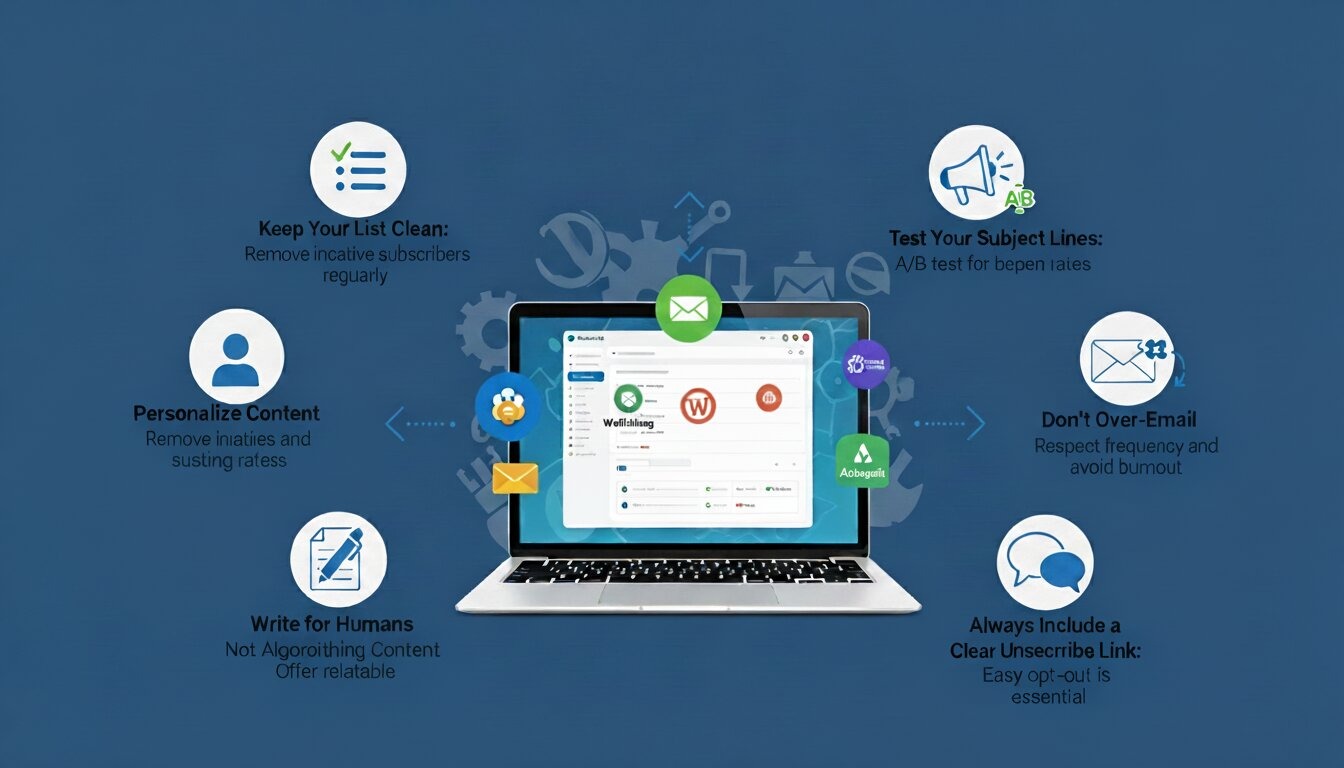
Getting the technology set up is only half the job. Here’s what separates good email programs from great ones:
- Write for humans, not algorithms: Automated doesn’t mean robotic. Use the subscriber’s first name, reference their activity, and keep your tone conversational. Personalization consistently improves open and click-through rates.
- Keep your list clean: Regularly remove contacts who haven’t opened an email in six or more months. A smaller, engaged list outperforms a large, unresponsive one every time.
- Test your subject lines: Your subject line determines whether your email gets opened at all. Try questions, numbers, and curiosity-driven formats, then track what performs.
- Don’t over-email: A 5–7 email welcome sequence over two weeks is a strong start. Sending daily emails to brand-new subscribers is one of the fastest ways to earn unsubscribers.
- Always include a clear unsubscribe link: It’s both a legal requirement and a list health strategy. People who want to leave should be able to do so easily.
Current Priorities in Email Marketing
- Focus on clicks and conversions rather than open rates, as open rates have become unreliable due to Apple’s MPP and Gmail privacy updates.
- Prioritize subscriber engagement and real behavior (clicks, course progress, purchases) over vanity metrics.
- Emphasize personalization and authenticity — AI-generated emails are increasing, so a genuine human tone gives you an edge.
- Maintain excellent deliverability by keeping your list clean and respecting subscriber preferences.
- Build long-term relationships instead of chasing quick sales — trust leads to higher lifetime value and referrals.
Conclusion
Automating your email marketing inside WordPress doesn’t require a big budget or technical expertise. Start simple: install a plugin, configure your sender settings, build your first list, and write a 5-email welcome sequence. Once that’s running on autopilot, the value becomes obvious — you’re building relationships with every new subscriber without any extra effort on your part.
From there, layer in segmentation, additional sequences tied to specific behaviors, and recurring campaigns. Email automation compounds over time. The earlier you start, the more it pays off.
Frequently Asked Questions
I run an online store — what sequences should I set up first?
Start with a post-purchase sequence: confirm the order, share product tips, request a review, and recommend a related product or offer. After that, an abandoned cart sequence is your next highest-ROI automation.
I’m a blogger. How do I use email automation without a product to sell?
Your content is the product. Welcome new subscribers with your best posts, then stay consistent with a weekly or biweekly newsletter. Monetization through affiliates or digital products can come later.
I teach online courses. How should I structure email automation for students?
Match sequences to enrollment stages — a welcome series when they join, a check-in midway, and a completion email that introduces your next offering.
How do I grow my email list in the first place?
Offer a lead magnet (a free guide, checklist, or template) and place your opt-in form on high-traffic pages. Content upgrades within specific blog posts also convert well.
Do I need to worry about GDPR if I’m outside the EU?
If any of your subscribers are in the EU — even a small portion — GDPR applies to you. Enable double opt-in, document your lawful basis for processing data, and make unsubscribing easy. This is also increasingly good practice for compliance with similar laws emerging in the US (California’s CPRA) and other regions.